
Mastering REST API Integration in Pega Constellation
Learn how to configure Connect REST POST, PUT, PATCH, and DELETE methods in Pega with this step-by-step technical walkthrough.
Connect REST Post Method . A simple walkthrough
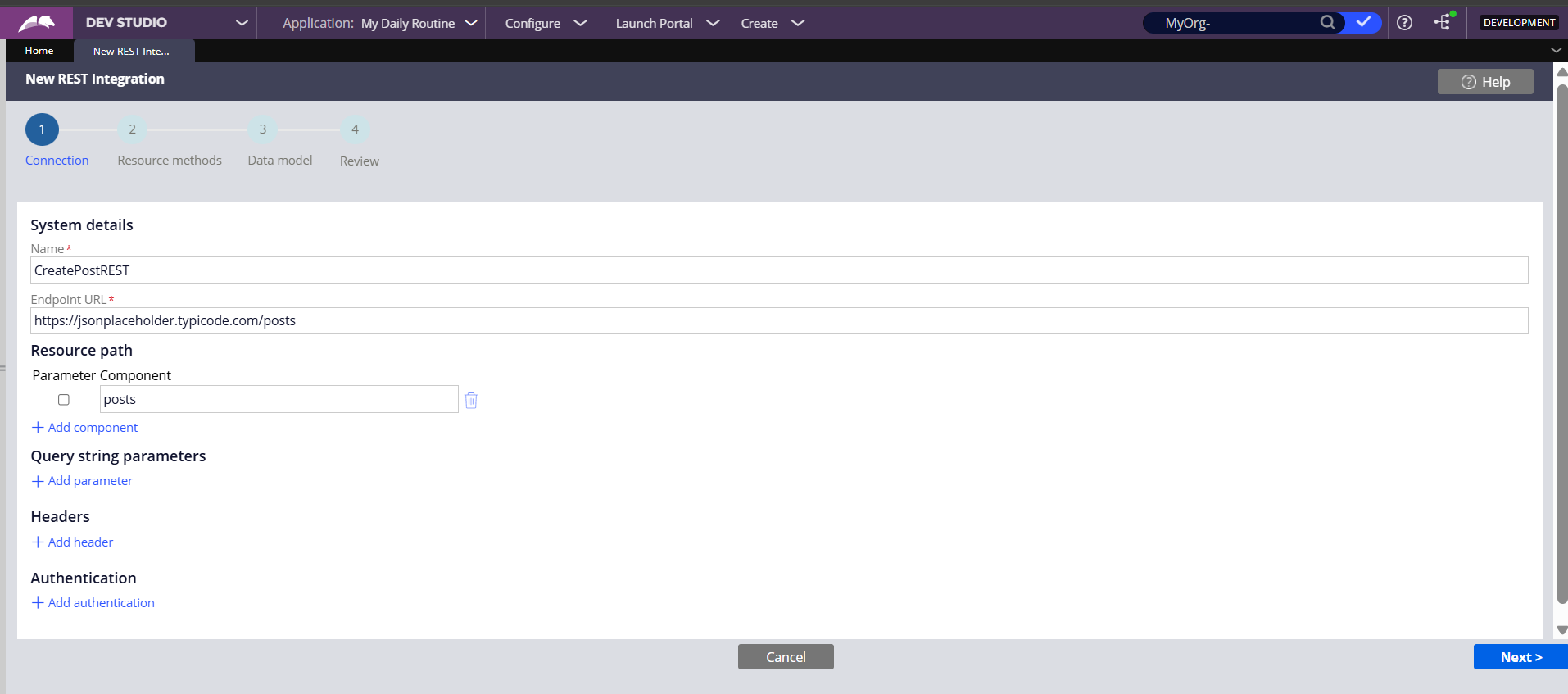
Step 1: Endpoint Configuration
Begin by launching the 'New REST Integration' wizard. Define the Name and the Base Endpoint URL. In this demo, we utilize the specific resource path for capturing posts.
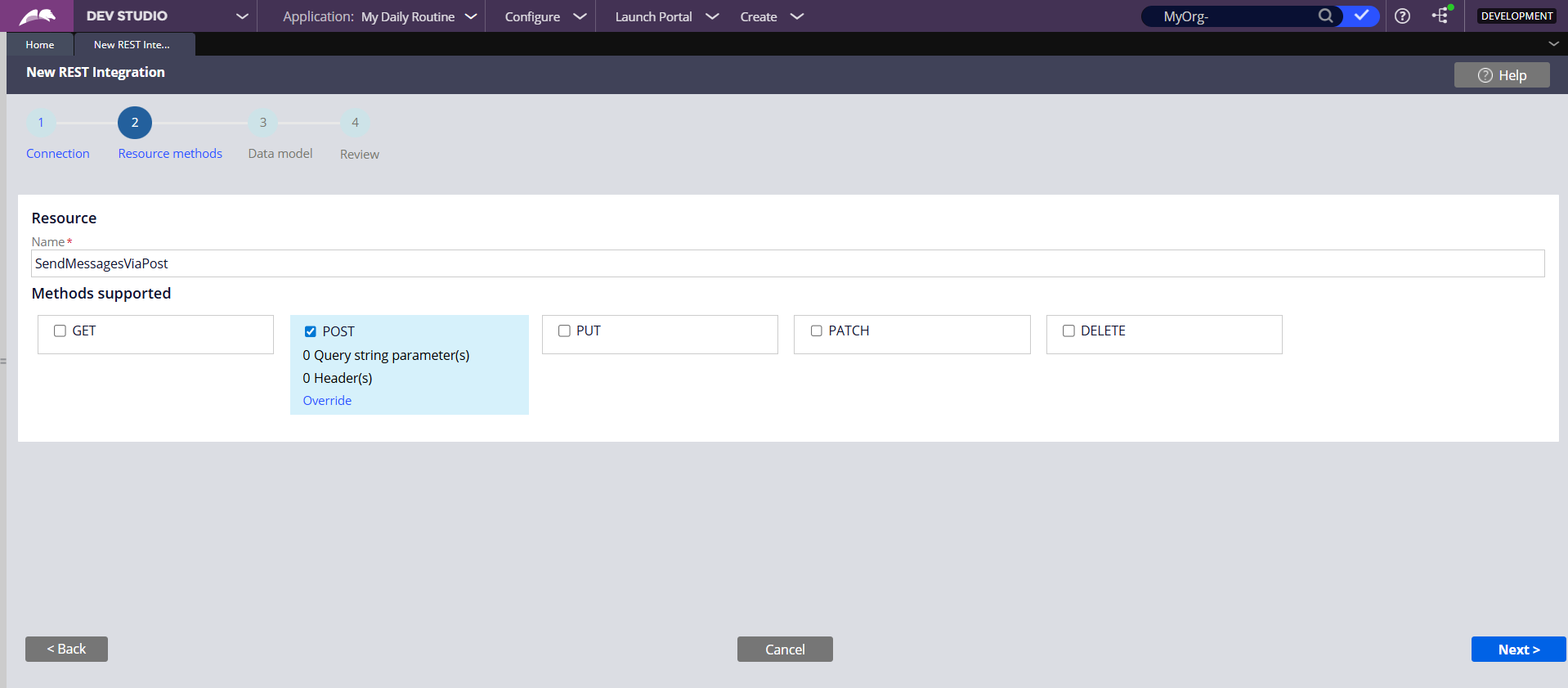
Step 2: Resource Method Selection
Explicitly select the 'POST' method to indicate we are creating new resources. Other methods (GET, PUT, PATCH, DELETE) can be configured here if the endpoint supports multiple operations.
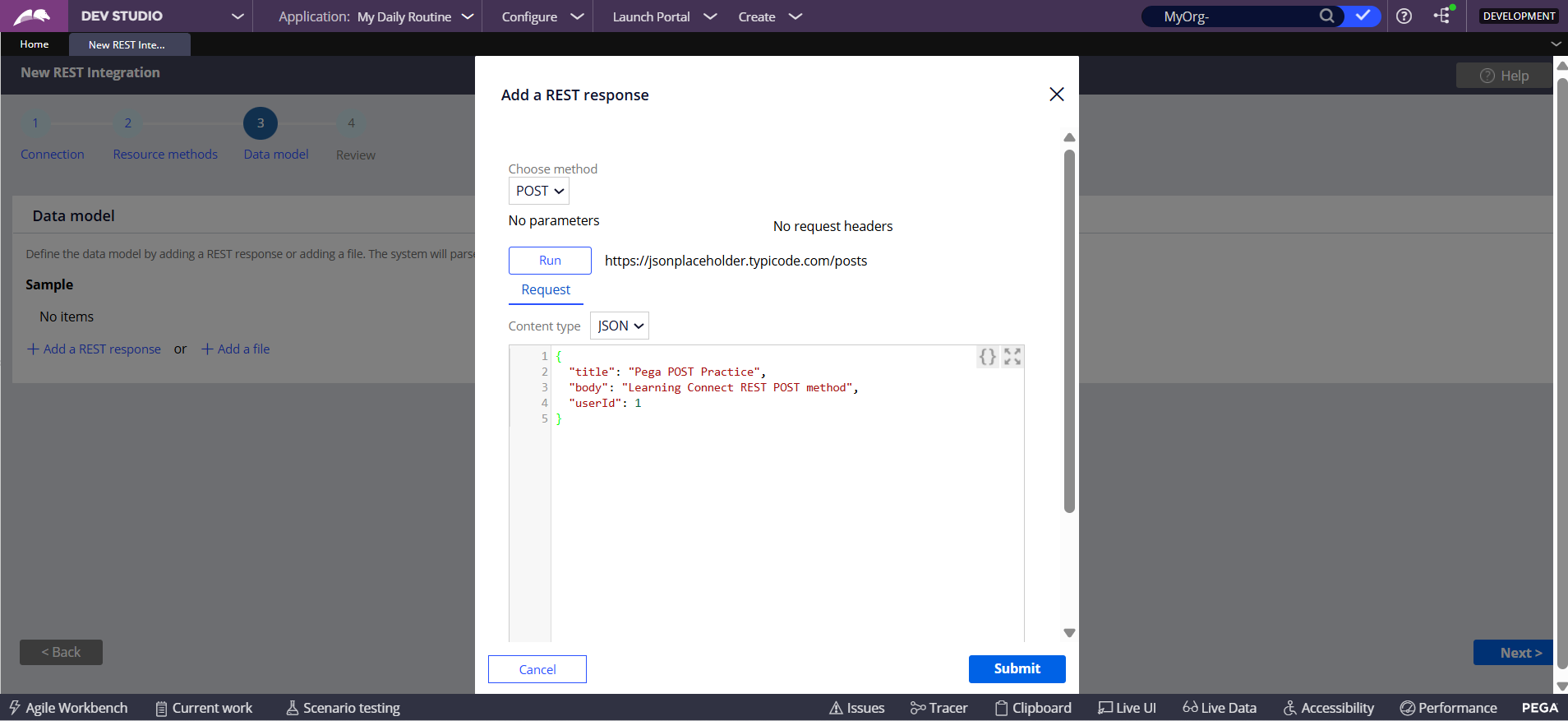
Step 3: Defining Requests via JSON
Use the 'Add a REST response' dialog (Request tab) to input a sample JSON payload. This allows Pega to parse the structure (title, body, userId) and automatically generate the corresponding Data Model.
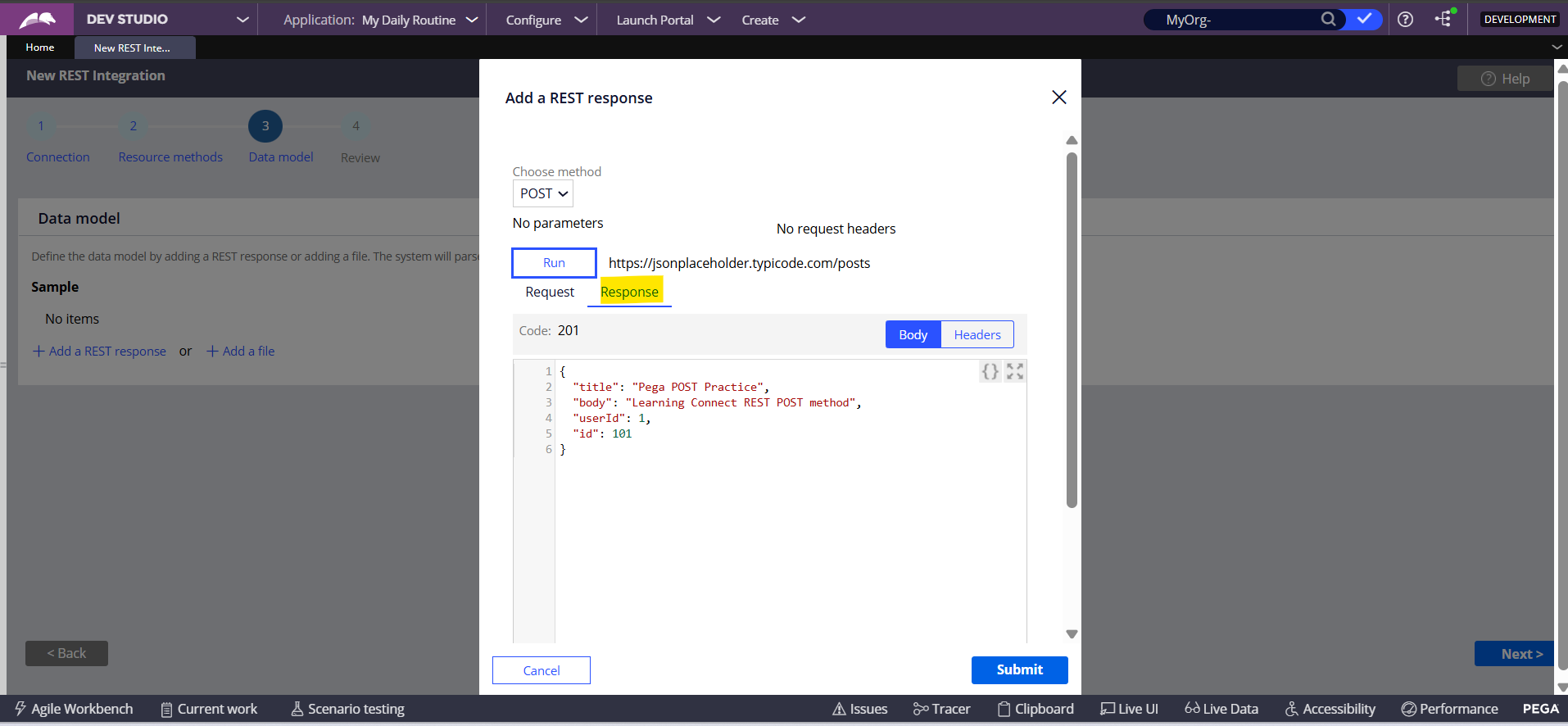
Step 4: Parsing the Response
Configure the 'Response' tab with sample JSON. Note the HTTP 201 code logic. This ensures the connector knows how to handle the data returning from the service after a successful POST.
Step 5: Automated Asset Generation
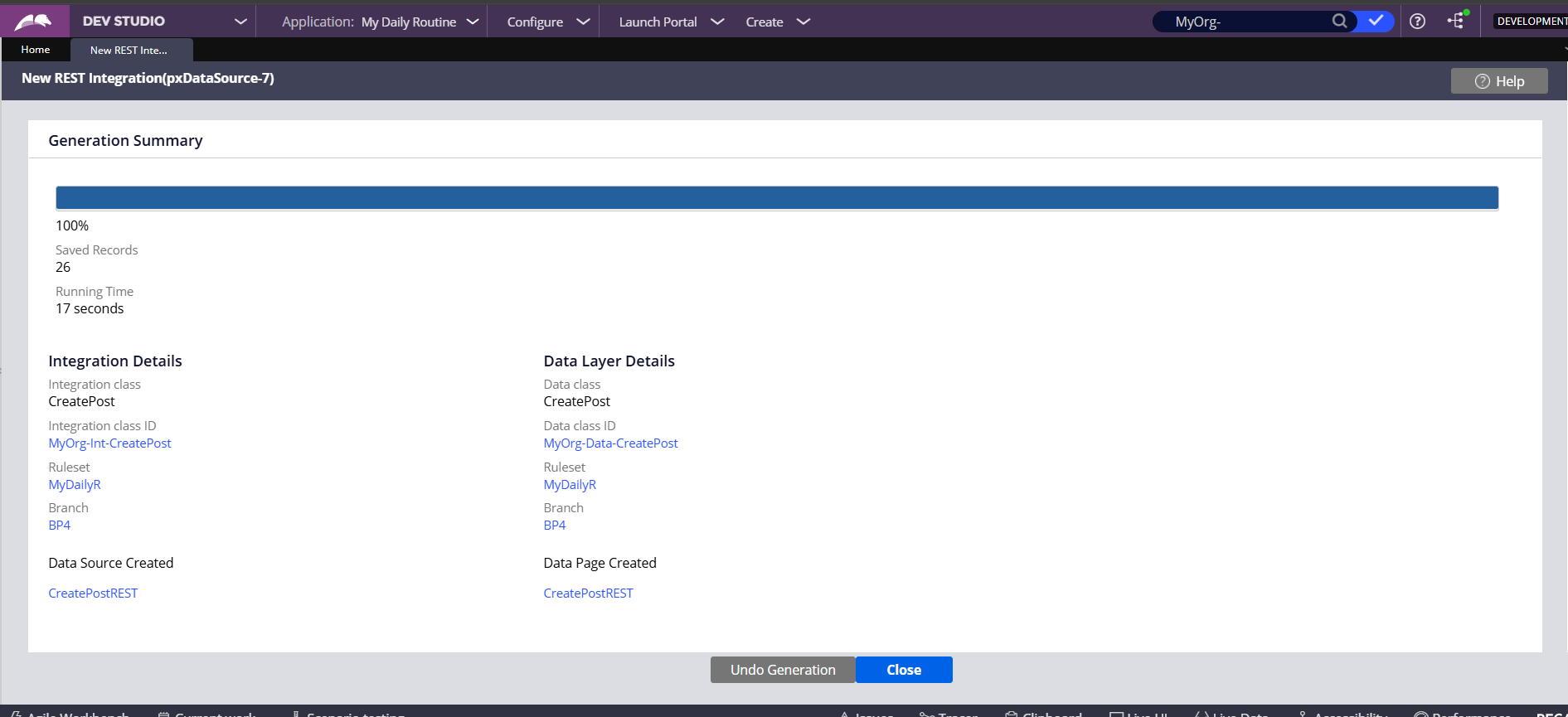
Once configured, review the Generation Summary. Pega creates the necessary Int- classes, Data- classes, Connector rules, and Data Pages in seconds, ensuring strict typing and reusability.
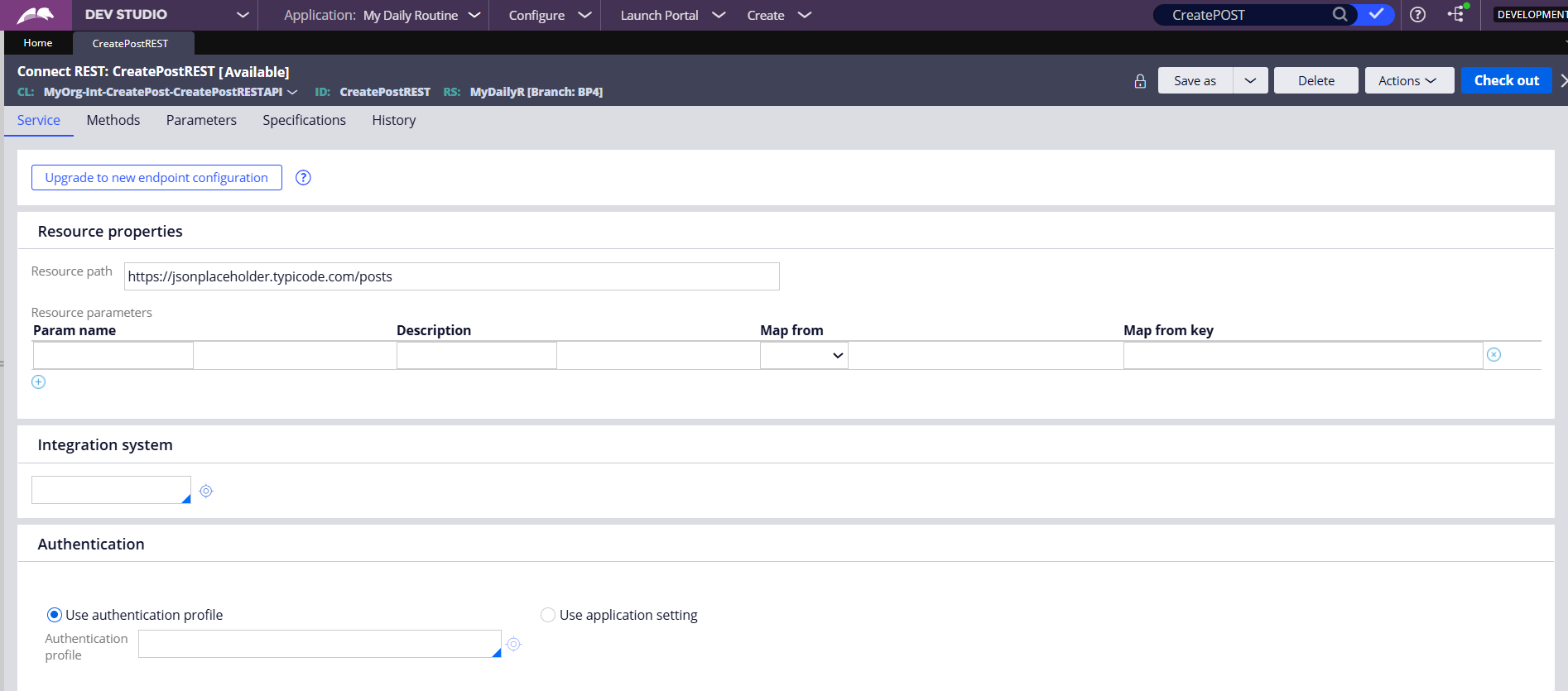
The Generated Connect REST Rule
Reviewing Resource & Authentication Settings
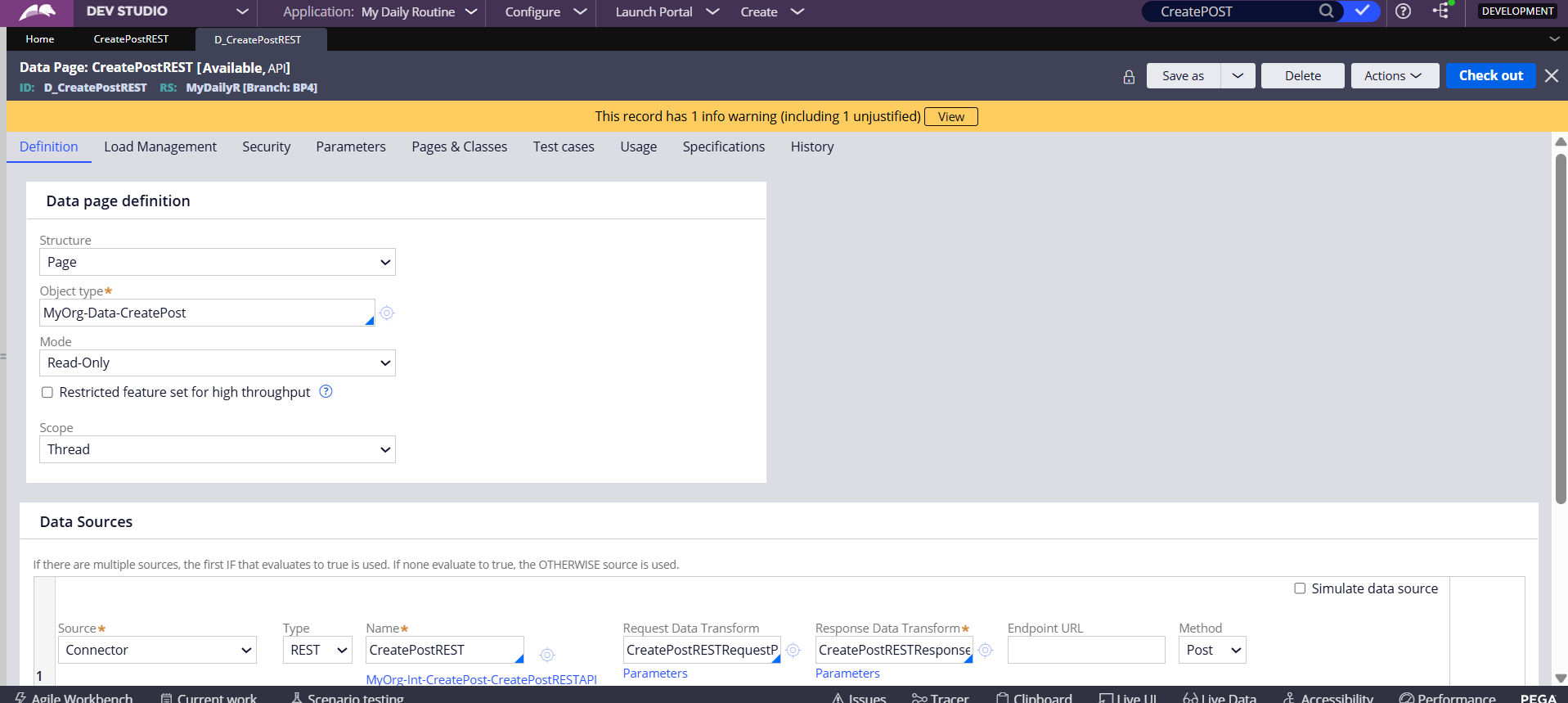
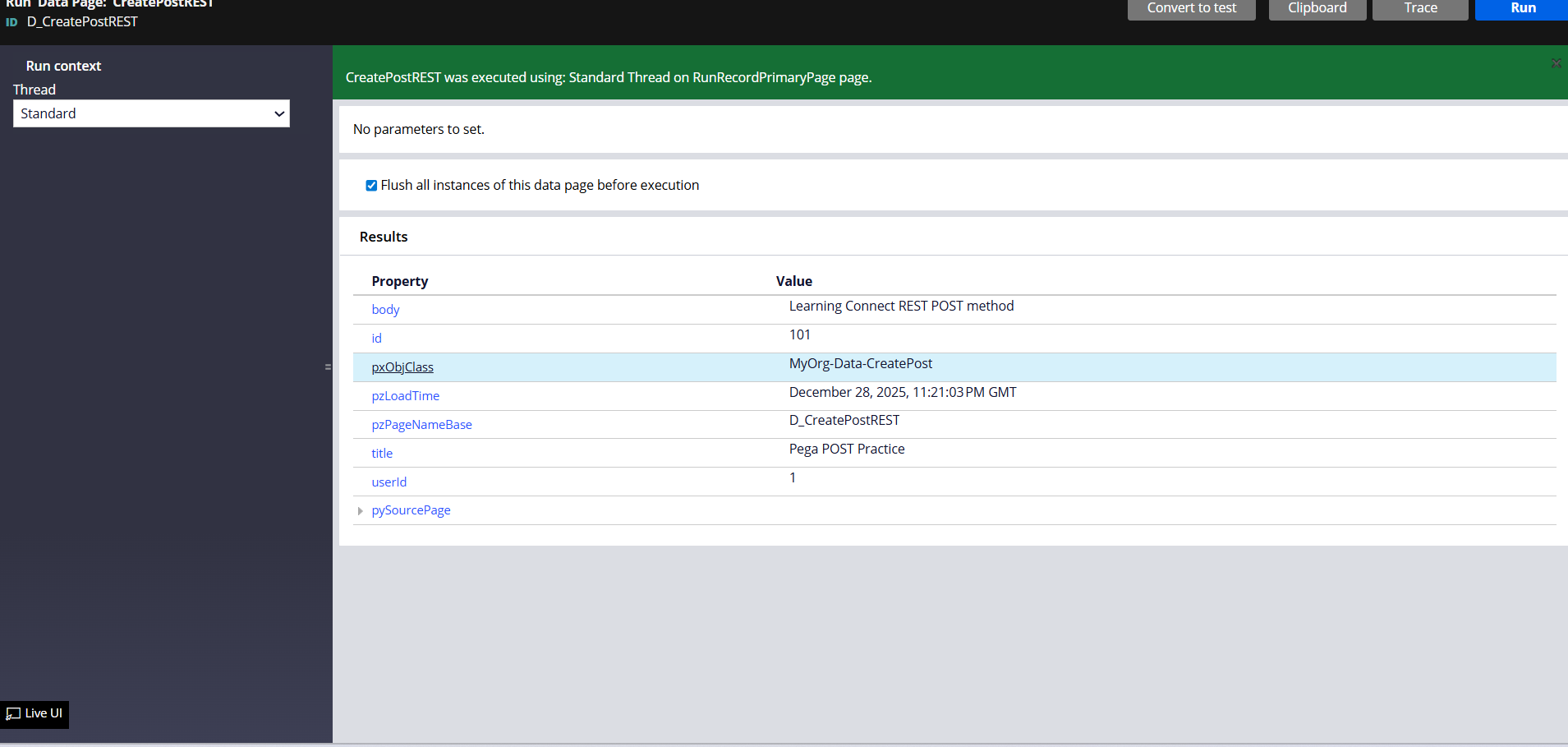
Data Page Execution
The 'D_CreatePostREST' Data Page configured to invoke the Connector
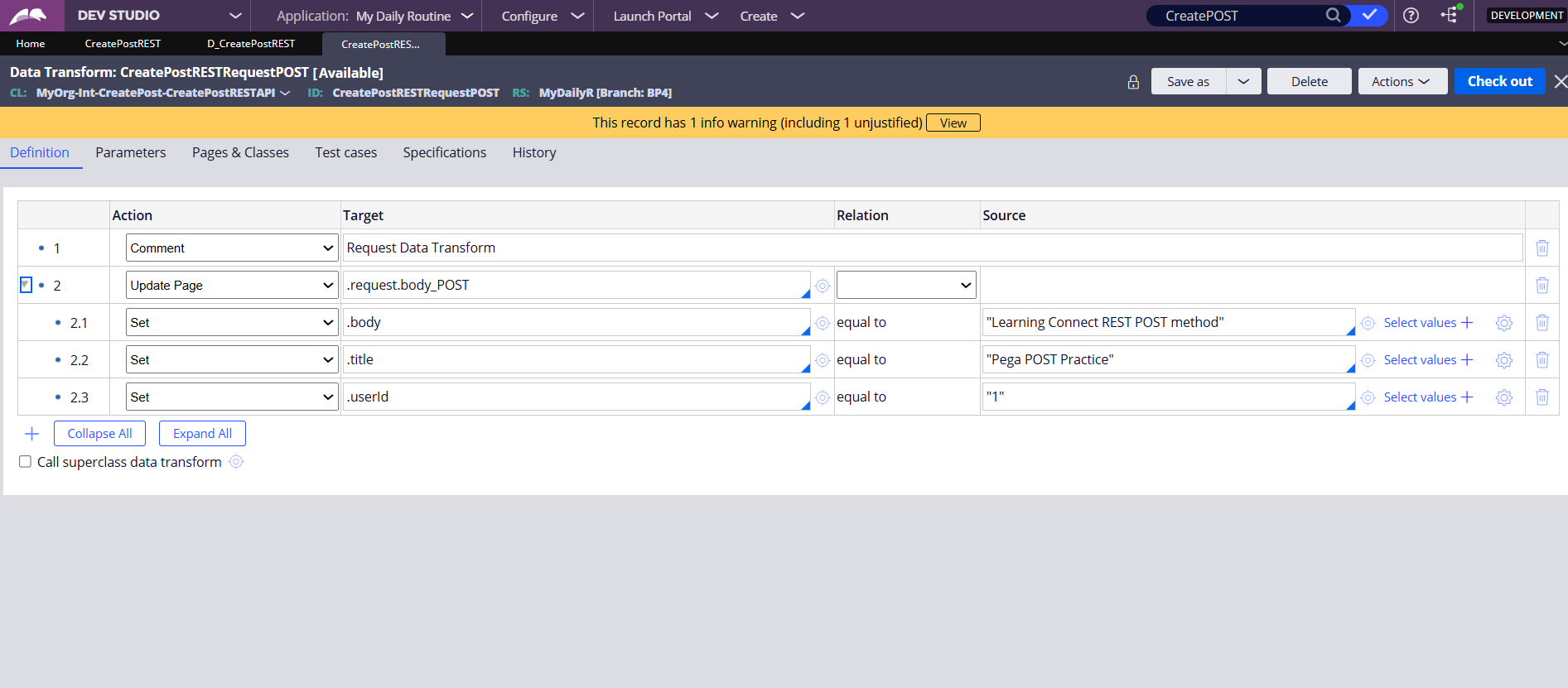
Request Mapping Logic
The generated Request Data Transform allows you to map internal Pega properties (source) to the external API's expected JSON fields (target). Here we set title, body, and userId.
Success: Integration Results
Verified 201 Response with ID: 101
HTTP Methods: Comparisons & Examples
<strong style='color:#4caf50; font-size:24px; display:block; margin-bottom:10px;'>PUT</strong><div style='margin-bottom:10px;'><strong>Full Replacement</strong></div>Target a specific resource and replace it entirely.<br><br><em>Example:</em> Uploading a v2.0 of a document. The old v1.0 is completely overwritten.
<strong style='color:#ffc107; font-size:24px; display:block; margin-bottom:10px;'>PATCH</strong><div style='margin-bottom:10px;'><strong>Partial Update</strong></div>Modify only part of a resource without affecting the rest.<br><br><em>Example:</em> Changing just the street name in a shipping address while keeping the zip code and city.
<strong style='color:#f44336; font-size:24px; display:block; margin-bottom:10px;'>DELETE</strong><div style='margin-bottom:10px;'><strong>Removal</strong></div>Permanently remove a resource from the server.<br><br><em>Example:</em> Canceling a subscription or deleting a user account.
<strong style='color:#2196f3; font-size:24px; display:block; margin-bottom:10px;'>POST vs PUT</strong><ul style='margin:0; padding-left:20px; line-height:1.5;'><li><strong>POST (Create):</strong> Creates a <em>new</em> resource. Sending the request 5 times creates 5 separate entries.<br><span style='font-size:0.9em; opacity:0.8;'>Ex: Posting 5 tweets.</span></li><li style='margin-top:10px;'><strong>PUT (Replace):</strong> Updates a <em>specific</em> resource. Sending the request 5 times results in the same single state.<br><span style='font-size:0.9em; opacity:0.8;'>Ex: Saving your profile bio 5 times.</span></li></ul>
- pega
- rest-api
- integration
- pega-constellation
- http-methods
- post-method
- software-development