
Let’s be honest: we’ve all been there. You have a big meeting or a pitch coming up. You open up Canva, click "Create a Presentation," and start scrolling through hundreds of templates. They all look great at first glance. But the moment you try to fit your actual data and your specific narrative into those pre-made boxes, the illusion shatters.
You end up spending hours resizing text, nudging images by three pixels, and trying to make your complex chart look like the placeholder graphic that was originally there.
The Evolution of Presentation Software
For years, legacy design platforms have doubled as presentation makers. Users build slide decks with drag-and-drop editors, customizable templates, and large asset libraries. They are incredibly popular for social media posts, marketing flyers, and general graphic design.
However, when it comes to building professional presentations, these general-purpose tools often fall short because they require manual design work for every single slide, and their template-driven approach leads to repetitive, cookie-cutter aesthetics.
Why I Switched to AI-Native Tools
I started looking for alternatives because I needed stronger structure and automation. A purely template-based approach often leads to manual layout tweaking that wastes hours of my week. If you are building data-heavy decks, need strict brand controls, or want to generate a fully researched draft from a single prompt, dedicated AI presentation tools deliver significantly better results.
The right tool for you depends on whether you value speed, unique design quality, or deep workflow automation over generic graphic design capabilities. Below, I’ll break down the tools I evaluated and why I ultimately built and use Bobr AI.
Other Presentation Tools to Consider
Real tools people use instead of legacy graphic design platforms. Here is how the landscape looks for building slide decks today.

AI builds the whole deck from one prompt — research, design, charts. No templates.

AI presentation maker; text-to-deck with templates and collaboration.

Smart templates and auto-layout for presentations; design automation.

Free, real-time collaboration; part of Google Workspace.

Professional design and prototyping; strong for UI and high-fidelity decks.
Detailed Competitor Analysis
I tested each of these tools extensively. Here is a deeper look at how they compare for specific use cases.
Gamma
Best for: People who want a "Notion-like" document that can be presented.
Gamma is impressive because it breaks the slide paradigm entirely. You write in cards, and it flows. However, this is also its biggest weakness for professional use: exporting to PowerPoint often results in broken layouts because PowerPoint doesn't support Gamma's fluid card concept. It's great for sharing links, less so for corporate files.
Beautiful.ai
Best for: Strict brand compliance and simple charts.
Beautiful.ai is essentially "smart templates." You can't mess up the layout because the tool forces items into specific grids. This is wonderful for consistency but frustrating if you need a custom layout that doesn't fit their pre-defined logic. It feels more like a stricter PowerPoint than a generative AI tool.
Google Slides
Best for: Real-time collaboration.
We all know Google Slides. It's the standard for a reason: it works everywhere, and multiple people can edit at once. But it has almost zero design intelligence. You are starting from a blank white box every single time. It's a tool for editing presentations, not for creating them from scratch.
How to Choose the Right Tool
When migrating away from legacy design software, consider these key workflow criteria.
AI and automation
Tools like Bobr AI and Gamma generate full decks from a single prompt and handle research, layout, and visuals. Legacy AI assists with text or images but doesn’t build a complete presentation from scratch. If you want less manual work and more automation, choose an AI-first presentation tool.
Ease of use
Traditional tools are known for a low learning curve. Many alternatives match that simplicity while adding presentation-specific features. Consider how quickly you need to go from idea to finished deck — AI tools often reduce the steps from outline to final slides.
Design quality and templates
Traditional options offer many templates, but results can look similar across users. Alternatives like Bobr AI generate unique layouts per presentation; others like Beautiful.ai focus on smart templates and auto-layout. Decide whether you want variety and originality or fast, consistent templates.
Collaboration and export
Most legacy tools support shared editing and brand kits. If you need deep real-time collaboration or export to PowerPoint (PPTX) and PDF for external stakeholders, check that your alternative supports your workflow. Bobr AI, Gamma, and Google Slides all offer collaboration and standard export options.
Pricing and free tier
Many tools have a free plan and paid tiers. Many new alternatives also offer a free tier — including Bobr AI and Google Slides — so you can try before committing. Compare limits on credits, exports, and team features when choosing.
The Problem With Graphic Design Tools
When your goal is a professional presentation — not a social media post — the limitations of traditional drag-and-drop editors become painfully obvious. Here are the main pain points that led me to search for something else.
Template Fatigue
Every presentation built this way looks like every other presentation. You choose a template, swap the text, and hope nobody notices it's the exact same layout your competitor used last week.
Manual Design Work
You are given a blank canvas and some design tools, but you still have to write the copy, find images, build charts, and align everything yourself — slide by excruciating slide.
AI Is Just an Add-On
Legacy tools bolted AI features onto an existing design product. They can suggest text or generate a single image, but they can't build a complete, researched presentation from scratch.
Presentations Are Secondary
These are general design tools — built for social media posts, flyers, and logos. Presentations are just one feature of many, not the core product focus.
How to Transition to AI Tools
Worried about losing your previous work? Switching to an AI-native presentation builder is easier than you think. Here is a step-by-step guide to migrating your assets.
Export your old decks as PDF or PPTX
You don't need to leave your old content behind. Go to your existing presentation, click Share > Download, and select either PDF Standard or Microsoft PowerPoint (PPTX). This preserves your text and general layout.
Use your exported file as an AI source
In Bobr AI, you can upload the PDF or PPTX you just exported. The AI will read the content, analyze the structure, and let you instantly redesign the entire deck using modern, template-free layouts. It takes seconds to give an old deck a complete facelift.
Extract your brand assets automatically
If you have a Brand Kit set up in legacy tools, make sure you know your primary HEX color codes and logo file. Better yet, Bobr AI can automatically pull brand guidelines directly from your company website URL, saving you the hassle of manually entering colors and fonts.
What We Built Instead: Bobr AI
I realized that to create a truly presentation-first workflow, the system needed to do more than just arrange text boxes. It needed to handle the research, the data visualization, and the layout generation all at once.
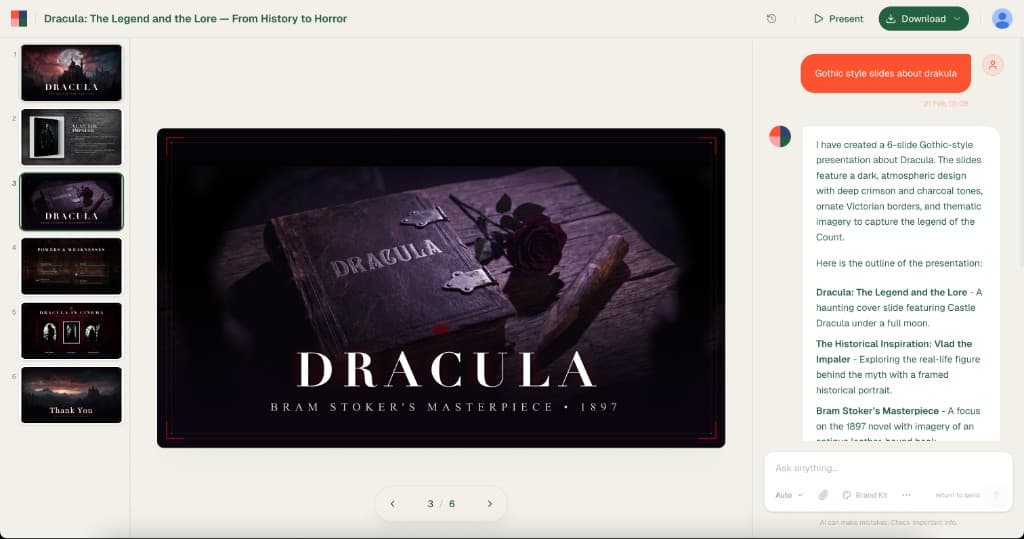
Describe → Done
Type your topic. Bobr researches the web, writes the copy, finds real images, generates charts, and delivers a finished deck — in under a minute.
Every Slide Is Original
No template library. Bobr generates unique layouts, color palettes, and typography for each presentation based on your topic and style.
Built-In Research
It pulls real data, statistics, and facts from the web and cites sources — so your slides are backed by evidence, not Lorem Ipsum.
Refine with Chat
Don't like a slide? Say "make the intro more visual" or "add a comparison chart." It edits in-place, no drag-and-drop required.
Real Output
These slides were generated by Bobr AI — not picked from a template gallery. Each layout, color palette, and typeface is original. Compare this with typical legacy output.

Ecology in the United States
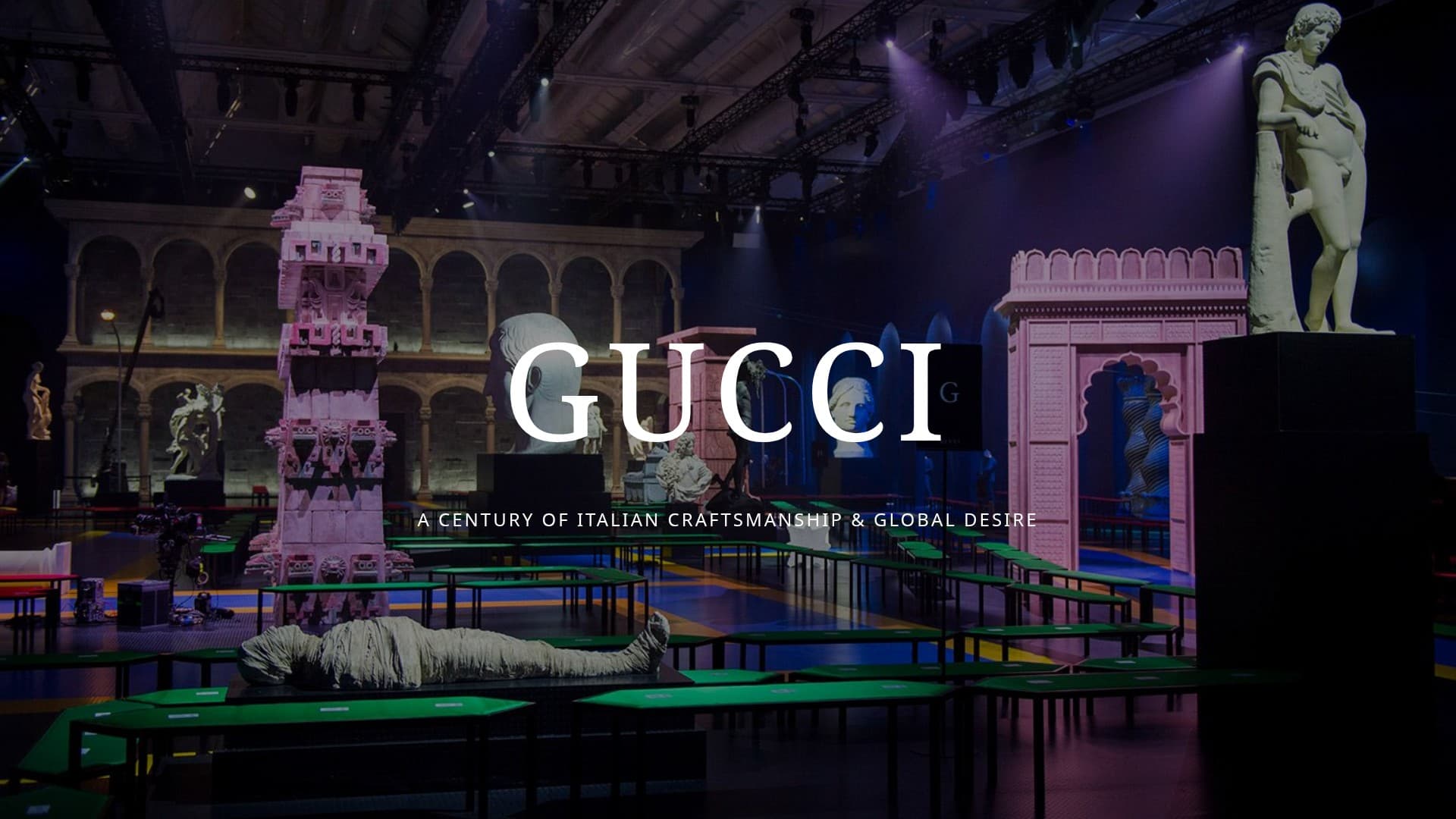
Gucci: A Fashion Icon's Evolution

Tesla Cybercab
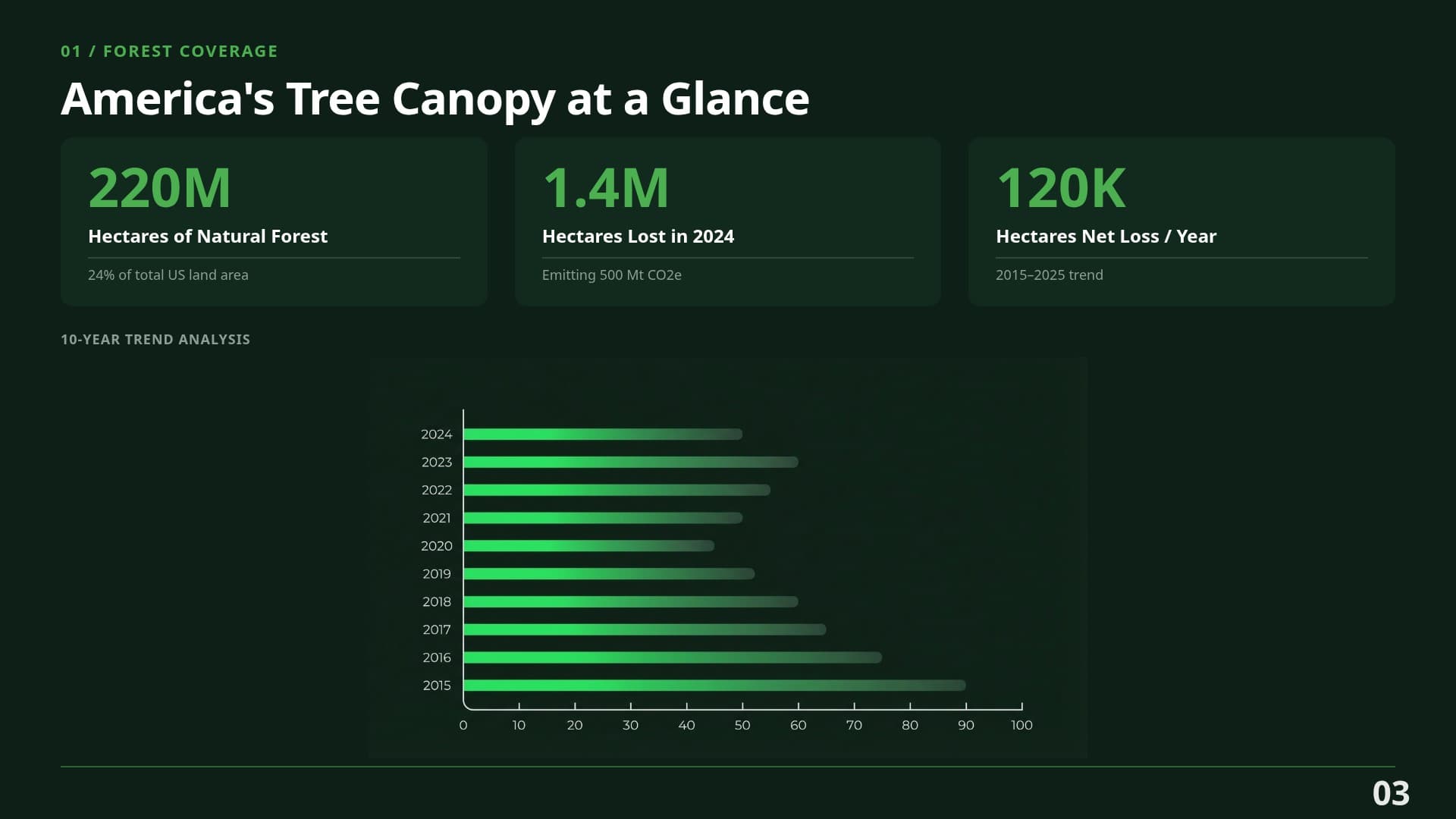
Ecology — Data Slide
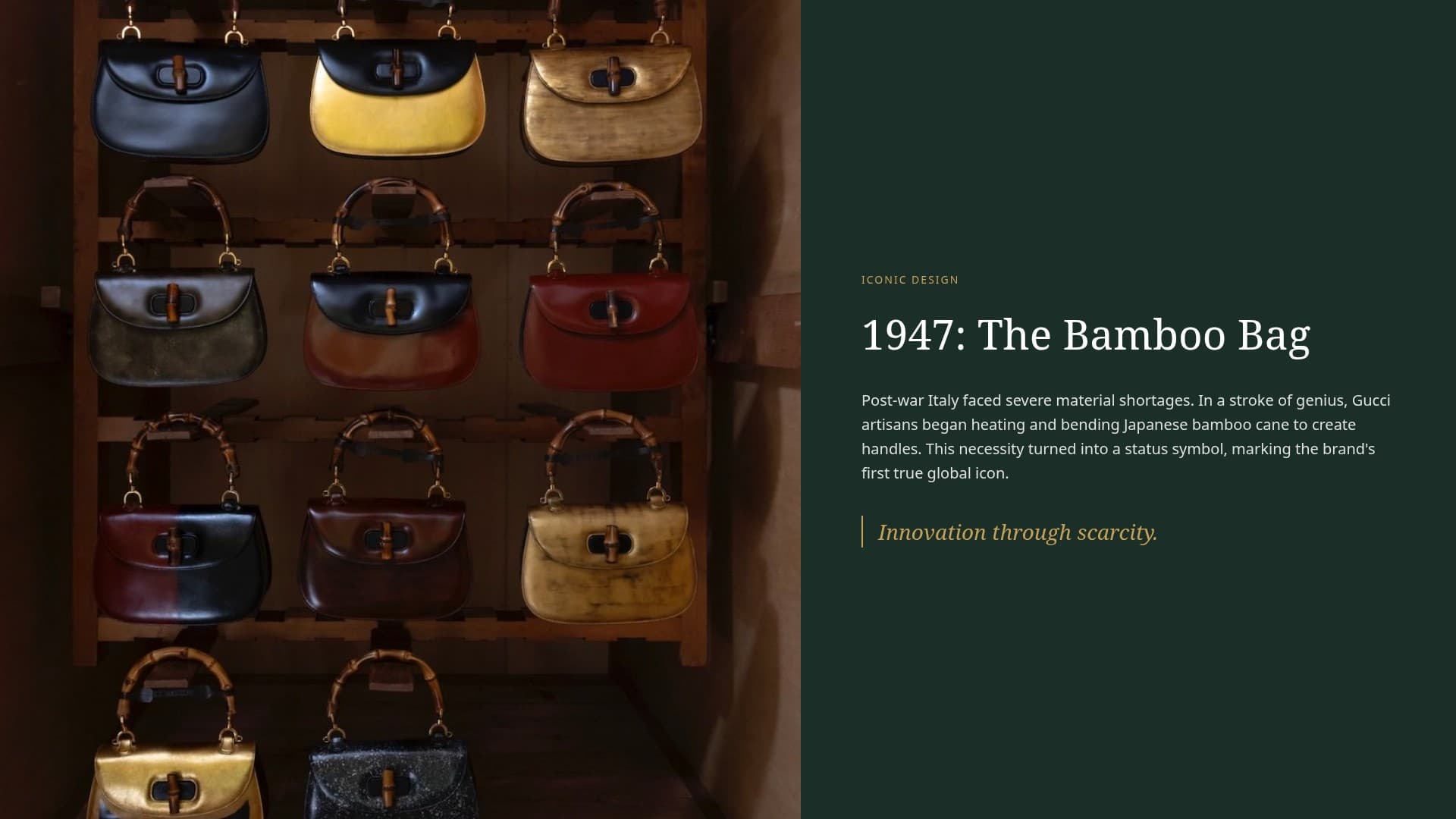
Gucci — Detail Slide
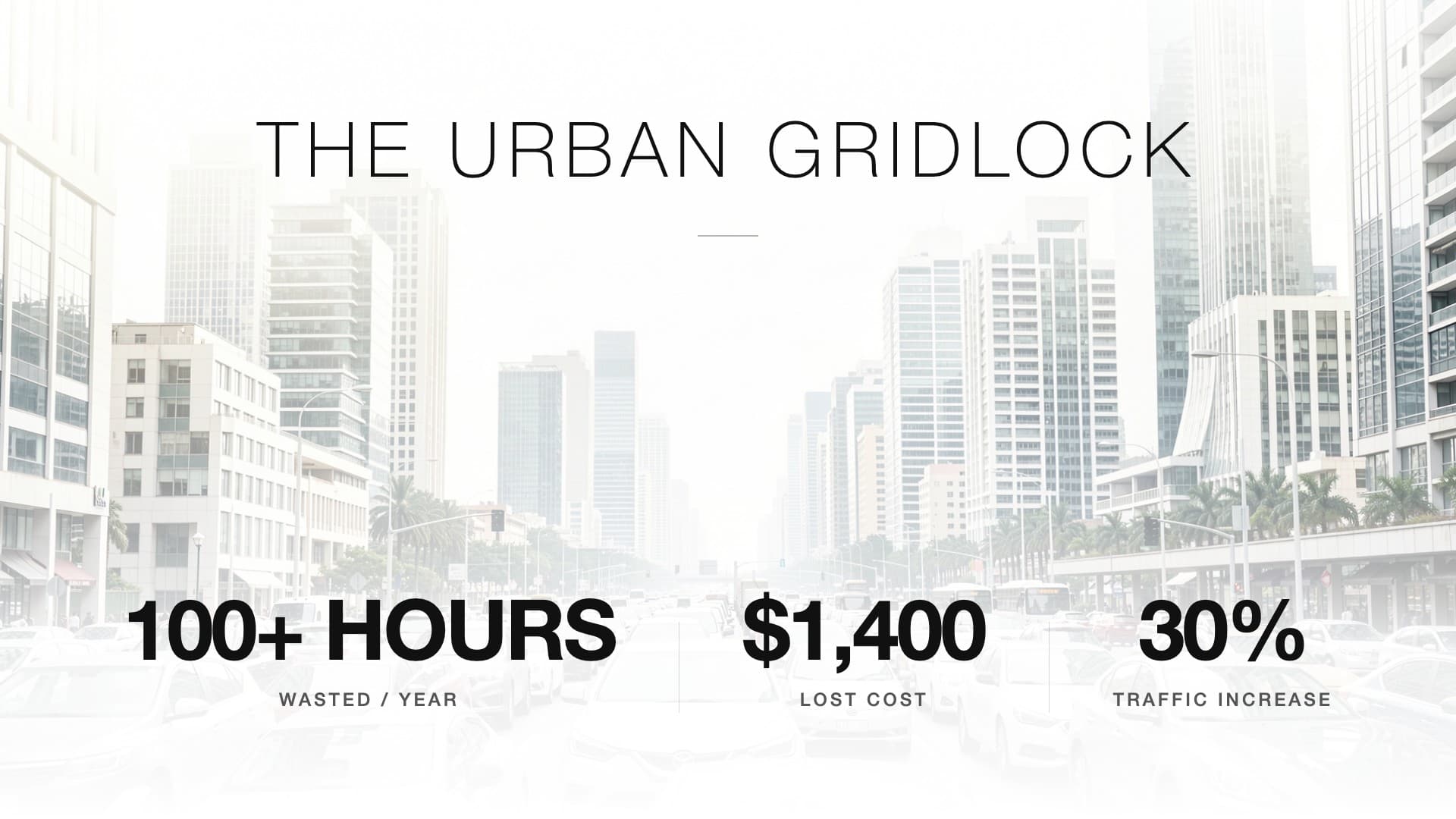
Tesla — Detail Slide
Typical Legacy Output
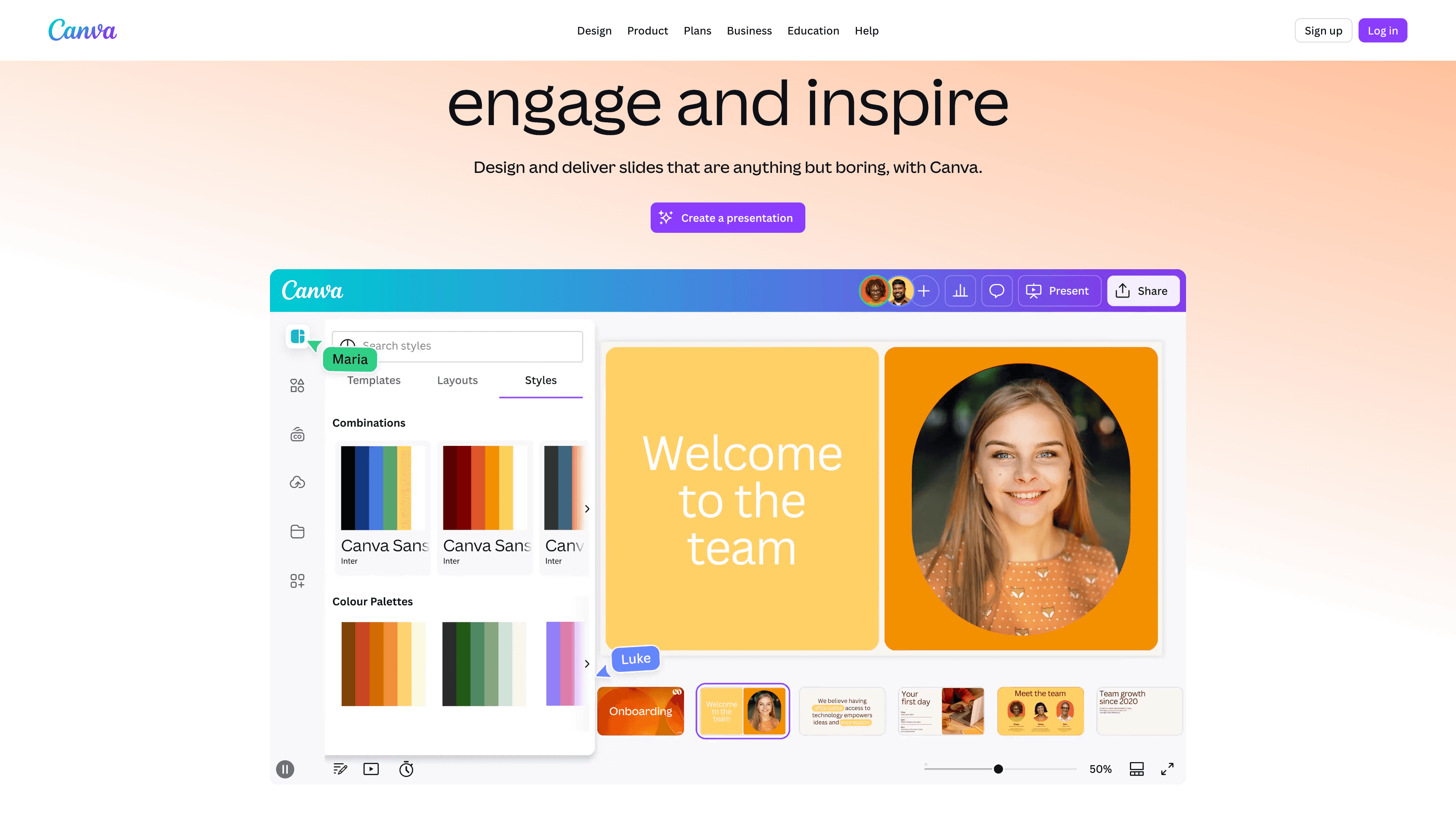
A real screenshot from a traditional presentation builder. Same templates, same layouts — every time. AI is just an add-on.
Full Feature Comparison
Here is a quick feature breakdown of Bobr AI vs traditional legacy tools for presentations.
| Feature | Bobr AI |  |
|---|---|---|
| Unique layouts (no templates) | ||
| Full presentation from a single prompt | ||
| Deep web research for content | ||
| AI image generation | ||
| Real photography search | ||
| Data charts from live data | ~ | |
| Chat editing (natural language) | ~ | |
| Brand kit from URL | ||
| Agency-quality typography | ~ | |
| PDF/image upload as source | ~ | |
| PowerPoint export | ||
| Team collaboration | ||
| Free tier available |
Common Questions
Here are answers to some of the most common questions I hear from teams making the switch.
What is the best alternative to Canva for presentations?
If you are specifically building slide decks, Bobr AI is a strong choice. Unlike general design tools that require manual template editing, it generates a complete, unique presentation from a single text prompt — including researched content, images, and charts.
Are legacy design tools still the best for presentations?
They are great general design tools, but for presentations specifically, AI-native tools like Bobr AI now produce better results faster. Legacy tools rely on templates and manual editing, while Bobr creates original slides with real data from a single prompt.
Can I switch to Bobr AI easily?
Yes. Bobr AI exports to PowerPoint (PPTX) and PDF, so your presentations work everywhere. You can also upload your old PDFs/PPTXs to use them as context for new generated decks.
Is Bobr AI free?
Bobr AI has a free tier that lets you create presentations without a credit card. Paid plans unlock more credits and features like brand kits and team collaboration.
What can Bobr AI do that legacy tools can't?
Bobr AI generates entire presentations from scratch — no templates. It performs deep web research, pulls real data for charts, generates unique layouts and typography for every deck, and lets you refine slides with natural language chat.
Does Bobr AI support team collaboration?
Yes. Bobr AI supports team workspaces where multiple users can create, edit, and manage presentations together — purpose-built for team decks.
How does Bobr AI compare to traditional slide builders?
Traditional tools give you templates and drag-and-drop; you build slides manually. Bobr AI is built for presentations: you describe your topic and get a full deck with research, images, and charts in under a minute. Bobr creates unique layouts per presentation.
Ready To Ditch
The Templates?
Create your first presentation for free and see how Bobr AI compares. No credit card required.