
I genuinely liked Gamma when I first tried it. The idea is compelling: forget rigid slides, just write in cards and let the tool handle the layout. It felt like Notion and PowerPoint had a baby — and for a while, it worked.
Then I had to send a deck to an investor. They asked for a PowerPoint file. I exported, opened the PPTX, and stared at a mess of overlapping text boxes and broken formatting. That was the moment I realized Gamma solved one problem by creating three new ones.
The Card-vs-Slide Problem
Gamma's core innovation — scrollable cards instead of slides — is also its core limitation. In a web browser, cards look great. But presentations happen in meeting rooms, on projectors, in Zoom screen shares. In those contexts, your audience expects to see one idea at a time, controlled by the presenter.
With cards, you lose that control. The viewer can scroll ahead. Content bleeds between sections. There's no clear “next slide” moment that lets you build a narrative arc. For internal memos and async updates, this is fine. For a pitch deck, a board presentation, or a client proposal, it's a dealbreaker.
The Export Wall
This is the #1 reason people leave Gamma. The tool is web-first and web-only by design. When you export to PowerPoint or PDF, the fluid card layout has to be flattened into fixed-dimension slides. The result is almost always disappointing: text wraps differently, images shift, spacing collapses.
In corporate environments, PPTX is the lingua franca. Your VP of Sales can't share a Gamma link with a prospect's procurement team. Your consultant can't email a Gamma URL to a client who needs to print the deck for a board meeting. You need files that work offline, in PowerPoint, in Keynote, on any device — without asking the recipient to visit a website.
Where Gamma Still Shines
I want to be fair: Gamma isn't bad. It's genuinely excellent for a specific use case. If you're creating internal team updates, product wikis, or shareable memos that live on the web, Gamma's card format is arguably superior to slides. The embed support is great, the collaboration is smooth, and the AI generates decent first drafts quickly.
The problem is that Gamma markets itself as a presentation tool, and most people who need “presentations” need something they can present — with slides, with exports, with brand control, and with real data. That's a different product entirely.
Other Tools Worth Trying
If you're looking beyond Gamma, here are the tools that actually compete in the AI presentation space — each with a different strength.

AI builds the entire deck — research, data charts, unique layouts. Real slides, not cards.

Massive template library and drag-and-drop editor; general design tool with presentations.

Smart templates with auto-layout constraints; ensures design consistency.

Google Slides add-on that generates presentations from text within your existing workflow.

The industry standard for corporate presentations; Copilot AI now built in.
What Each Tool Gets Right (and Wrong)
I spent weeks testing these tools on real projects — investor decks, team all-hands, and client proposals. Here's what I found.
Canva
Best for: Quick, visually appealing slides when you have time to design manually.
Canva has the largest template library on the planet. If you are comfortable spending 30–60 minutes customizing a template — swapping photos, adjusting text, aligning elements — you'll get a good-looking result. The weakness is speed: it's a manual design tool, not an AI generator. Every slide is your responsibility.
Beautiful.ai
Best for: Teams that need consistent, brand-safe decks without design skills.
Beautiful.ai's smart templates prevent design mistakes — elements snap into place and stay aligned. It's excellent for large organizations where dozens of people create decks and consistency matters more than creativity. The trade-off: limited flexibility and no AI-generated content from scratch.
Microsoft PowerPoint
Best for: Maximum compatibility and corporate environments.
PowerPoint is the default for a reason: every organization on earth can open a .pptx file. Copilot AI now helps generate slides within PowerPoint itself. The downside is that the design quality ceiling is low without serious effort, and the AI features are still limited compared to purpose-built AI tools.
Questions to Ask Before Switching
Not every Gamma user needs the same alternative. Here are the questions that helped me narrow down my choice.
Do you need PowerPoint exports?
If your workflow requires sending .pptx files to clients, investors, or partners, this is the single most important criterion. Gamma's exports are unreliable. Bobr AI, Beautiful.ai, and PowerPoint itself all produce clean PPTX files.
Do you need the tool to do research?
Most AI presentation tools generate text from their language model — essentially sophisticated autocomplete. Bobr AI is different: it searches the web for real data, statistics, and facts, then cites them in your slides. If your presentations need to be backed by evidence, this is a significant differentiator.
How unique do your slides need to look?
Gamma, Beautiful.ai, and Canva all rely on template systems — your slides will share DNA with thousands of other decks. Bobr AI generates unique layouts, color palettes, and typography for each presentation. If you're pitching to people who see hundreds of decks a month, originality matters.
Is async sharing enough, or do you present live?
Gamma is outstanding for async web sharing — send a link and let people scroll at their own pace. But if you present live in meetings, you need discrete slides with presenter control. Choose based on your actual delivery method.
Where Gamma Falls Short for Real Decks
These are the specific friction points that pushed me — and many teams I've talked to — away from Gamma for presentation work.
Cards ≠ Slides
Gamma uses a card-based, scrollable layout. It's great for web memos, but when you present in a meeting room, your audience expects discrete slides they can follow — not an infinite scroll.
Export Nightmare
Try exporting a Gamma deck to PowerPoint. Fluid card layouts collapse into broken slide boxes, text overlaps, and the design that looked polished in the browser becomes unusable in PPTX.
Everything Looks Like Gamma
Gamma presentations have a recognizable aesthetic — the same card shapes, the same spacing, the same rounded corners. Your deck ends up looking like a Gamma template, not your brand.
No Real Research
Gamma generates text from its LLM, but it doesn't search the web for actual data, statistics, or facts. You still have to manually find and insert every number and source yourself.
How to Switch from Gamma
Already have decks in Gamma? Here's the fastest path to real presentations.
Export your Gamma deck as PDF
Open your Gamma presentation, click Share → Export → PDF. PDF preserves the visual structure better than Gamma's PPTX export. This will be your source file for the migration.
Upload to Bobr AI and regenerate
Drop the PDF into Bobr AI. It reads every page, extracts your content and narrative structure, then generates a brand-new presentation with proper slide-based layouts, unique typography, and real images — not the generic Gamma card aesthetic.
Refine with chat, then export cleanly
Use natural language to tweak the result: “make the data slide more visual” or “add a competitor comparison table.” When you're happy, export to PPTX or PDF — and the output will actually look like the preview, every time.
What Bobr AI Does Differently
Instead of rethinking the format (cards vs slides), we focused on rethinking the workflow. The question isn't “how should content scroll?” — it's “how do you go from an idea to a finished deck with zero design work?”
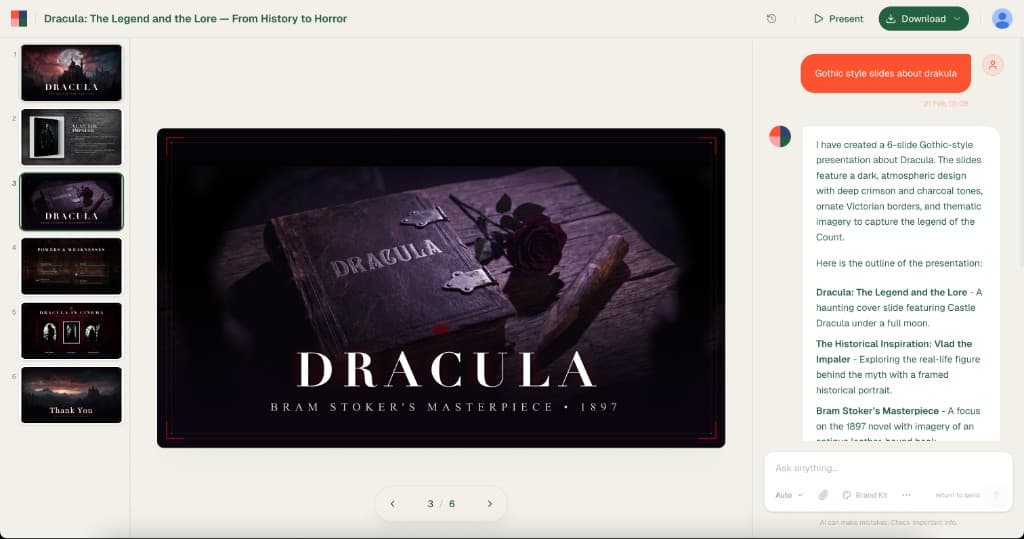
Slides, Not Scrolls
Bobr generates proper discrete slides — each one designed as a standalone visual. Your audience sees exactly what you intend, one screen at a time.
Exports That Actually Work
Download a PPTX and open it in PowerPoint. It looks the same. No broken layouts, no overlapping text, no missing fonts. Your corporate IT team will thank you.
Research-Backed Content
Bobr searches the web, finds real statistics and facts, and cites sources. Your slides contain actual data — not AI-hallucinated placeholder text.
Your Brand, Not Ours
Every presentation gets a unique layout, color palette, and typography. Point Bobr at your website URL and it extracts your brand guidelines automatically.
Real Output
These slides were generated by Bobr AI from a single prompt. No templates, no cards — just proper slides with original design and researched content. Try exporting these to PowerPoint. They look identical.

Ecology in the United States

Gucci: A Fashion Icon's Evolution

Tesla Cybercab
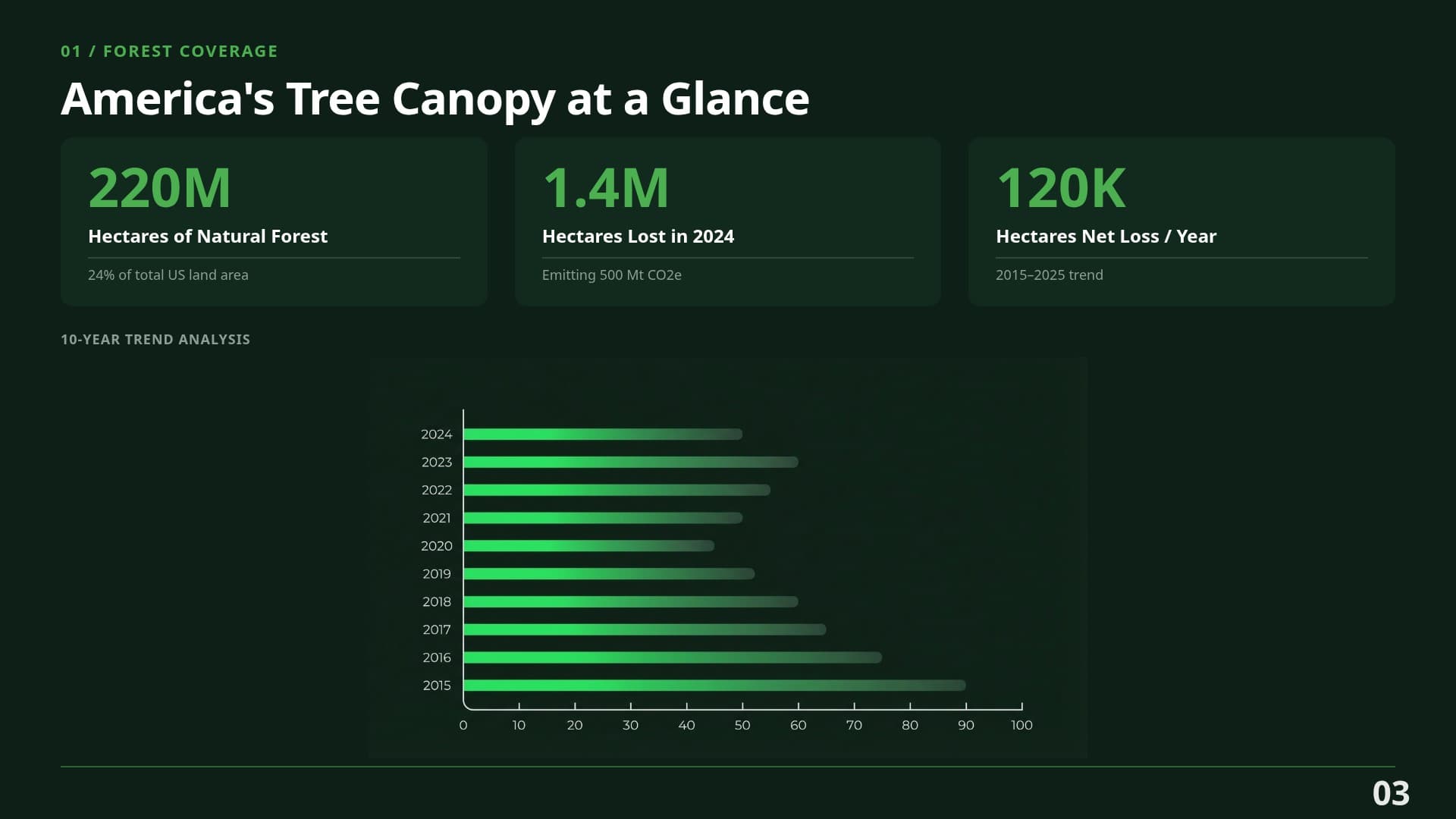
Ecology — Data Slide
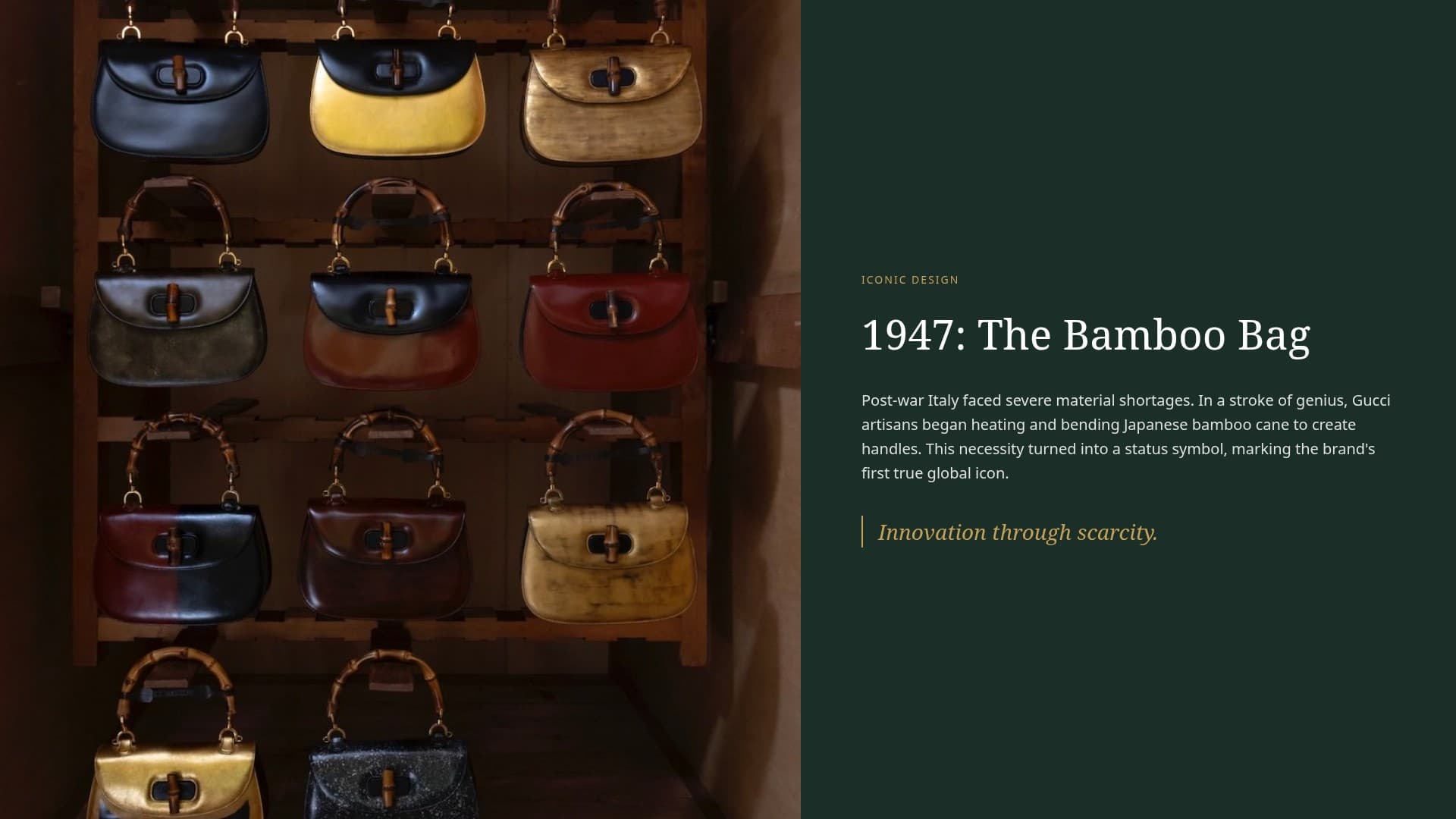
Gucci — Detail Slide

Tesla — Detail Slide
Full Feature Comparison
Side-by-side: Bobr AI vs Gamma for building presentations. Not documents — presentations.
| Feature | Bobr AI |  |
|---|---|---|
| True slide-based presentations | ||
| Clean PowerPoint (PPTX) export | ~ | |
| Deep web research for content | ||
| Data charts from live data | ||
| Unique layouts per presentation | ||
| AI image generation | ||
| Real photography search | ~ | |
| Brand kit from URL | ||
| Agency-quality typography | ~ | |
| Full deck from a single prompt | ||
| Chat editing (natural language) | ||
| PDF/image upload as source | ~ | |
| Team collaboration | ||
| Free tier available |
Common Questions
Answers to what I hear most from teams evaluating Gamma alternatives.
What is the best alternative to Gamma for presentations?
If you need actual slide-based presentations that export cleanly to PowerPoint, Bobr AI is the strongest alternative. Unlike Gamma's card-based format, Bobr generates proper slides with unique layouts, real web research, and data charts — all from a single prompt.
Why do Gamma exports look broken in PowerPoint?
Gamma uses a fluid, card-based layout designed for web viewing. PowerPoint expects fixed-dimension slides. When Gamma tries to convert its scrollable cards into static slides, elements often overlap, spacing breaks, and the design loses its polish. Bobr AI generates native slide-format presentations, so exports are pixel-perfect.
Does Gamma do web research for presentations?
No. Gamma generates content using its language model but does not search the web for real-time data, statistics, or facts. You need to manually add and verify all data points. Bobr AI performs deep web research automatically and cites sources in your slides.
Can I switch from Gamma to Bobr AI easily?
Yes. Export your Gamma presentations as PDF, then upload them to Bobr AI. It reads the content, understands the structure, and regenerates the deck with proper slide layouts, unique design, and researched content. You can also start fresh from a text prompt.
Is Bobr AI free?
Bobr AI has a free tier that lets you create presentations without a credit card. Paid plans unlock more credits and features like brand kits and team collaboration.
Does Bobr AI support collaboration like Gamma?
Yes. Bobr AI supports team workspaces where multiple users can create, edit, and manage presentations together. Unlike Gamma's web-only sharing, Bobr also lets you export and distribute files in standard formats.
Is Gamma better for documents or presentations?
Gamma excels at web-based documents and memos — its card format is ideal for scrollable, shareable content. However, for traditional presentations where you need discrete slides, clean exports, and audience-controlled pacing, a slide-native tool like Bobr AI is a better fit.
Real Slides.
Real Exports.
Create your first presentation for free — proper slides with research, data, and exports that actually work. No credit card required.