





Made byBobr AI

Mastering Operating Systems Basics: Cisco NetAcad Guide

Explore core concepts of Windows architecture, kernel modes, and file systems from the Cisco Networking Academy Operating Systems Basics course.

#operating-systems#windows-architecture#cybersecurity#cisco-netacad#it-certification#kernel-mode#soc-analyst
Watch
Pitch
Cisco Networking Academy logo white background

Exam 1: Certifications & Presentation

Operating Systems Basics – Cisco Networking Academy

Presented by: Student Name | Date: 13 Jan 2026
Made byBobr AI

Personal Introduction

• Field of Study: IT & Cybersecurity

• Career Interest: SOC Analyst / Network Administration

• Goal: Building a strong foundation in OS security

Professional minimal vector icon representing a student or IT professional
Made byBobr AI

Course Overview

Course: Operating Systems Basics
Platform: Cisco Networking Academy
Completion: 13 Jan 2026
Mode: Online, Self-paced
Generic certificate of completion document icon flat style
Made byBobr AI

Why This Certification?

1. Critical for Cybersecurity: Understanding OS is mandatory for defense.
2. Global Recognition: Cisco NetAcad is an industry standard.
3. IT Fundamentals: Covers essential Windows architecture concepts.
Made byBobr AI

Core Learning Objectives

Key areas covered during the certification module.

Chart
Made byBobr AI

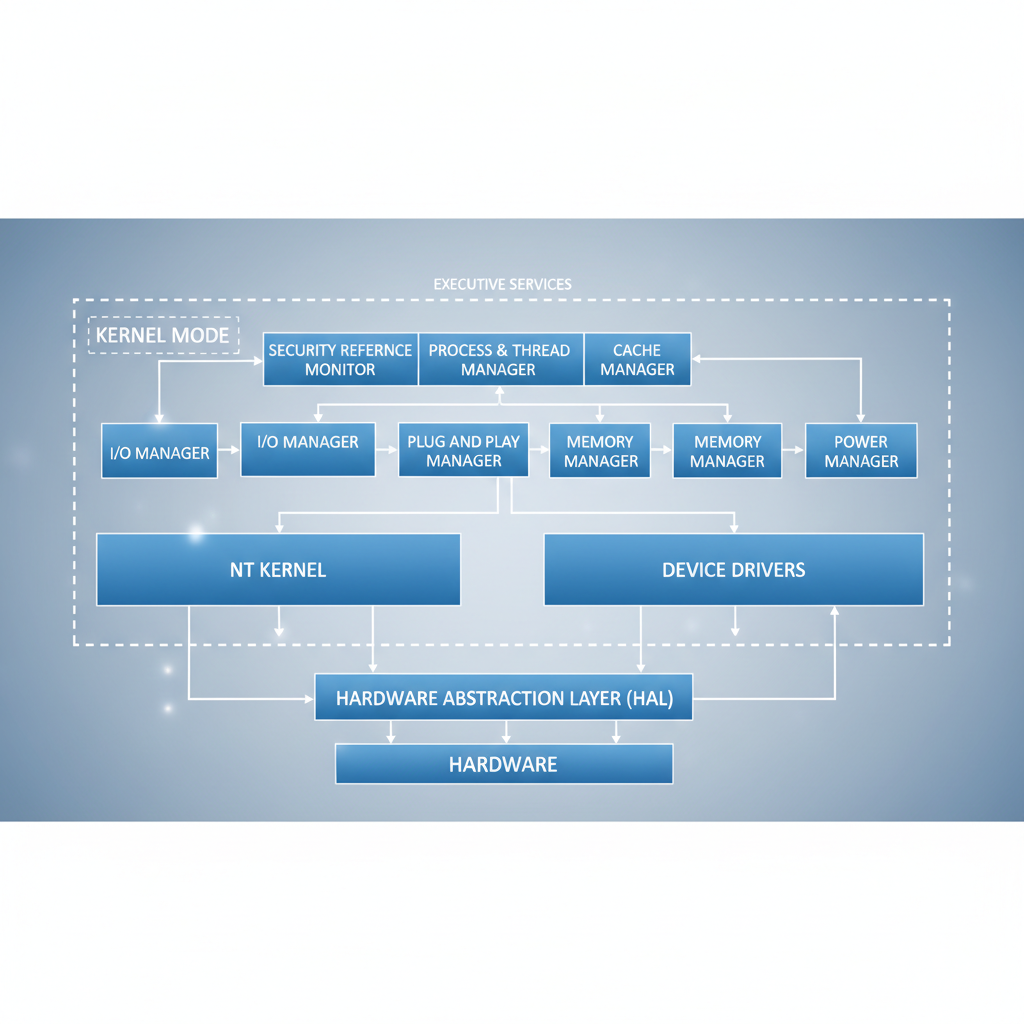
Module 1: Windows Architecture

Understanding the Hardware Abstraction Layer (HAL) and how the OS interacts with physical components.

Diagram of Windows Operating System Architecture Hardware Abstraction Layer Kernel Mode
Made byBobr AI

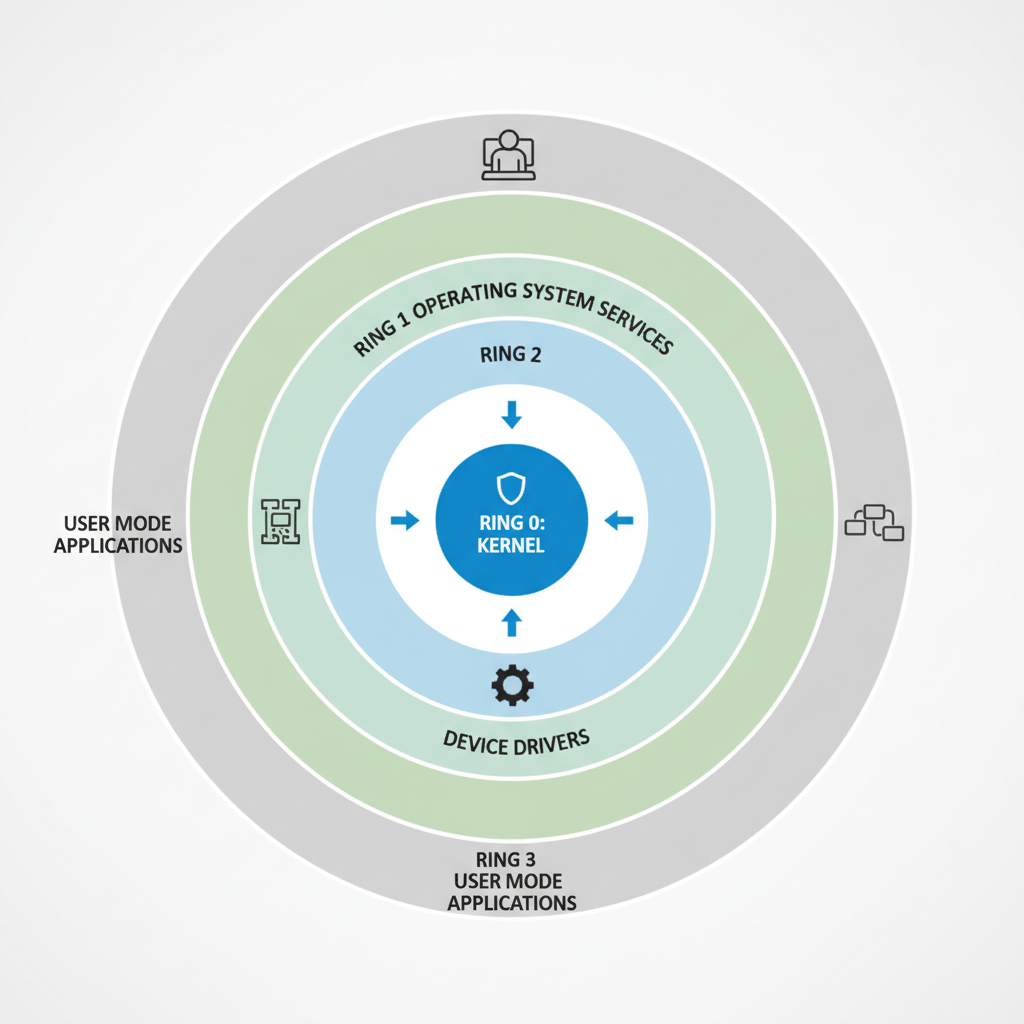
User Mode vs. Kernel Mode

User Mode: Where applications run. Restricted access.

Kernel Mode: Direct access to hardware/memory. High risk.
CPU protection rings diagram showing kernel in center and user mode in outer ring
Made byBobr AI

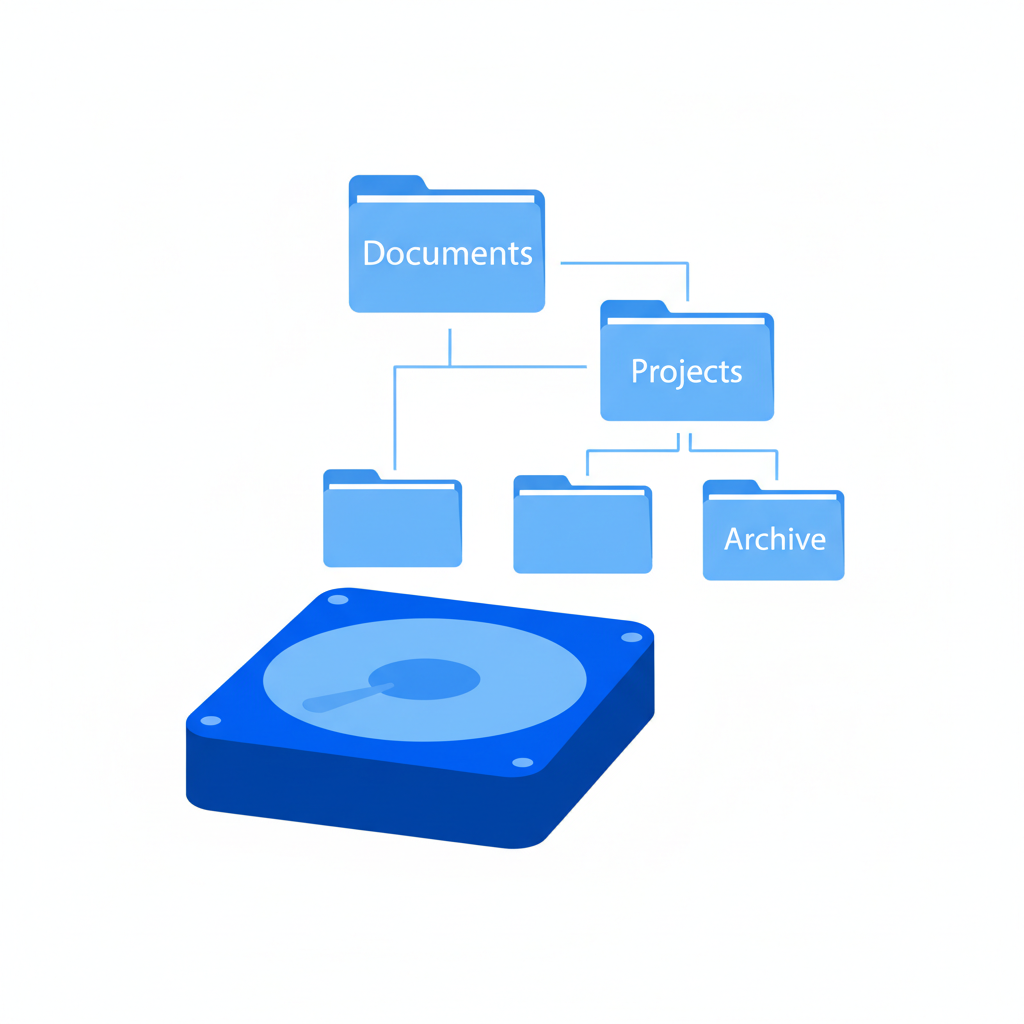
Windows File Systems

• NTFS: Security, large files, journaling.
• FAT32: Legacy compatibility, file size limits.
Hard drive icon with file folder structure flat design blue
Made byBobr AI

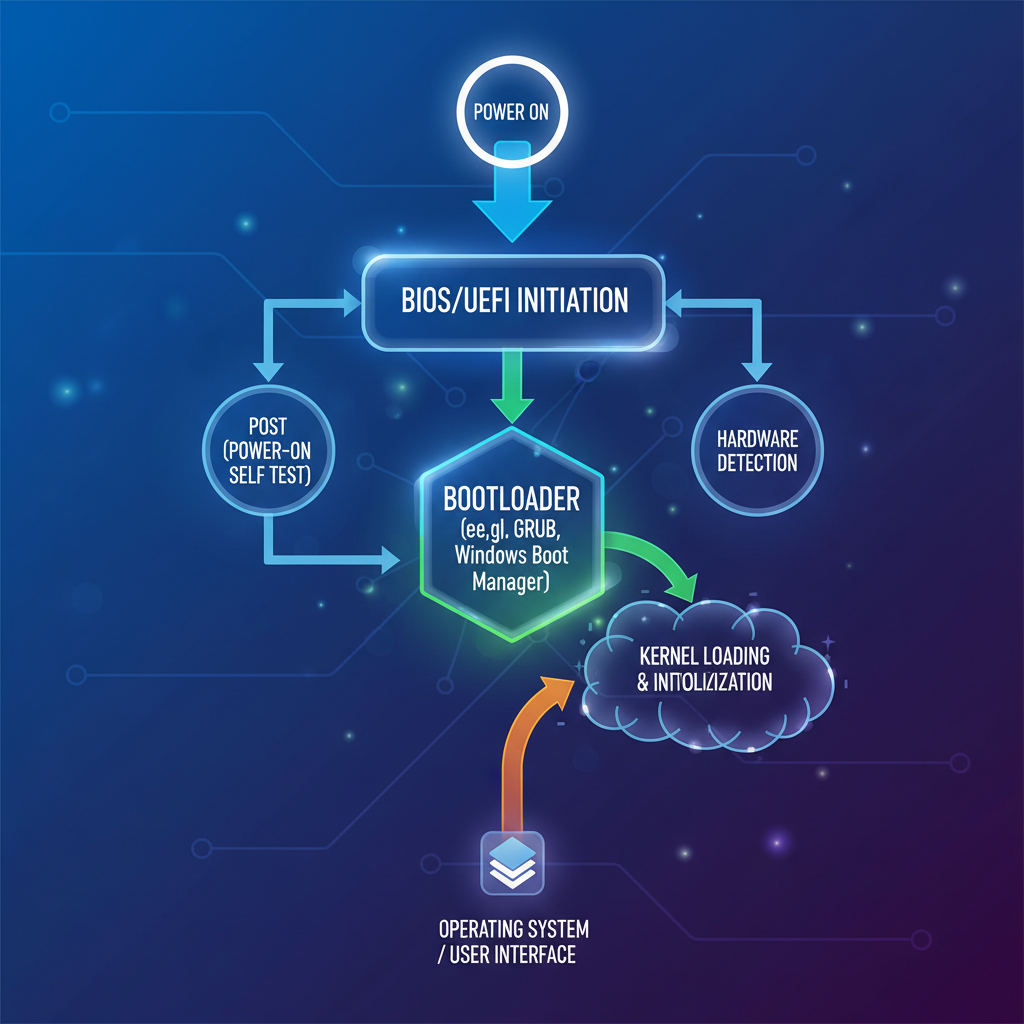
The Boot Process

1. Power On Self Test (POST)
2. BIOS / UEFI Initialization
3. Bootloader (WinLoad.efi)
4. Kernel Loading
5. System Logon
Abstract flow diagram of computer boot process steps
Made byBobr AI

Processes & Threads

A critical part of the course was learning how the CPU schedules threads and how the OS manages active processes.

Chart
Made byBobr AI

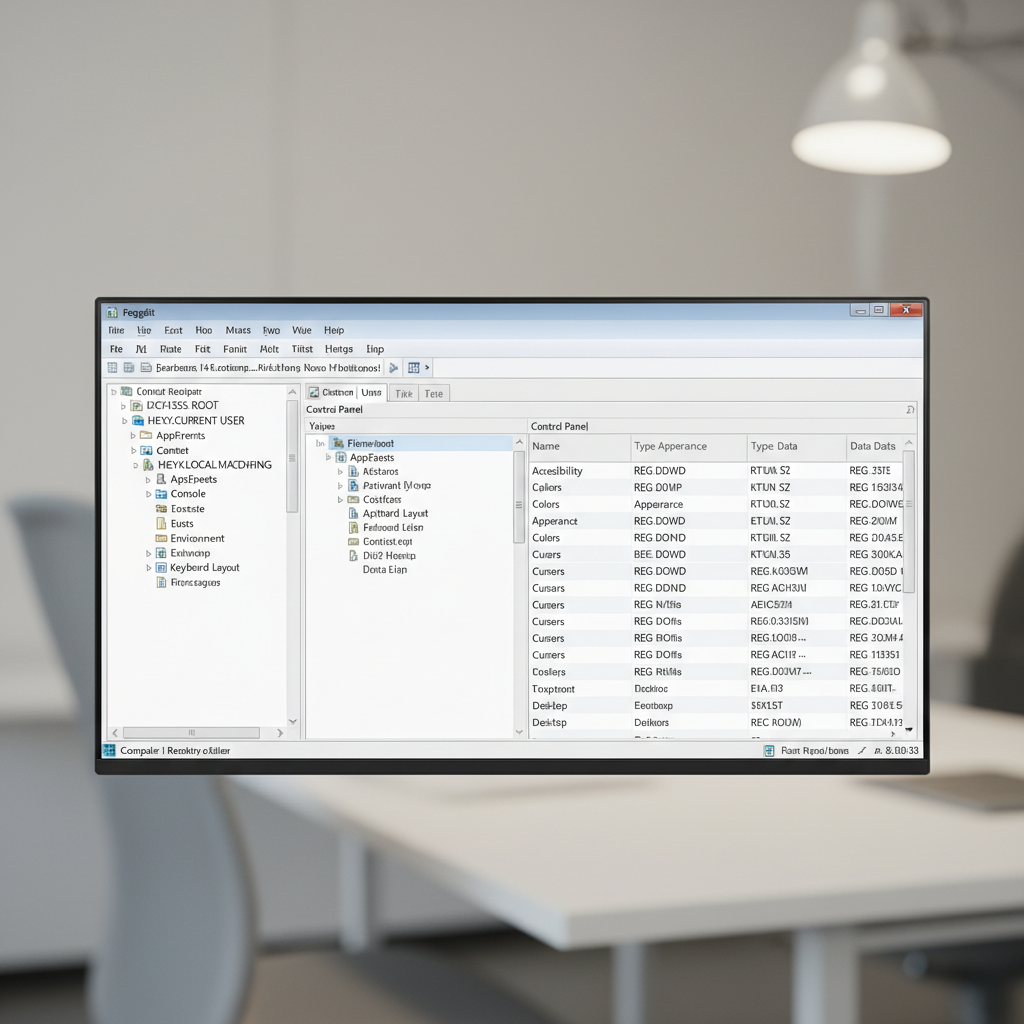
The Windows Registry

A hierarchical database that stores low-level settings for the OS and applications.

Computer screen showing Windows Registry Editor regedit interface
Made byBobr AI

Hands-on Labs

The course wasn't just theory. I completed several practical labs involving:

✔ Exploring the Registry (RegEdit)
✔ Managing Processes (Task Manager)
✔ File System permissions
Science flask and computer gear minimal icon blue
Made byBobr AI

Lab Example: System Tools

[ INSERT REAL LAB SCREENSHOT HERE ]

Screenshot from NetAcad Lab: Exploring Control Panel & Power Options.

Made byBobr AI

Study Effort Distribution

Total Investment: ~23 Hours

Chart
Made byBobr AI

Key Insight: The Security Layer

The OS is the first line of defense. Understanding permissions, users, and groups is essential for preventing unauthorized access.

Digital padlock on a computer motherboard abstract 3d render
Made byBobr AI

Benefits & Challenges

Benefits

  • Strong foundation for IT
  • Practical troubleshooting skills
  • Cisco credibility

Challenges

  • Complex technical terminology
  • Understanding the Registry safely
  • Mapping memory processes
Made byBobr AI

Career Impact

This certification is a stepping stone for roles in:

• Security Operations Center (SOC)
• IT Support Specialist
• Network Administrator
Abstract staircase leading to open door representing career growth corporate style
Made byBobr AI

Future Certification Roadmap

1. OS Basics
(Completed)
2. Cyber Security
Essentials
3. Ethical Hacking
(Pentesting)
Made byBobr AI

Conclusion

• Validated knowledge of Windows OS architecture.
• Practical skills in system troubleshooting.
• Prepared for advanced cybersecurity studies.
Green checkmark flat icon
Made byBobr AI

Q & A

Thank You!

Made byBobr AI
Bobr AI

DESIGNER-MADE
PRESENTATION,
GENERATED FROM
YOUR PROMPT

Create your own professional slide deck with real images, data charts, and unique design in under a minute.

Generate For Free

Mastering Operating Systems Basics: Cisco NetAcad Guide

Explore core concepts of Windows architecture, kernel modes, and file systems from the Cisco Networking Academy Operating Systems Basics course.

Exam 1: Certifications & Presentation

Operating Systems Basics – Cisco Networking Academy

Presented by: Student Name | Date: 13 Jan 2026

Personal Introduction

• Field of Study: IT & Cybersecurity

• Career Interest: SOC Analyst / Network Administration

• Goal: Building a strong foundation in OS security

Course Overview

Course: Operating Systems Basics<br>Platform: Cisco Networking Academy<br>Completion: 13 Jan 2026<br>Mode: Online, Self-paced

Why This Certification?

1. Critical for Cybersecurity: Understanding OS is mandatory for defense.

2. Global Recognition: Cisco NetAcad is an industry standard.

3. IT Fundamentals: Covers essential Windows architecture concepts.

Core Learning Objectives

Module 1: Windows Architecture

Understanding the Hardware Abstraction Layer (HAL) and how the OS interacts with physical components.

User Mode vs. Kernel Mode

<b>User Mode:</b> Where applications run. Restricted access.<br><br><b>Kernel Mode:</b> Direct access to hardware/memory. High risk.

Windows File Systems

• NTFS: Security, large files, journaling.

• FAT32: Legacy compatibility, file size limits.

The Boot Process

1. Power On Self Test (POST)<br>2. BIOS / UEFI Initialization<br>3. Bootloader (WinLoad.efi)<br>4. Kernel Loading<br>5. System Logon

Processes & Threads

A critical part of the course was learning how the CPU schedules threads and how the OS manages active processes.

The Windows Registry

A hierarchical database that stores low-level settings for the OS and applications.

Hands-on Labs

The course wasn't just theory. I completed several practical labs involving:<br><br>✔ Exploring the Registry (RegEdit)<br>✔ Managing Processes (Task Manager)<br>✔ File System permissions

Lab Example: System Tools

Screenshot from NetAcad Lab: Exploring Control Panel & Power Options.

[ INSERT REAL LAB SCREENSHOT HERE ]

Study Effort Distribution

Total Investment: ~23 Hours

Key Insight: The Security Layer

The OS is the first line of defense. Understanding permissions, users, and groups is essential for preventing unauthorized access.

Benefits & Challenges

<h3 style='color:#2e7d32; font-size:36px; margin-bottom:20px;'>Benefits</h3><ul style='font-size:28px;'><li>Strong foundation for IT</li><li>Practical troubleshooting skills</li><li>Cisco credibility</li></ul>

<h3 style='color:#c62828; font-size:36px; margin-bottom:20px;'>Challenges</h3><ul style='font-size:28px;'><li>Complex technical terminology</li><li>Understanding the Registry safely</li><li>Mapping memory processes</li></ul>

Career Impact

This certification is a stepping stone for roles in:

• Security Operations Center (SOC)<br>• IT Support Specialist<br>• Network Administrator

Future Certification Roadmap

<div style='display:flex; justify-content:center; align-items:center; gap:20px;'><div style='padding:30px; background:#e1f5fe; border:2px solid #049fd9; text-align:center;'>1. OS Basics<br><b>(Completed)</b></div><div style='font-size:40px; color:#555;'>➔</div><div style='padding:30px; background:#fff; border:2px solid #aaa; text-align:center;'>2. Cyber Security<br>Essentials</div><div style='font-size:40px; color:#555;'>➔</div><div style='padding:30px; background:#fff; border:2px solid #aaa; text-align:center;'>3. Ethical Hacking<br>(Pentesting)</div></div>

Conclusion

• Validated knowledge of Windows OS architecture.<br>• Practical skills in system troubleshooting.<br>• Prepared for advanced cybersecurity studies.

Q & A

Thank You!

  • operating-systems
  • windows-architecture
  • cybersecurity
  • cisco-netacad
  • it-certification
  • kernel-mode
  • soc-analyst