







Made byBobr AI

Digital Photography 101: Introduction to Digital Imaging

Master camera basics, exposure, and aperture in this digital photography guide. Learn about RAW vs. JPEG, shutter speed, and how to change camera lenses.

#photography-for-beginners#digital-camera-basics#exposure-triangle#photography-course#camera-settings#teaching-photography
Watch
Pitch
Aperture Lens

Digital Photography 101

An Introduction to the Art & Science of Digital Imaging

Session 1 β€” Online Course Overview

Instructor: Alex Morgan | Community College Online
Spring 2026
Made byBobr AI
02
Getting Started

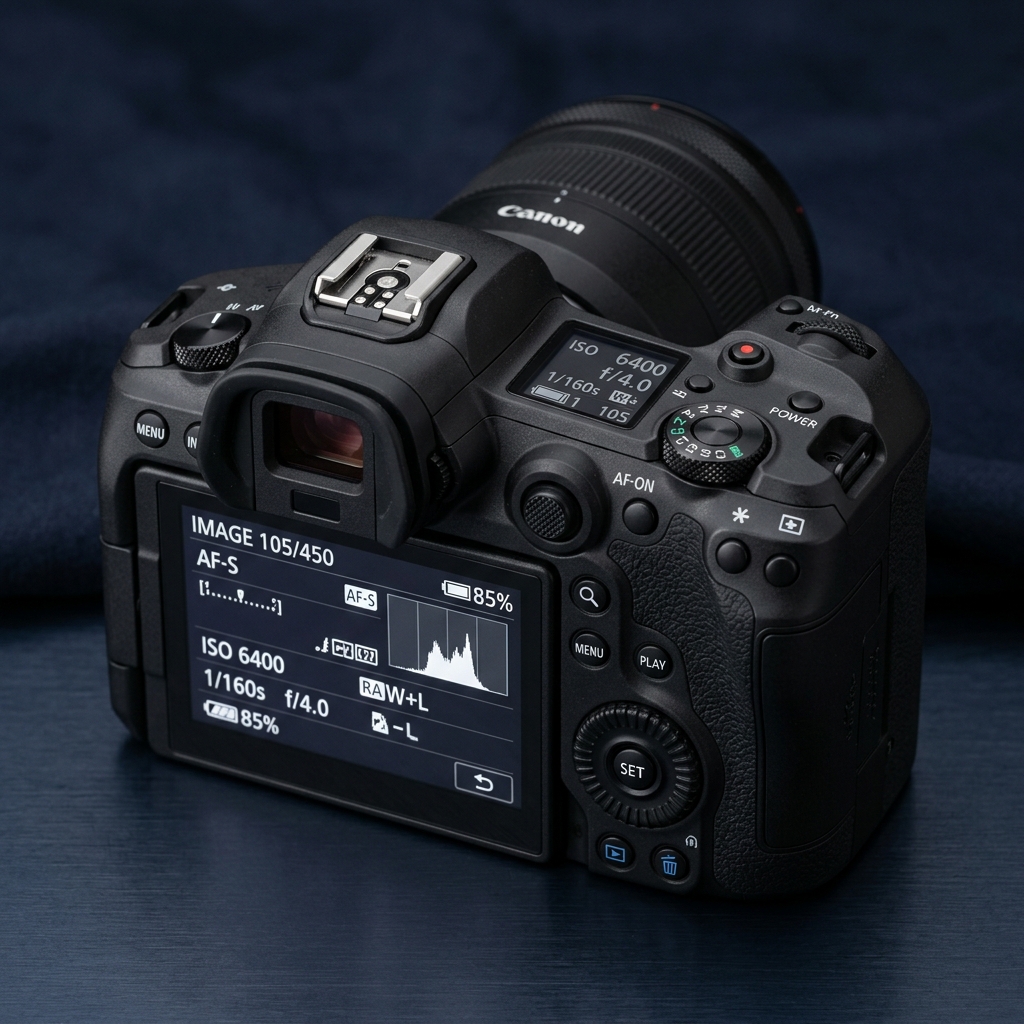
Basic Camera Functions

  • β€’
    πŸ”΄ Power ButtonTurns the camera on/off; some models have a separate video/photo mode toggle
  • β€’
    πŸ“… Date & Time SettingsFound in the Menu; essential for organizing and stamping your photos
  • β€’
    πŸ”§ Menu NavigationUse directional pad/joystick to access settings, format cards, and customize your camera
πŸ“Ή VIDEO DEMO: Watch the close-up walkthrough of each function on your camera body.
Camera Functions Demo
Digital Photography 101 | Session 1
Made byBobr AI
03
CAMERA SETTINGS

Image Format, Size & White Balance

πŸ“ Image Format & Size

β€’
RAW vs. JPEG — RAW captures uncompressed data; JPEG is compressed and smaller.
β€’
Image Size — Large / Medium / Small; higher resolution = more detail but more storage.
β€’
Best Practice: Shoot RAW for editing flexibility; JPEG for quick sharing.
Camera Icon

🎨 White Balance

β€’
Controls color temperature of your images.
β€’
Presets: Auto, Daylight, Cloudy, Tungsten, Fluorescent, Flash.
β€’
Auto WB works great for beginners; manual WB for consistent studio shots.
Color Temperature Scale
Warm (2000K) Cool (10000K)
Digital Photography 101 | Session 1
Made byBobr AI
04
EXPOSURE & LIGHTING

Flash, F-Stops & Shutter Speed

Camera Flash

Built-in pop-up flash: good for low light or indoor shots.
Fill Flash: adds light to shadow details in bright outdoor scenes.
Red-Eye Reduction: pre-flash fires to contract pupils before the main shot.
PRO TIP: Avoid direct flash for portraits β€” bounce or diffuse when possible.

F-Stops (Aperture)

Controls the size of the lens opening, regulating light.
Low f-number (f/1.8): wide aperture β†’ shallow depth of field, blurry background (bokeh).
High f-number (f/16): narrow aperture β†’ everything remains in focus.
Also affects exposure: wider aperture = more light.
f/1.4
β†’
f/5.6
β†’
f/16

Shutter Speed

Controls how long the camera sensor is exposed to light.
Fast (1/1000s): freezes motion β€” great for action or sports.
Slow (1/30s or below): motion blur β€” great for waterfalls, night shots.
Works with aperture and ISO to form the "Exposure Triangle".
1/1000s
Freeze Frame
vs
1/30s
Motion Blur
Digital Photography 101 | Session 1
EXPOSURE FUNDAMENTALS
Made byBobr AI
05 LENS & DRIVE MODES

Lens Control & Camera Drive Modes

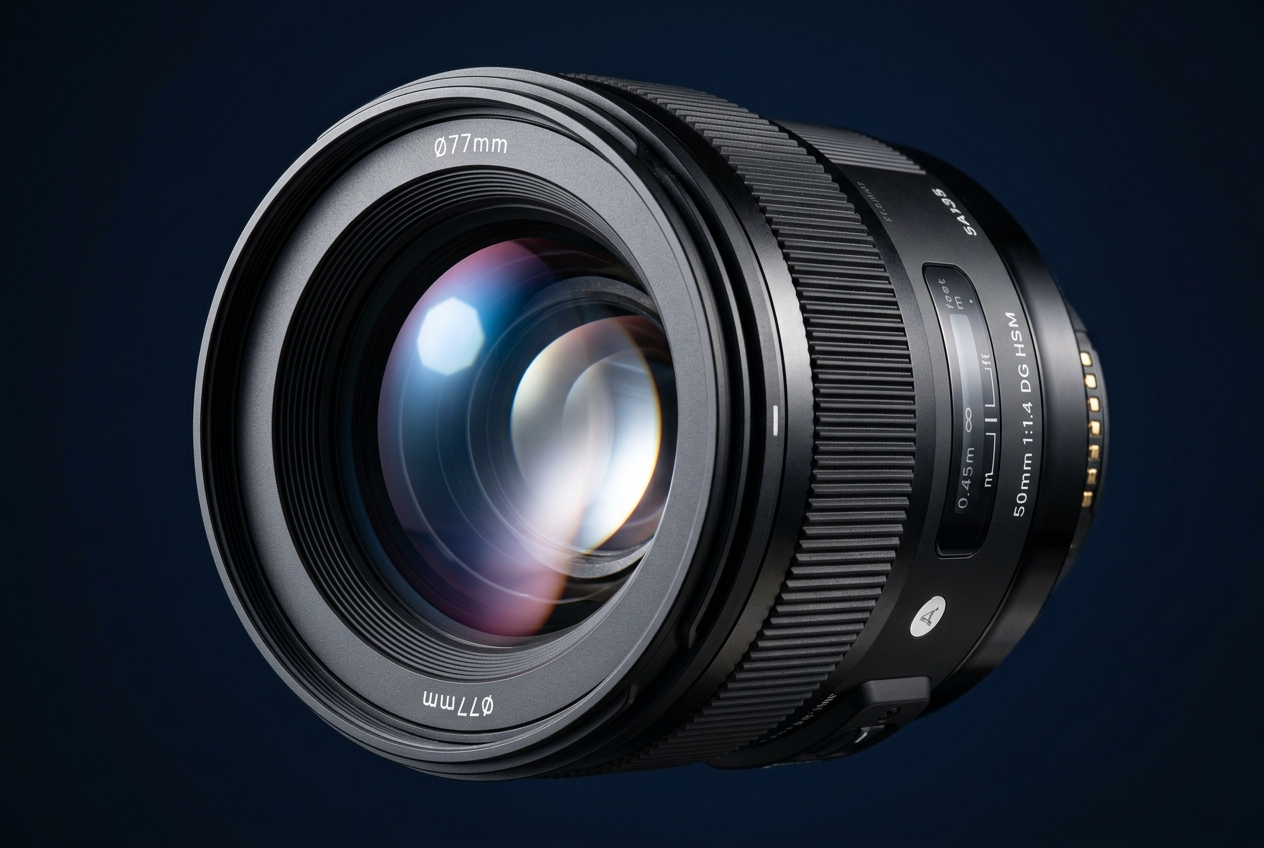
πŸ”­ Basic Lens Control

  • Auto Focus (AF): Camera automatically finds and locks focus on subject
  • Manual Focus (MF): Photographer turns focus ring for creative or tricky lighting situations
  • Zoom: Optical zoom physically adjusts focal length; Digital zoom crops the image (reduces quality)
  • Focus Modes: Single-shot AF (still subjects), Continuous AF (moving subjects), Manual AF
Camera Lens

πŸš— Camera Drive Modes

Timer Icon

Delayed (Self-Timer)

2s or 10s delay β€” great for group shots or reducing camera shake

Burst Mode Icon

Multiple (Burst)

Continuously captures frames while shutter is held β€” ideal for action

Remote Trigger Icon

Remote

Wireless or infrared remote trigger β€” for hands-free shooting

Digital Photography 101 | Session 1
Made byBobr AI
06
VIDEO DEMONSTRATION

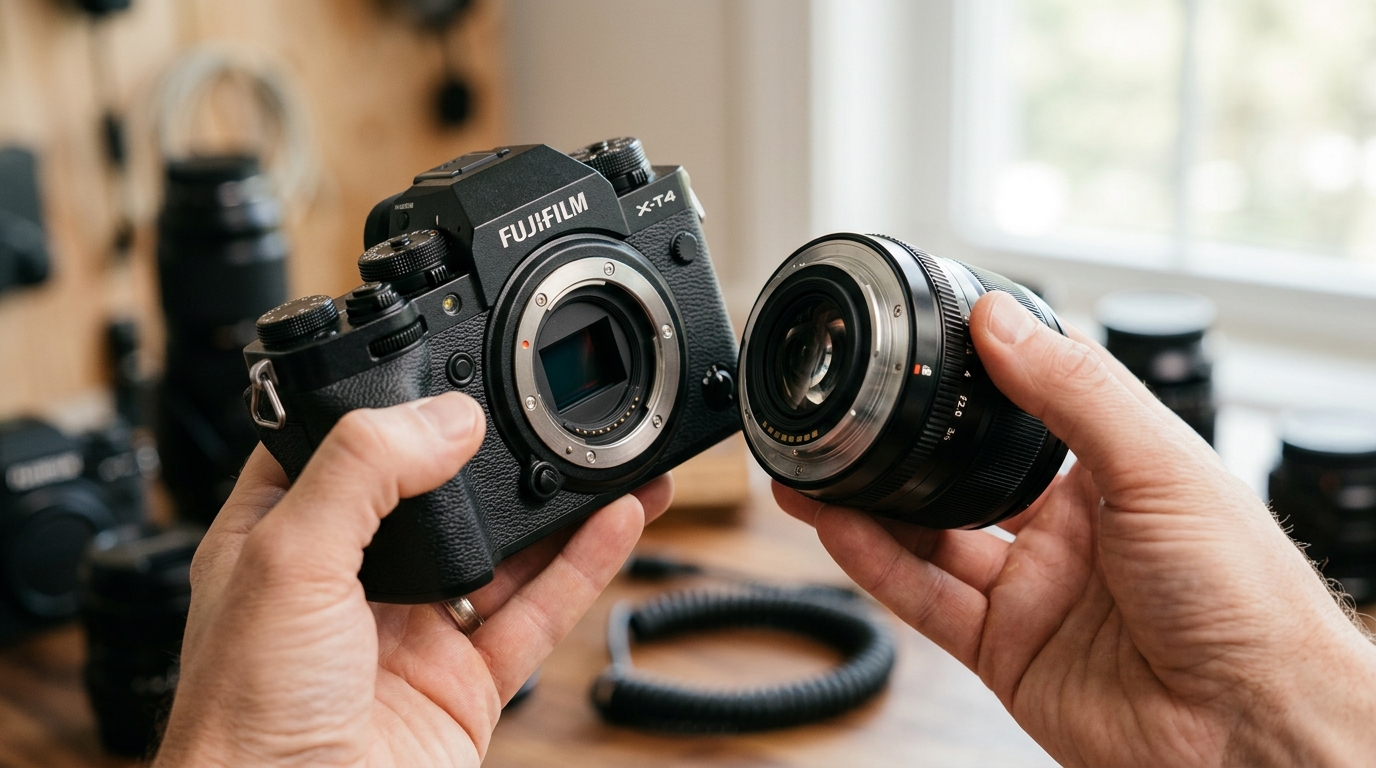
How to Remove & Attach a Standard Lens

Step-by-Step Guide

1
Power OFF the camera before removing any lens
2
Locate the lens release button on the camera body
3
Press and hold the release button; rotate the lens counterclockwise to remove
4
Align the mounting index dots on the new lens and camera body
5
Rotate the new lens clockwise until it clicks into place
6
Check that the lens is secure β€” gently tug without pressing release
⚠️ Always handle lenses away from dust and moisture. Never leave the sensor exposed.
πŸ“Ή Watch: Lens Attachment & Removal Demo
Video Demo Thumbnail
02:14 / 06:30
Full HD β€’ Clear Audio β€’ Close-Up Camera View
Tip: Pause and rewind as needed to practice along!
Digital Photography 101 | Session 1
Made byBobr AI
07
REFERENCES & RESOURCES

Websites & Further Reading

β€’
Digital Photography School β€” https://digital-photography-school.com
β€’
Cambridge in Colour β€” https://www.cambridgeincolour.com
β€’
Photography Life β€” https://photographylife.com
β€’
Nikon Learn & Explore β€” https://www.nikonusa.com/learn-and-explore
β€’
Canon Digital Learning Center β€” https://www.usa.canon.com/learning
β€’
YouTube: Tony & Chelsea Northrup (Photography tutorials)
β€’
Coursera: Photography Basics and Beyond (Michigan State University)
Camera
β€œThe best camera is the one you have with you.”
β€” Chase Jarvis
See you in Session 2! Keep shooting. πŸ“·
Aperture Icon
Digital Photography 101 | Session 1 β€” Β© 2026 Community College Online
Made byBobr AI
Bobr AI

DESIGNER-MADE
PRESENTATION,
GENERATED FROM
YOUR PROMPT

Create your own professional slide deck with real images, data charts, and unique design in under a minute.

Generate For Free

Digital Photography 101: Introduction to Digital Imaging

Master camera basics, exposure, and aperture in this digital photography guide. Learn about RAW vs. JPEG, shutter speed, and how to change camera lenses.

Digital Photography 101

An Introduction to the Art & Science of Digital Imaging

Session 1 β€” Online Course Overview

Instructor: Alex Morgan | Community College Online

Spring 2026

02

Getting Started

Basic Camera Functions

Power Button

Turns the camera on/off; some models have a separate video/photo mode toggle

Date & Time Settings

Found in the Menu; essential for organizing and stamping your photos

Menu Navigation

Use directional pad/joystick to access settings, format cards, and customize your camera

Watch the close-up walkthrough of each function on your camera body.

Digital Photography 101 | Session 1

Image Format, Size & White Balance

Digital Photography 101 | Session 1

04

EXPOSURE & LIGHTING

Flash, F-Stops & Shutter Speed

Digital Photography 101 | Session 1

LENS & DRIVE MODES

Lens Control & Camera Drive Modes

Basic Lens Control

Camera Drive Modes

Digital Photography 101 | Session 1

06

VIDEO DEMONSTRATION

How to Remove & Attach a Standard Lens

Step-by-Step Guide

Power OFF the camera before removing any lens

Locate the lens release button on the camera body

Press and hold the release button; rotate the lens counterclockwise to remove

Align the mounting index dots on the new lens and camera body

Rotate the new lens clockwise until it clicks into place

Check that the lens is secure β€” gently tug without pressing release

⚠️ Always handle lenses away from dust and moisture. Never leave the sensor exposed.

πŸ“Ή Watch: Lens Attachment & Removal Demo

Full HD β€’ Clear Audio β€’ Close-Up Camera View

Tip: Pause and rewind as needed to practice along!

Digital Photography 101 | Session 1

07

REFERENCES & RESOURCES

Websites & Further Reading

β€œThe best camera is the one you have with you.”

β€” Chase Jarvis

See you in Session 2! Keep shooting. πŸ“·

Digital Photography 101 | Session 1 β€” Β© 2026 Community College Online

  • photography-for-beginners
  • digital-camera-basics
  • exposure-triangle
  • photography-course
  • camera-settings
  • teaching-photography