


SOAP Integration in Pega Constellation: A Technical Guide
Learn how to configure Connect SOAP integrations in Pega Constellation using wizards, WSDL consumption, XML mapping, and Data Pages.
Connect SOAP Integration in Pega
A Technical Walkthrough in Pega Constellation
Integration Overview
Connect SOAP enables Pega to consume external web services using XML-based messaging. It serves as a secure bridge for exchanging structured data with legacy enterprise systems.
The process is wizard-driven: import a WSDL to auto-generate classes and rules. Connectors are triggered via Data Pages or Activities to fetch data dynamically without hard-coding.
Real-Time Scenarios: <br>• Retrieving live credit scores from financial bureaus.<br>• Validating customer identity against government databases.<br>• Fetching massive inventory data from legacy ERP systems.
Initiating the Wizard
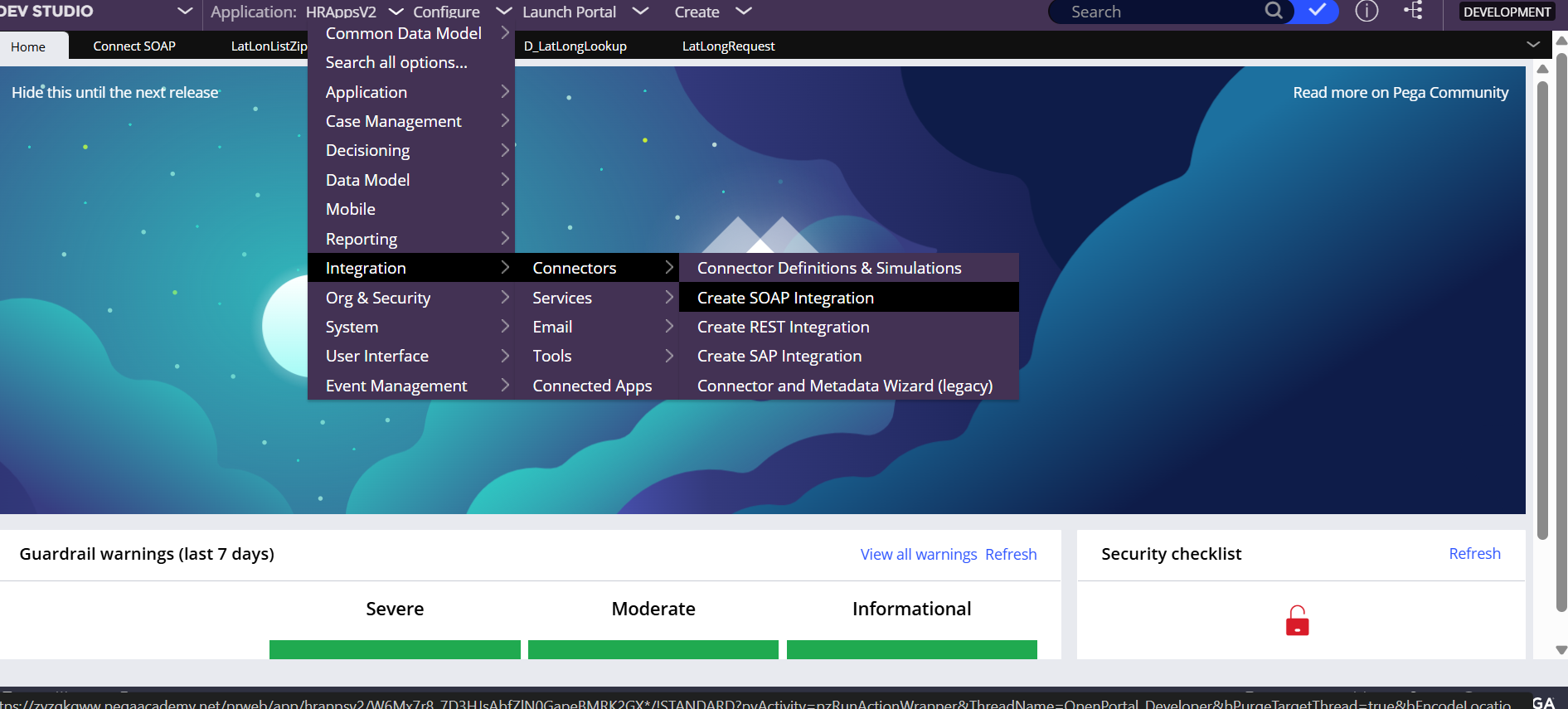
To begin, navigate through Dev Studio: Configure > Integration > Connectors > Create SOAP Integration. This launches a wizard that guides developers through the necessary steps to consume an external web service.
Consuming the WSDL
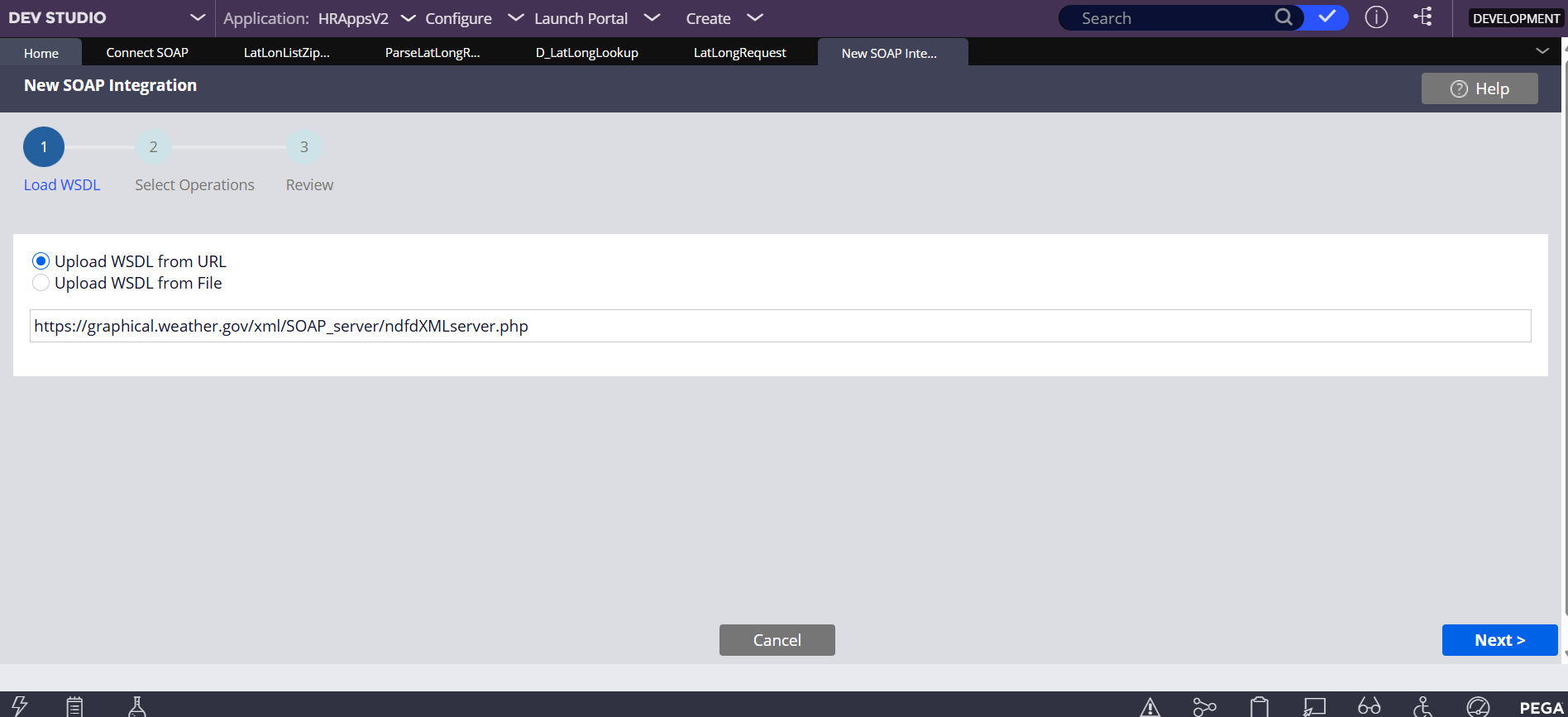
The first step in the wizard involves providing the WSDL URL. In this example, we are connecting to the National Digital Forecast Database (NDFD) to fetch latitude and longitude data based on ZIP codes.
Service Properties
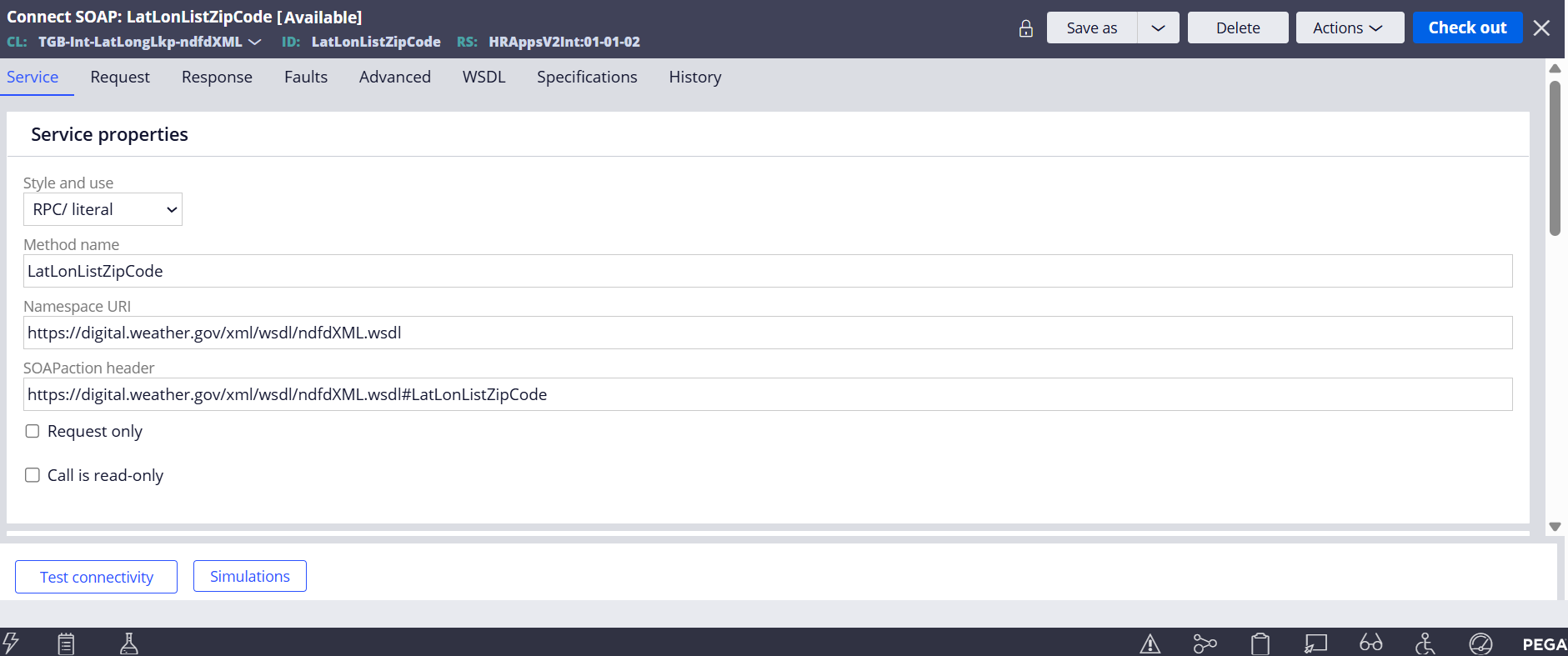
Once generated, the Connect SOAP rule contains critical metadata. The <strong>Service</strong> tab defines the Method Name, the SOAP Action header, and the target Namespace URI, ensuring requests are correctly routed.
Mapping Request Parameters
Mapping Request Parameters
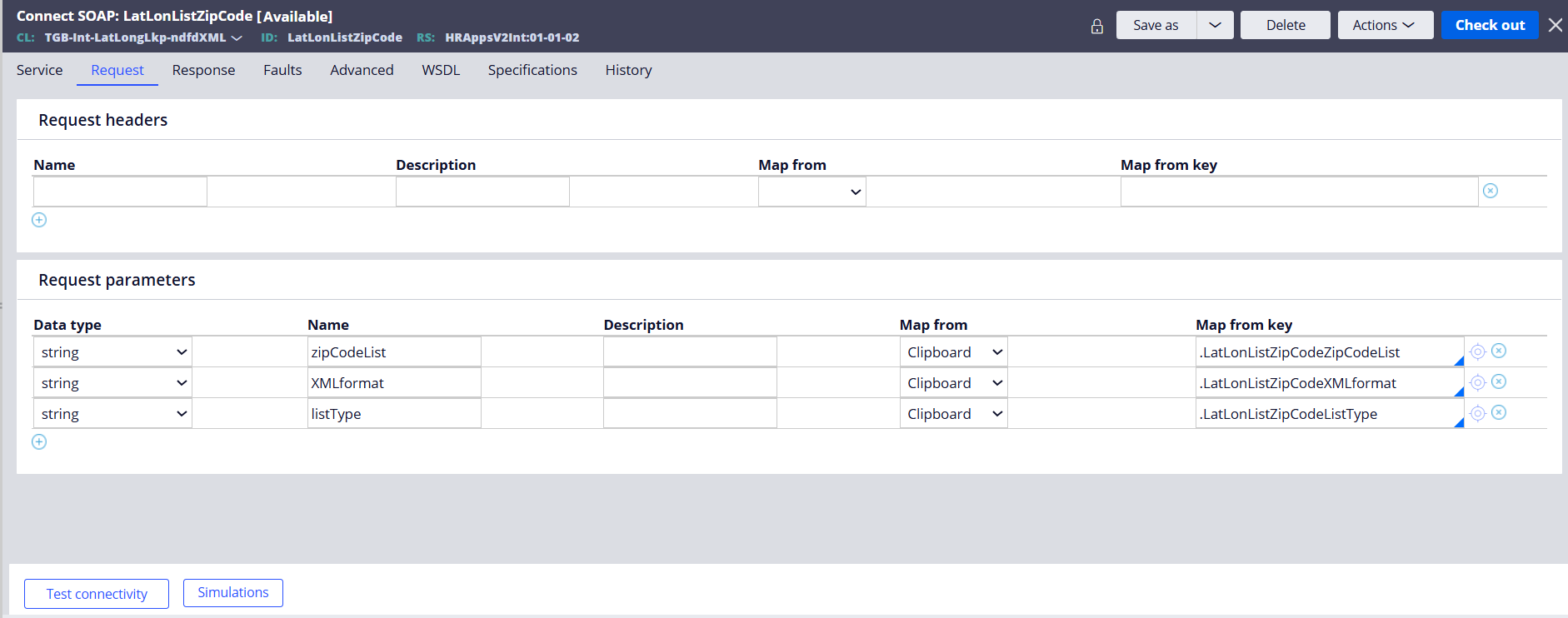
Configure the Request tab to map Pega properties to the SOAP request envelope. In this example, we map clipboard properties like <code>zipCodeList</code> and <code>listType</code> to the request parameters, ensuring the external service receives the correct data format.
Handling the Response
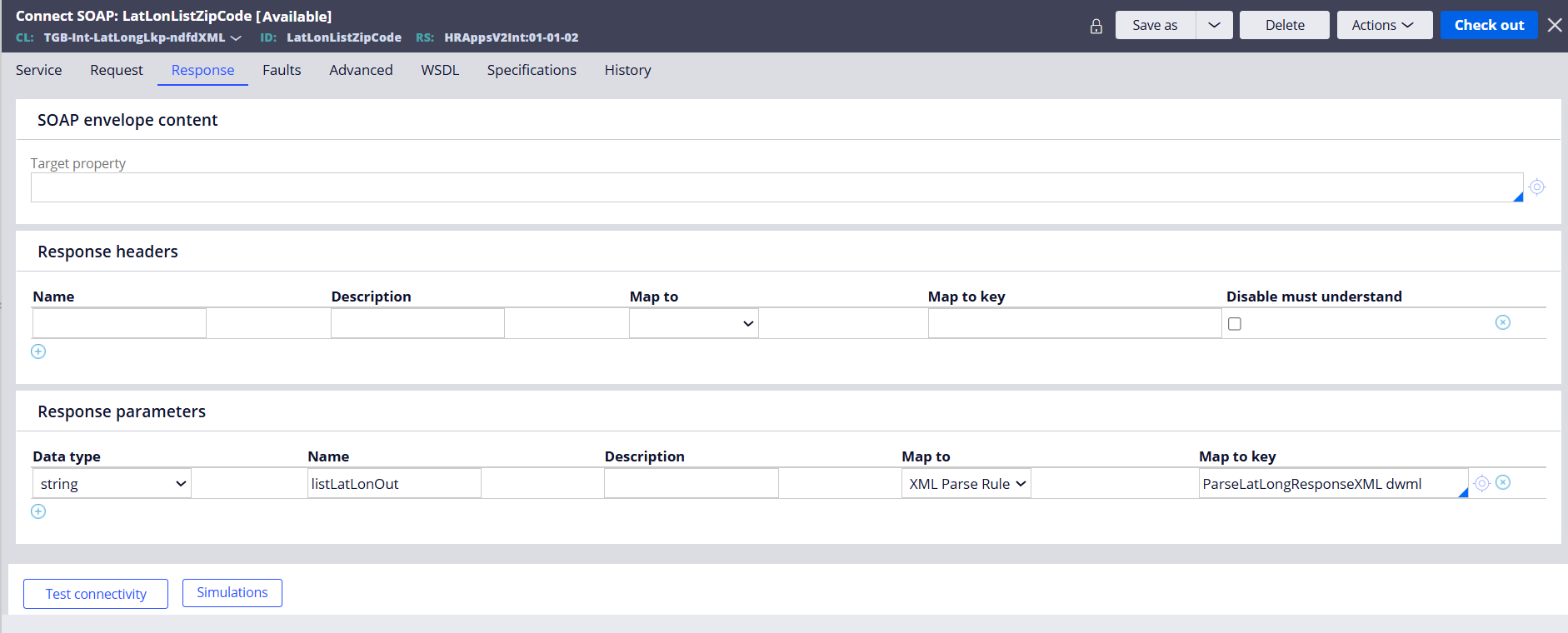
The <strong>Response</strong> tab translates the XML return payload into Pega data structures. Here, specific fields from the SOAP envelope are mapped to an XML Parse Rule to extract structured data.
Parse XML Rules
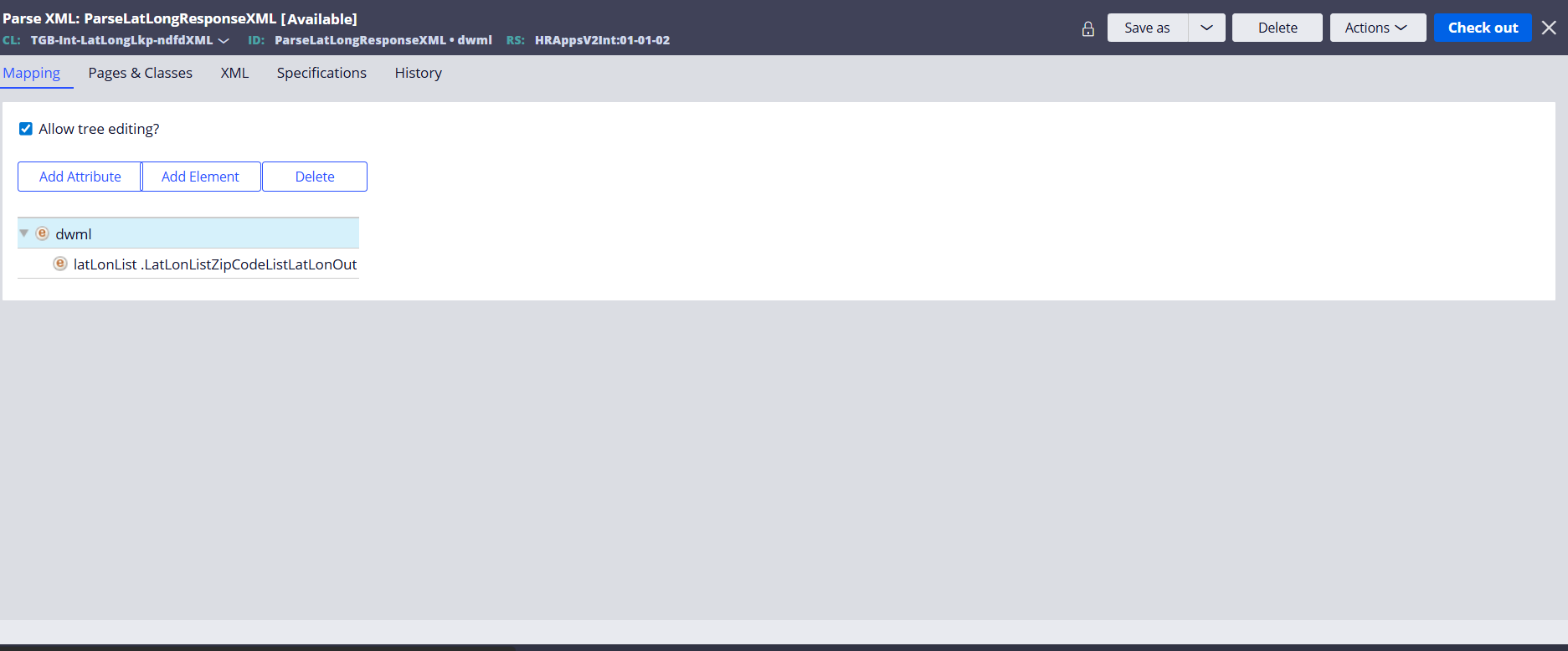
For complex responses, Parse XML rules are used to traverse the XML DOM and map values to properties on the Clipboard. This ensures that the raw data from the service is converted into a usable object format.
XML Node Configuration
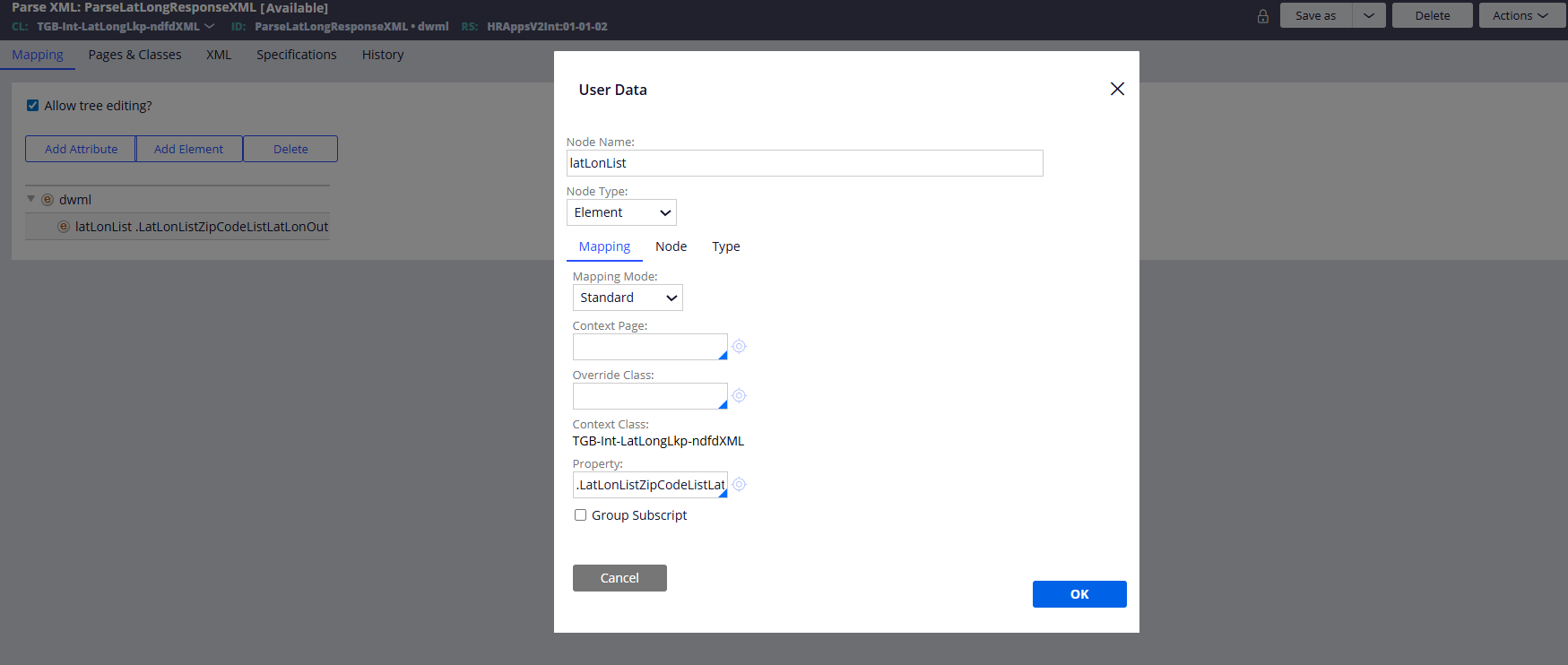
Detailed mapping configuration is crucial for accurate data parsing. Here we configure a specific node 'latLonList' as an Element type, using Standard mapping mode to bind it directly to the Clipboard property context.
Encapsulation via Data Pages
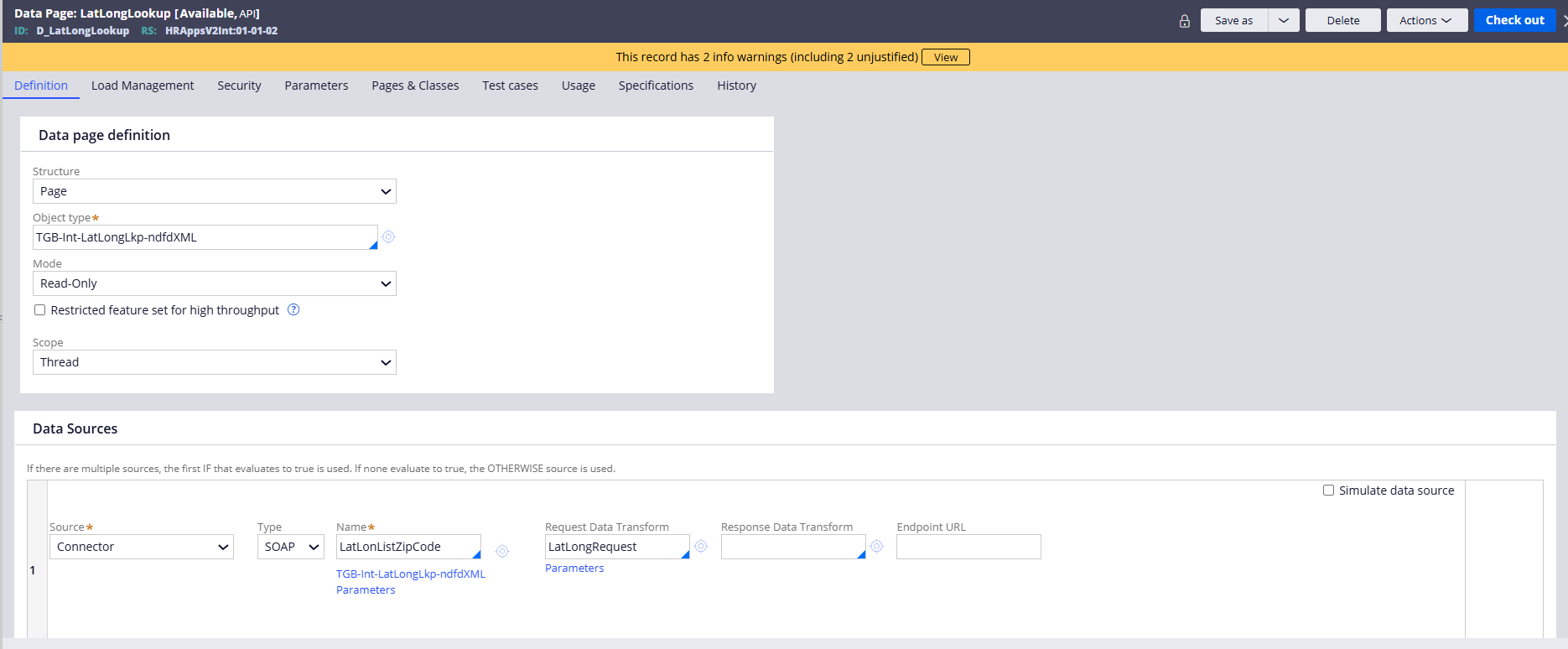
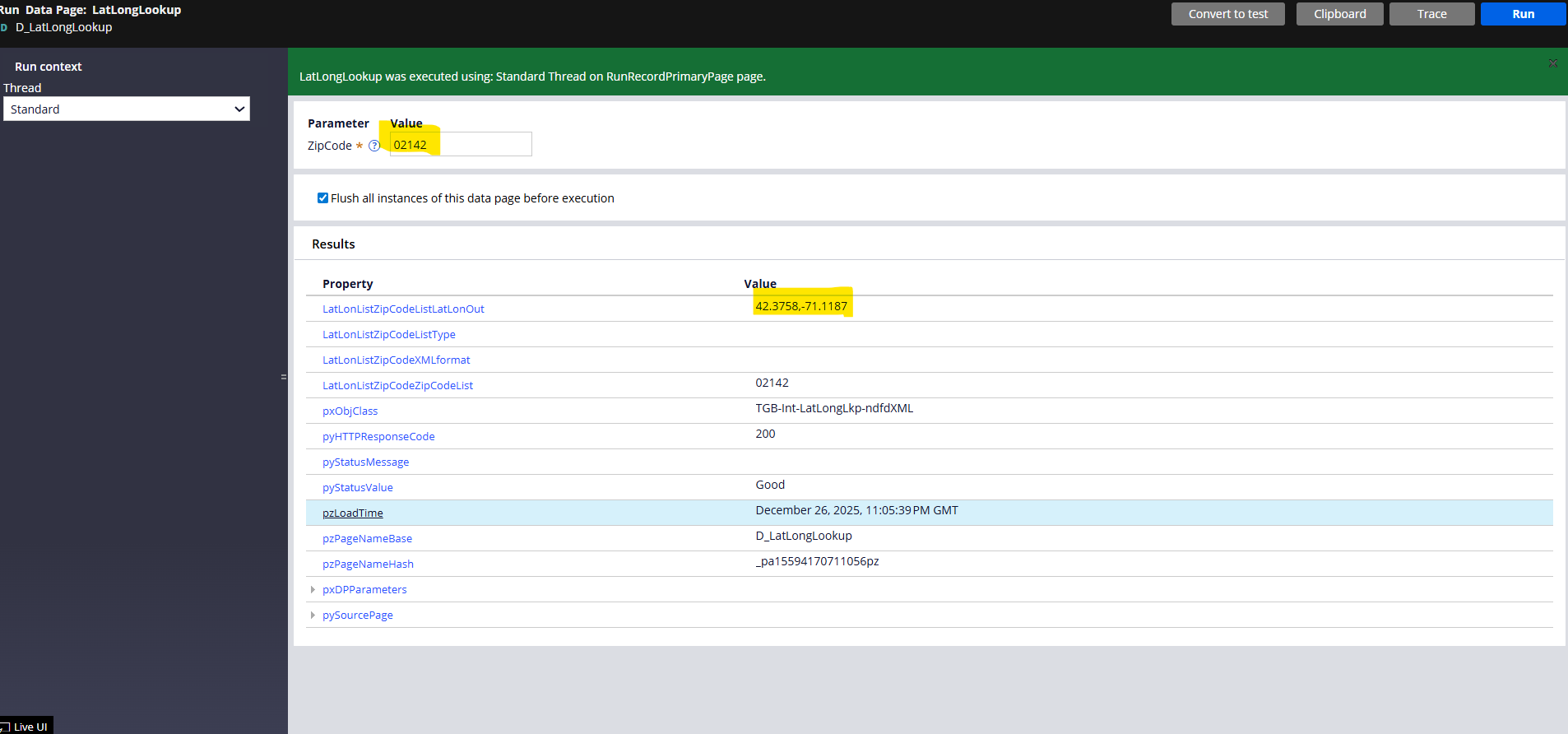
In Pega Constellation, UI components do not call connectors directly. Instead, connectors are wrapped in <strong>Data Pages</strong> (e.g., D_LatLongLookup). This abstracts the integration logic and provides a simple read-only data source to the frontend.
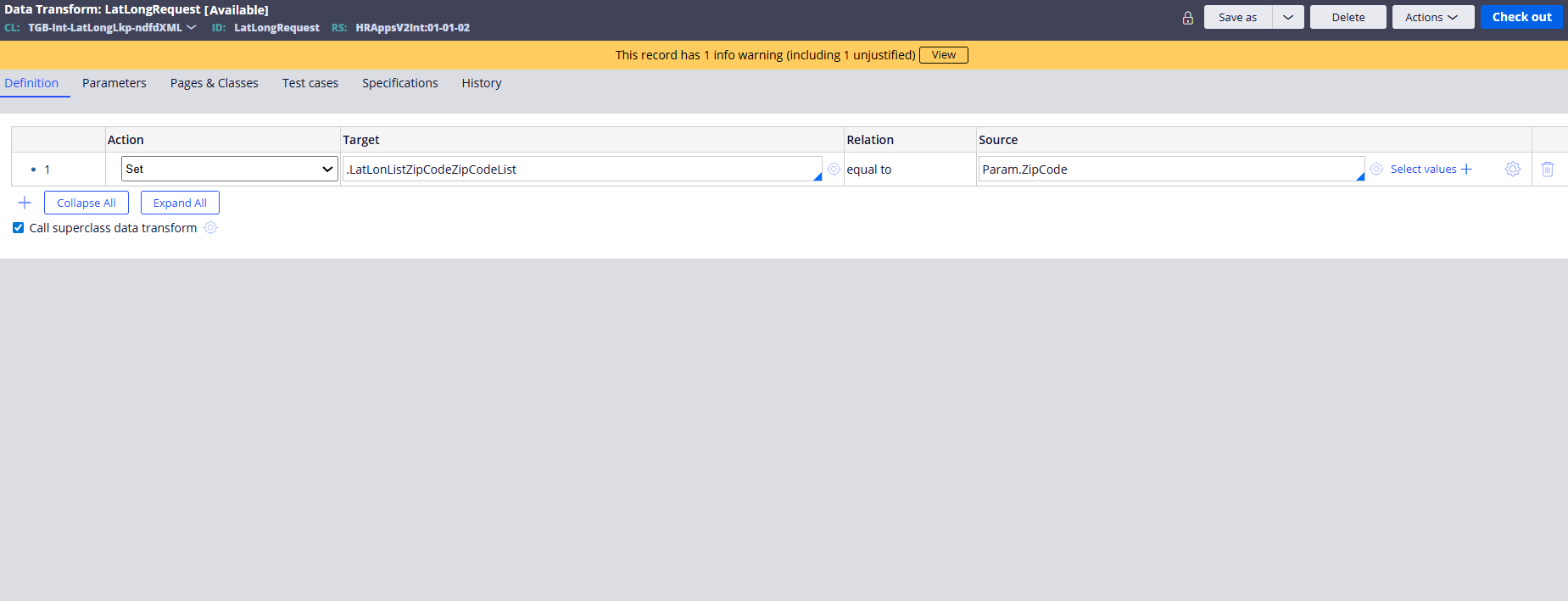
Request Data Transform
A Request Data Transform is often used within the Data Page configuration to prepare the data. Any parameters passed to the Data Page (like ZipCode) are mapped to the properties required by the Connector.
Verification & Testing
My Learning Journey
Creating this SOAP integration was a great hands-on way to understand how Pega communicates with external systems. Use of the wizard saved time, but configuring the request/response transforms required detailed mapping. I have learnt this practical exercise directly from the following Pega Academy challenge:<br><br><a href='https://academy.pega.com/challenge/creating-soap-connector/v9' style='color:#0033A0; text-decoration:underline;'>Creating a SOAP Connector (v9)</a>
- pega
- soap-integration
- pega-constellation
- wsdl
- xml-mapping
- data-pages
- enterprise-software