
Made byBobr AI

Electronics Basics: Sensors, Inputs, and Outputs Guide

Learn electronics essentials: the difference between analog and digital sensors, using microcontrollers, transistors for high power, and PWM for motion.

#electronics#sensors#microcontroller#arduino-basics#robotics#digital-analog#stemeducation
Watch
Pitch

Basics of Electronics: Sensors & I/O

Understanding Inputs, Outputs, and Digital vs. Analog

Made byBobr AI

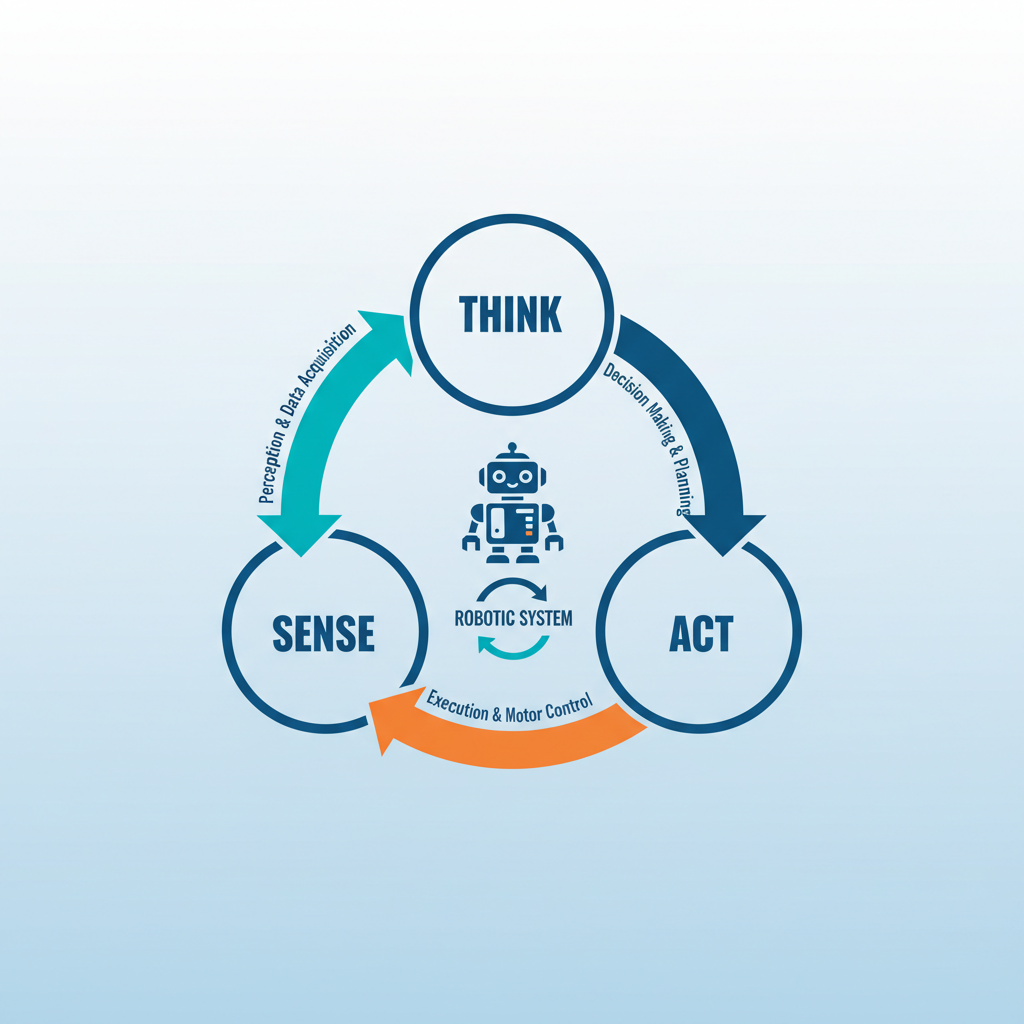
The Big Picture: Sense, Think, Act

SENSE (Input): Gathering data from the physical world.
THINK (Process): The microcontroller decides what to do based on logic.
ACT (Output): Changing the physical world (motion, light, sound).
Made byBobr AI

Defining Inputs & Outputs

INPUTS (Sensors)

INPUTS: Signals sent TO the brain (Microcontroller). They measure the environment.

OUTPUTS (Actuators)

OUTPUTS: Signals sent FROM the brain. They perform actions or display information.

Made byBobr AI

Analog vs. Digital Signals

Digital is ON/OFF (1 or 0). Analog is continuous (range of values).

Chart
Made byBobr AI

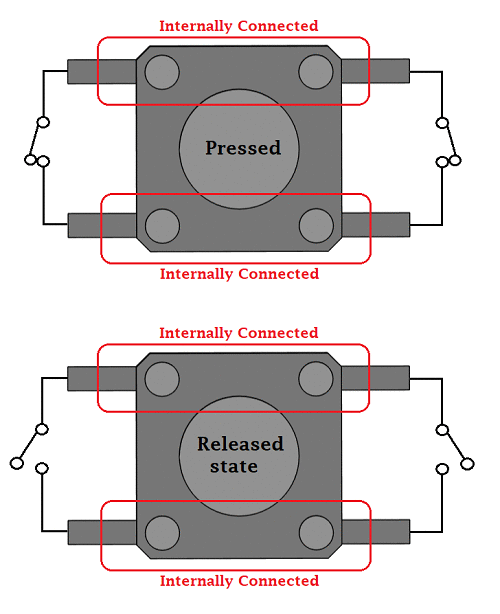
Digital Sensors: The Simplest Inputs

  • Reports only two states: HIGH (5V) or LOW (0V).
  • Examples: Push Buttons, Switches, Reed Switches (Magnetic).
  • Often requires a 'Pull-up' or 'Pull-down' resistor to ensure a clean signal.
Made byBobr AI

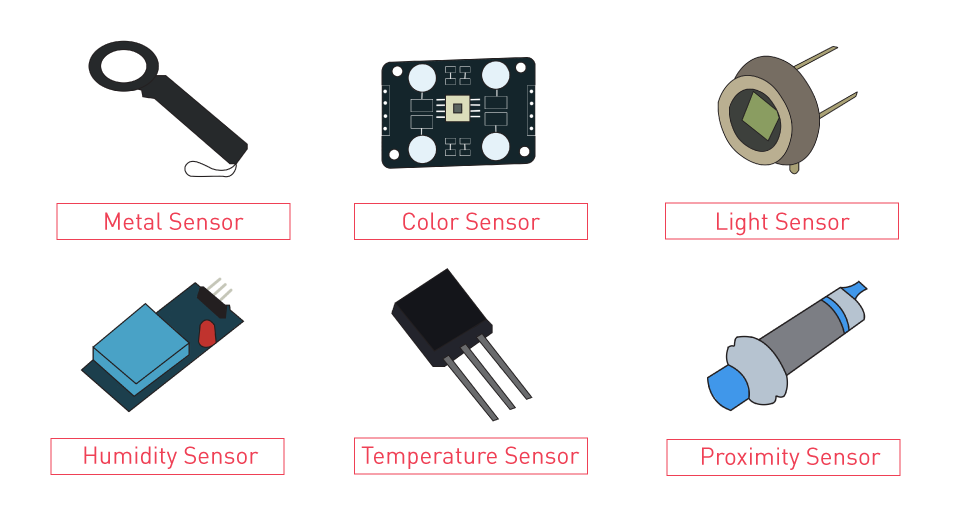
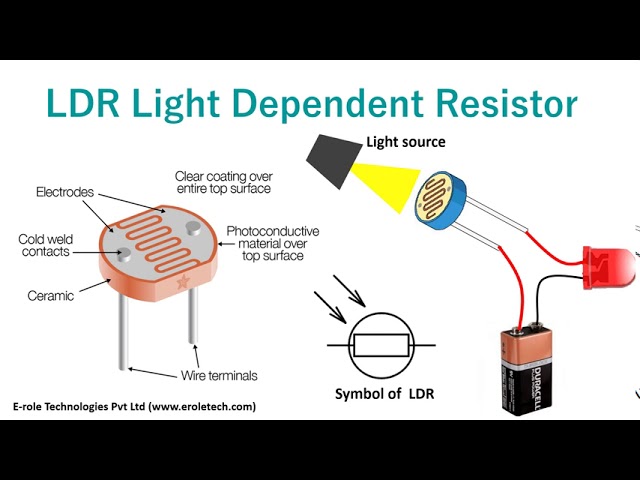
Analog Sensors: Measuring the World

Analog sensors change their RESISTANCE based on the environment. We use a Voltage Divider circuit to read this change as Voltage.

LDR (Light Dependent Resistor): Measures brightness.
Thermistor: Measures temperature.
Potentiometer: Measures rotation (knob).
Made byBobr AI

ADC: Analog to Digital Converter

Microcontrollers are digital (Brain). They don't understand 2.5V. They understand discrete numbers. An ADC translates voltage (0-5V) into a number (e.g., 0-1023).

Chart
Made byBobr AI

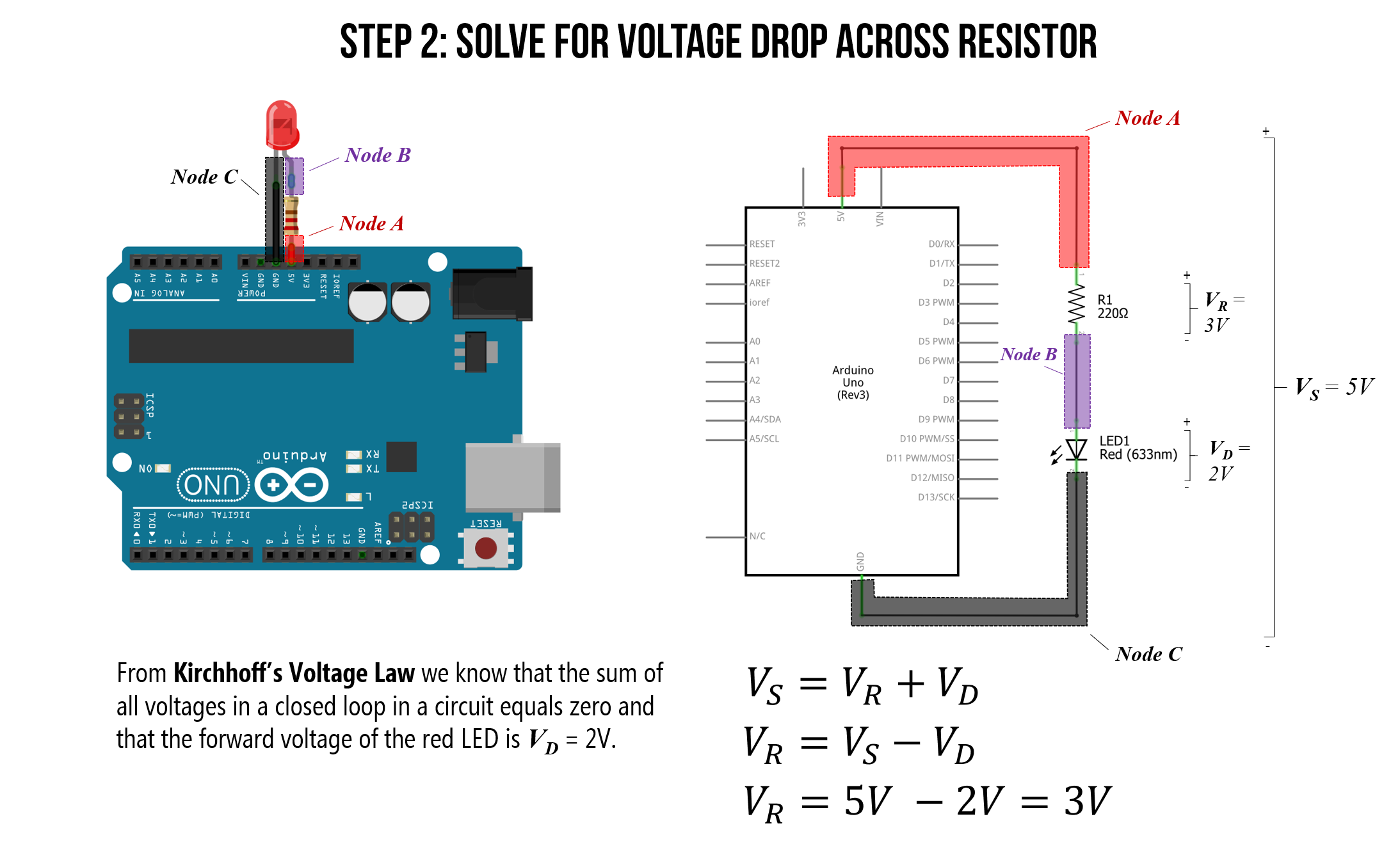
Basic Outputs: LEDs & Current

An LED (Light Emitting Diode) is the 'Hello World' of electronics.

SAFETY: LEDs have no internal resistance. You MUST use a resistor to limit current.

Control: Write HIGH (5V) to turn on, LOW (0V) to turn off.

Made byBobr AI

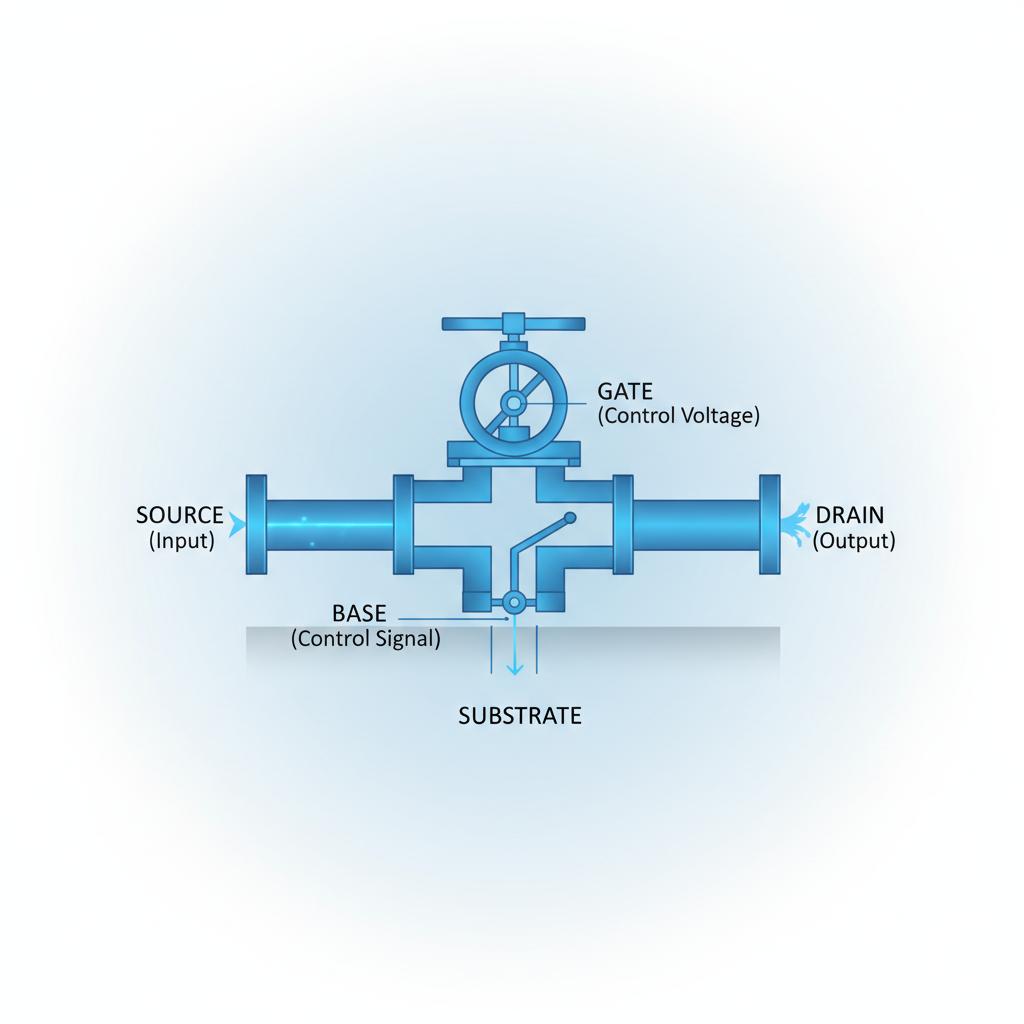
High Power Outputs: Transistors

Problem: Microcontrollers are weak. They can only provide ~20-40mA of current. Motors need 500mA+.

Solution: Use a Transistor (or MOSFET). It acts like a digital switch. A tiny signal from the chip controls massive power from a battery.

Made byBobr AI

Analog Outputs? Meet PWM

Digital pins can't output varying voltage (like 2.5V). Instead, we turn the pin ON and OFF very fast. This is Pulse Width Modulation.

Chart
Made byBobr AI

Motors & Motion

The Actuator

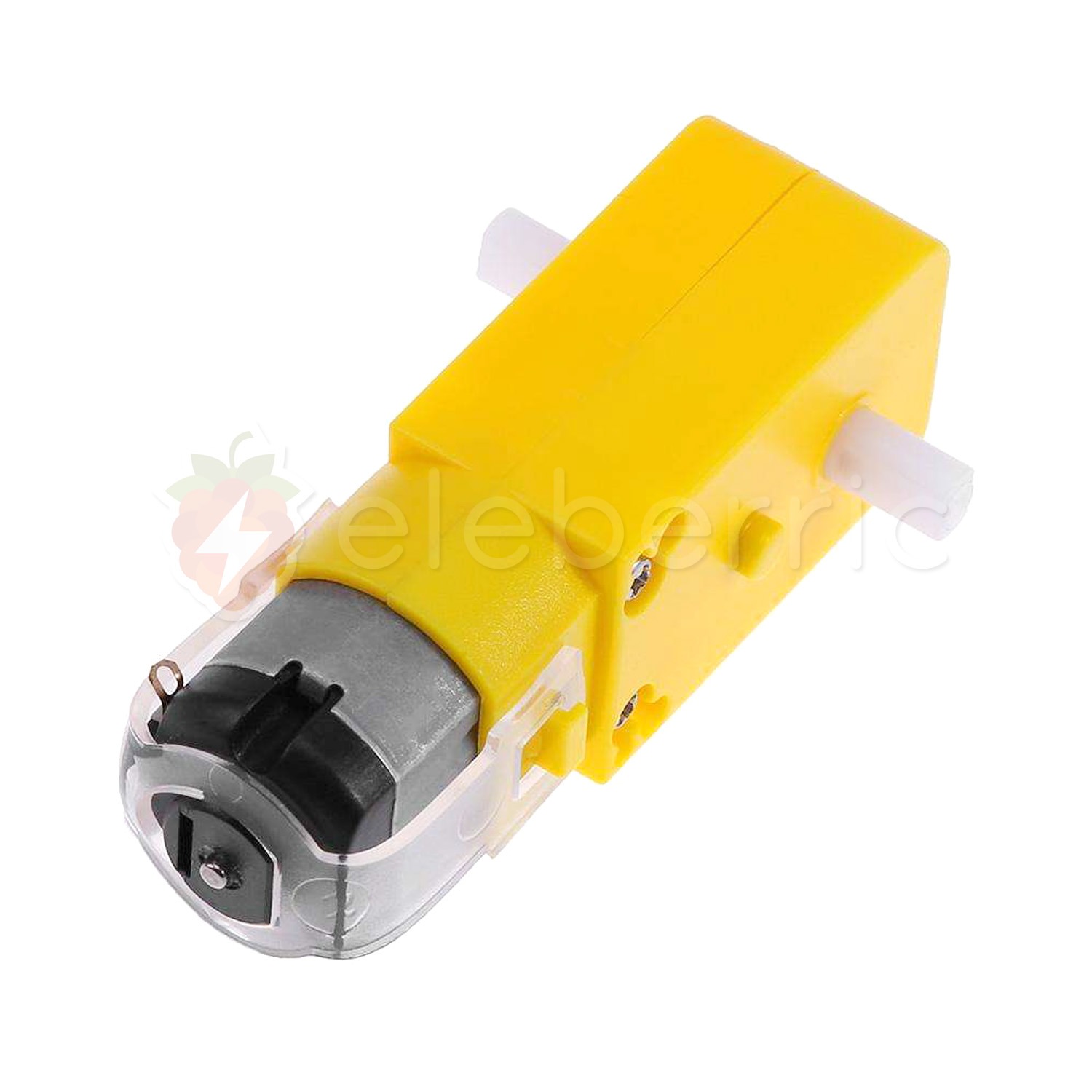
DC Motors: Spin when power is applied. Swap wires (+/-) to reverse direction.

The Driver

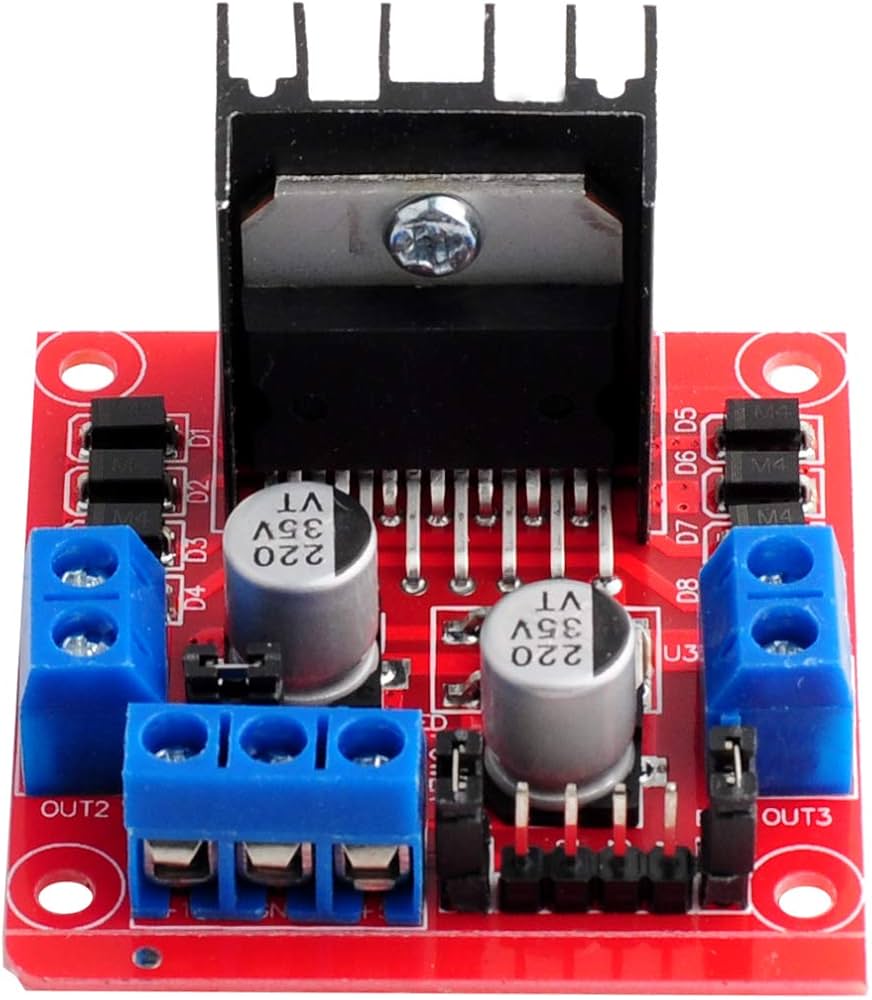
The H-Bridge: A special chip that contains transistors to let us control motor direction and speed (via PWM) from code.

Made byBobr AI

Application: Distance Sensors

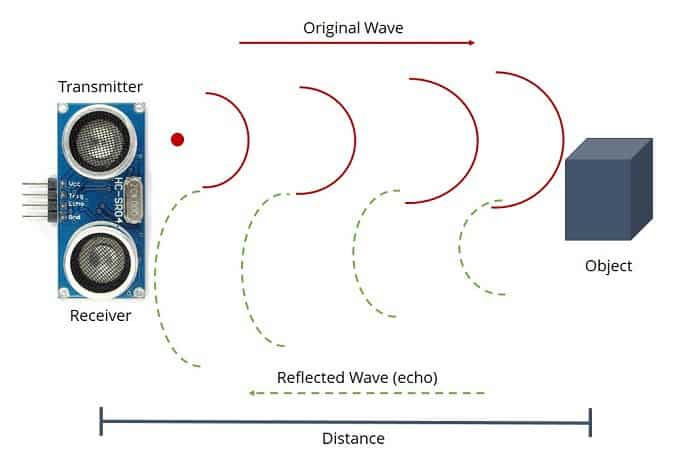
Ultrasonic Sensor (HC-SR04): Works like a bat.

  1. 1. Trig pin sends a high frequency sound 'ping'.
  2. 2. Sound bounces off object and returns to Echo pin.
  3. 3. Distance = (Time x Speed of Sound) / 2
Made byBobr AI

Thinking: Logic Statements

IF (Distance < 10) { Stop Motors; Turn LED ON; } ELSE { Drive Forward; Turn LED OFF; }

The 'IF' statement is the core of robotics. It connects the Sense (Distance) to the Act (Motors).

Made byBobr AI

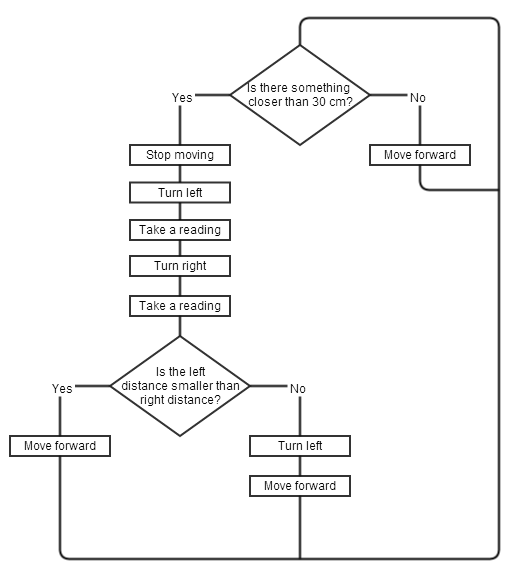
Visualizing Logic: The Flowchart

  • Always draw a flowchart BEFORE writing code.
  • Diamonds = Decisions (Yes/No).
  • Rectangles = Actions (Turn on LED, Run Motor).
Made byBobr AI

Summary & Challenge

Recap:

1. Sensors (Inputs) can be Digital (Switch) or Analog (Light/Temp). 2. Actuators (Outputs) need drivers (Transistors) for high power. 3. Logic (IF/ELSE) connects them.

Design Challenge:

Design a 'Smart Fan' system. It should turn ON a fan (Motor) when the temperature (Thermistor) gets too hot, but ONLY if someone is in the room (Motion Sensor). Draw the flowchart.

Made byBobr AI
Bobr AI

DESIGNER-MADE
PRESENTATION,
GENERATED FROM
YOUR PROMPT

Create your own professional slide deck with real images, data charts, and unique design in under a minute.

Generate For Free

Electronics Basics: Sensors, Inputs, and Outputs Guide

Learn electronics essentials: the difference between analog and digital sensors, using microcontrollers, transistors for high power, and PWM for motion.

Basics of Electronics: Sensors & I/O

Understanding Inputs, Outputs, and Digital vs. Analog

The Big Picture: Sense, Think, Act

SENSE (Input): Gathering data from the physical world.

THINK (Process): The microcontroller decides what to do based on logic.

ACT (Output): Changing the physical world (motion, light, sound).

Defining Inputs & Outputs

INPUTS: Signals sent TO the brain (Microcontroller). They measure the environment.

OUTPUTS: Signals sent FROM the brain. They perform actions or display information.

Analog vs. Digital Signals

Digital is ON/OFF (1 or 0). Analog is continuous (range of values).

Digital Sensors: The Simplest Inputs

Reports only two states: HIGH (5V) or LOW (0V).

Examples: Push Buttons, Switches, Reed Switches (Magnetic).

Often requires a 'Pull-up' or 'Pull-down' resistor to ensure a clean signal.

Analog Sensors: Measuring the World

Analog sensors change their RESISTANCE based on the environment. We use a Voltage Divider circuit to read this change as Voltage.

LDR (Light Dependent Resistor): Measures brightness.

Thermistor: Measures temperature.

Potentiometer: Measures rotation (knob).

ADC: Analog to Digital Converter

Microcontrollers are digital (Brain). They don't understand 2.5V. They understand discrete numbers. An ADC translates voltage (0-5V) into a number (e.g., 0-1023).

Basic Outputs: LEDs & Current

An LED (Light Emitting Diode) is the 'Hello World' of electronics.

SAFETY: LEDs have no internal resistance. You MUST use a resistor to limit current.

Control: Write HIGH (5V) to turn on, LOW (0V) to turn off.

High Power Outputs: Transistors

Problem: Microcontrollers are weak. They can only provide ~20-40mA of current. Motors need 500mA+.

Solution: Use a Transistor (or MOSFET). It acts like a digital switch. A tiny signal from the chip controls massive power from a battery.

Analog Outputs? Meet PWM

Digital pins can't output varying voltage (like 2.5V). Instead, we turn the pin ON and OFF very fast. This is Pulse Width Modulation.

Motors & Motion

DC Motors: Spin when power is applied. Swap wires (+/-) to reverse direction.

The H-Bridge: A special chip that contains transistors to let us control motor direction and speed (via PWM) from code.

Application: Distance Sensors

Ultrasonic Sensor (HC-SR04): Works like a bat.

1. Trig pin sends a high frequency sound 'ping'.

2. Sound bounces off object and returns to Echo pin.

3. Distance = (Time x Speed of Sound) / 2

Thinking: Logic Statements

IF (Distance < 10) { Stop Motors; Turn LED ON; } ELSE { Drive Forward; Turn LED OFF; }

The 'IF' statement is the core of robotics. It connects the Sense (Distance) to the Act (Motors).

Visualizing Logic: The Flowchart

Always draw a flowchart BEFORE writing code.

Diamonds = Decisions (Yes/No).

Rectangles = Actions (Turn on LED, Run Motor).

Summary & Challenge

Recap:

1. Sensors (Inputs) can be Digital (Switch) or Analog (Light/Temp). 2. Actuators (Outputs) need drivers (Transistors) for high power. 3. Logic (IF/ELSE) connects them.

Design Challenge:

Design a 'Smart Fan' system. It should turn ON a fan (Motor) when the temperature (Thermistor) gets too hot, but ONLY if someone is in the room (Motion Sensor). Draw the flowchart.

  • electronics
  • sensors
  • microcontroller
  • arduino-basics
  • robotics
  • digital-analog
  • stemeducation