



OCR GCSE Computer Science: CPU System Architecture Guide
Learn about CPU architecture, Von Neumann architecture, the Fetch-Decode-Execute cycle, and embedded systems for OCR GCSE Computer Science.
OCR GCSE Computer Science: System Architecture
Revision Guide: CPU Architecture, Memory, and Embedded Systems
The Central Processing Unit (CPU)
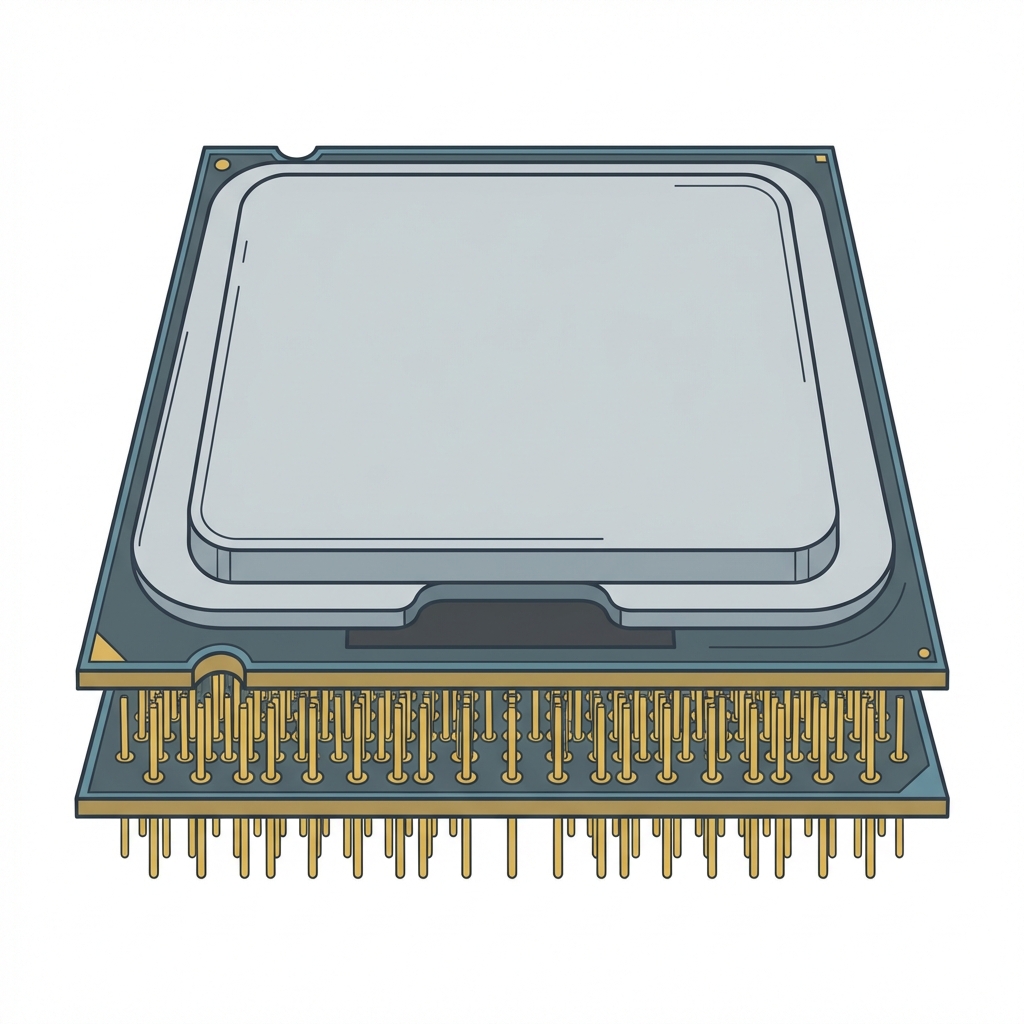
The CPU is the 'brain' of the computer. Its primary purpose is to process data and execution instructions. It controls the movement of data and operations throughout the system.
The F-D-E Cycle: Fetch, Decode, Execute
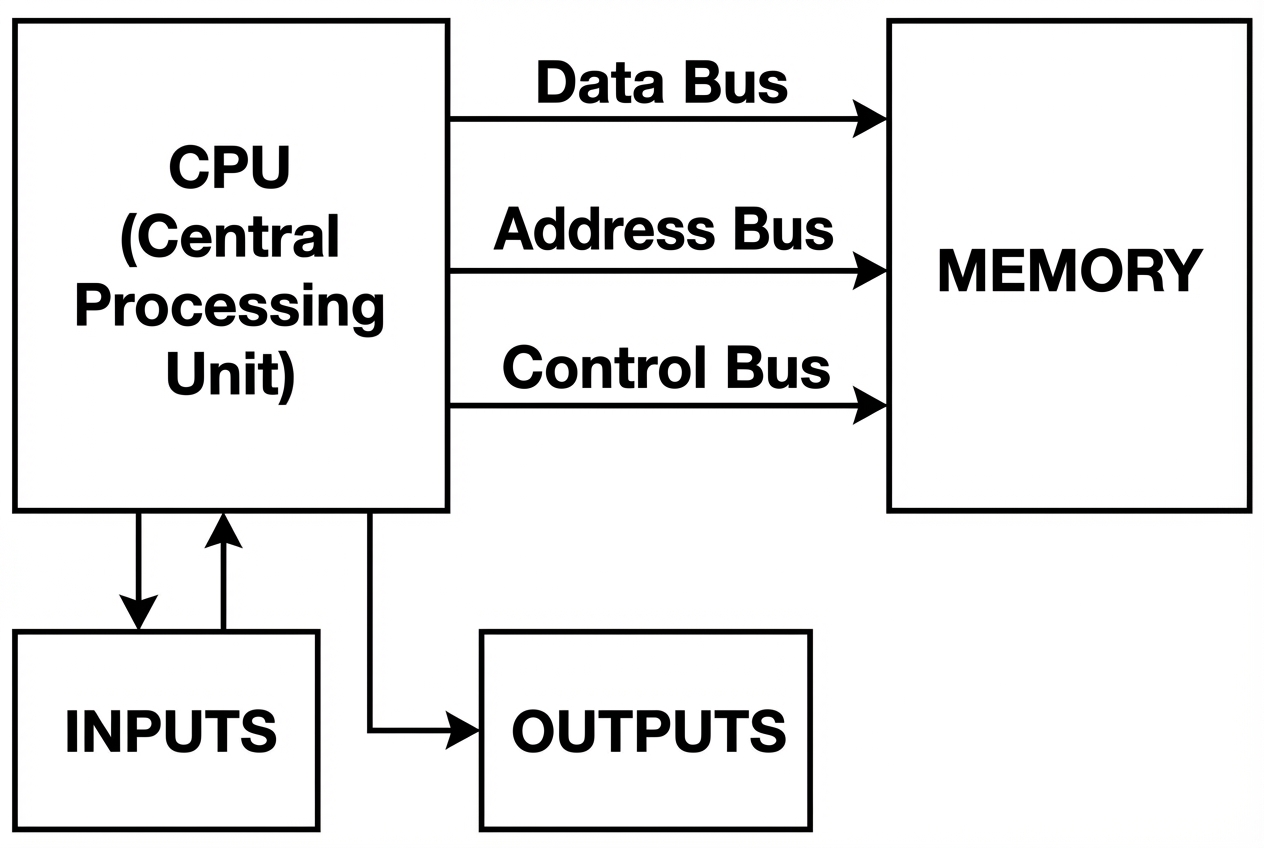
Von Neumann Architecture
The Stored Program Concept
The defining feature of Von Neumann architecture is that both program instructions and data are stored in the same memory (RAM).
Key CPU Components
ALU (Arithmetic Logic Unit)
Performs calculations (addition, subtraction) and logical decisions (AND, OR, NOT). Also handles binary shifts.
CU (Control Unit)
Coordinates CPU activity. It decodes instructions and sends control signals to other components.
Cache Memory
Very fast, small memory on the CPU. Stores frequently used data to speed up processing.
CPU Registers (The Acronyms)
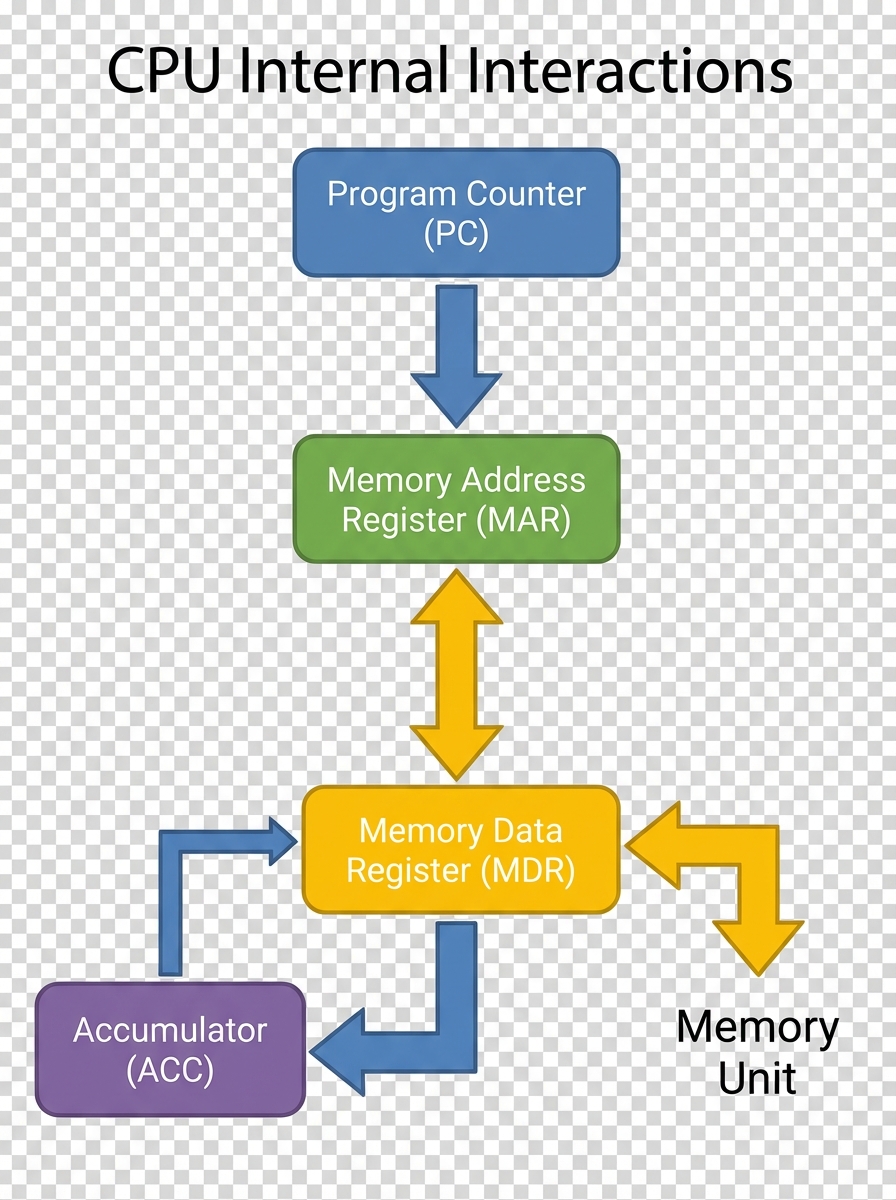
PC (Program Counter): Holds the memory address of the NEXT instruction to be fetched.
MAR (Memory Address Register): Holds the address in memory where data is to be fetched or stored.
MDR (Memory Data Register): Holds the actual data or instruction fetched from memory.
ACC (Accumulator): Stores the results of calculations performed by the ALU.
The Fetch-Decode-Execute Cycle
1. FETCH
Address copied from PC to MAR. PC incremented. Data fetched to MDR.
2. DECODE
CU inspects the instruction in the MDR and understands what to do.
3. EXECUTE
The instruction is performed (e.g., Load data, Calculate, Jump).
Factors Affecting CPU Performance
Clock Speed
Measured in Hertz (GHz). The number of cycles per second. Higher speed = more instructions executed per second.
Cache Size
Larger cache allows more frequently used instructions to be stored near CPU, reducing need to fetch from slower RAM.
Number of Cores
Each core can process a separate instruction simultaneously (Multitasking). Note: 4 cores is not simply '4x faster' due to software optimization.
Embedded Systems
A computer system built into a larger device with a dedicated function.
Often running on firmware (ROM), limited RAM, rugged/reliable, low power consumption, real-time operation.
Comparison: Embedded vs. General Purpose
Embedded System
• One dedicated task<br>• Limited resources (RAM/CPU)<br>• Harder to upgrade<br>• Cheaper to manufacture
General Purpose (PC/Laptop)
• Many different tasks<br>• High processing power & memory<br>• Easy to upgrade software/hardware<br>• Expensive
Exam Technique: The 6-Marker
Q: Describe how the CPU and RAM work together to execute a program.
Model Answer Checklist:
Mention the Program Counter (PC) stores address of next instruction.
Mention Fetch: Address sent to MAR, data retrieved to MDR.
Mention Decode: Control Unit interprets instruction.
Mention Execute: ALU performs calculation if needed.
System Architecture Practice Questions
Q: Define the role of the Control Unit within a CPU.
<div style='margin-bottom:10px;'><span style='color:#00509e; font-weight:bold; margin-right:10px;'>✓</span> <b>Coordinates all CPU operations</b> by sending timing and control signals.</div><div><span style='color:#00509e; font-weight:bold; margin-right:10px;'>✓</span> <b>Fetches instructions</b> from memory and directs them to the correct components.</div><div><span style='color:#00509e; font-weight:bold; margin-right:10px;'>✓</span> Controls the data flow between the ALU, registers, and memory.</div>
Q: Explain how cache memory improves CPU performance.
<div style='margin-bottom:15px;'><span style='color:#00509e; font-weight:bold; margin-right:10px;'>●</span> <b>Cache stores frequently used data</b> closer to the CPU than RAM, reducing access time.</div><div style='margin-bottom:15px;'><span style='color:#00509e; font-weight:bold; margin-right:10px;'>●</span> <b>Reduces the number of slow RAM accesses,</b> so instructions execute faster.</div><div><span style='color:#00509e; font-weight:bold; margin-right:10px;'>●</span> <b>Uses levels (L1, L2, L3)</b> to balance speed and size, giving the CPU the quickest response for critical data.</div>
Q: Describe the Fetch-Decode-Execute cycle and explain why each stage is essential.
<ul style='list-style:none; padding:0; margin:0;'><li style='margin-bottom:25px; display:flex;'><span style='color:#d32f2f; font-weight:bold; margin-right:15px; font-size:1.2em;'>1.</span><div><strong style='color:#d32f2f;'>Fetch:</strong><br>The CU retrieves the next instruction from RAM using the program counter (PC). This ensures the CPU knows which instruction to run next.</div></li><li style='margin-bottom:25px; display:flex;'><span style='color:#d32f2f; font-weight:bold; margin-right:15px; font-size:1.2em;'>2.</span><div><strong style='color:#d32f2f;'>Decode:</strong><br>The instruction decoder interprets the binary opcode, determining the operation and operands. Without decoding, the CPU cannot understand what action to take.</div></li><li style='margin-bottom:25px; display:flex;'><span style='color:#d32f2f; font-weight:bold; margin-right:15px; font-size:1.2em;'>3.</span><div><strong style='color:#d32f2f;'>Execute:</strong><br>The ALU or other components perform the calculation or transfer. Execution produces the result and updates registers or memory.</div></li><li style='display:flex;'><span style='color:#d32f2f; font-weight:bold; margin-right:15px; font-size:1.2em;'>4.</span><div><strong style='color:#d32f2f;'>Conclusion:</strong><br>The cycle repeats continuously, allowing the CPU to run complex programs by processing one instruction at a time in a predictable flow.</div></li></ul>
- gcse-computer-science
- cpu-architecture
- von-neumann
- embedded-systems
- revision-guide
- fetch-decode-execute
- ocr
- computer-science-notes