
Streamlined Daily Lab Number Entry & Verification Process
Daily Lab Number Entry & Verification System
Step-by-Step Process & Benefits
Why This Form Was Introduced
- Month-end Excel collection creates significant delays in data sharing.
- High risk of duplicate lab numbers and visit count mismatches.
- Manual entry leads to avoidable errors requiring time-consuming follow-ups.
Solution Overview
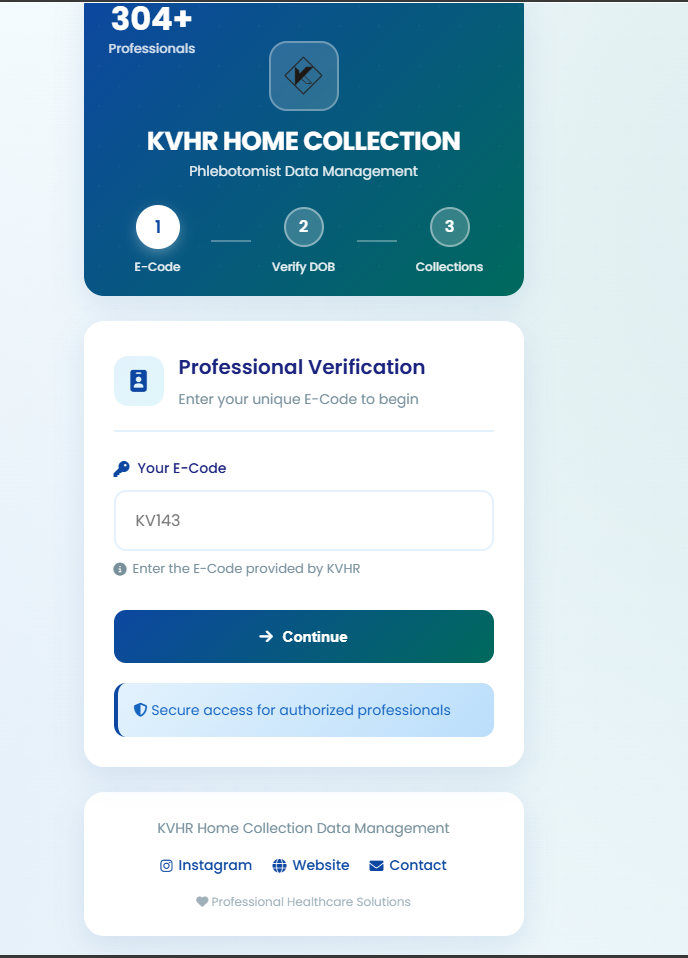
Step 1: Form Interface & Login
Access the user-friendly interface to begin your daily entry. The system requires secure login to proceed.
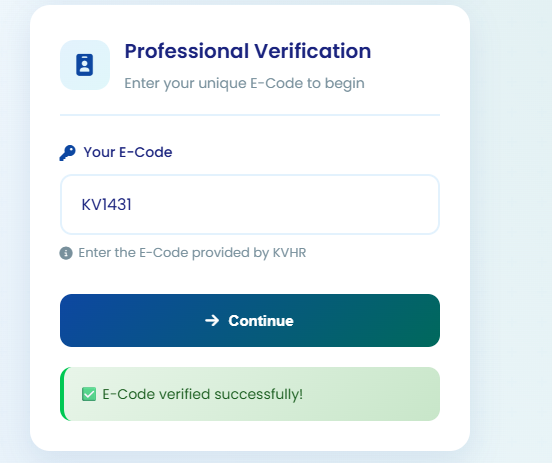
Step 2: Employee Code Entry
Enter your unique E-Code (Employee Code). This is a mandatory field for identification.
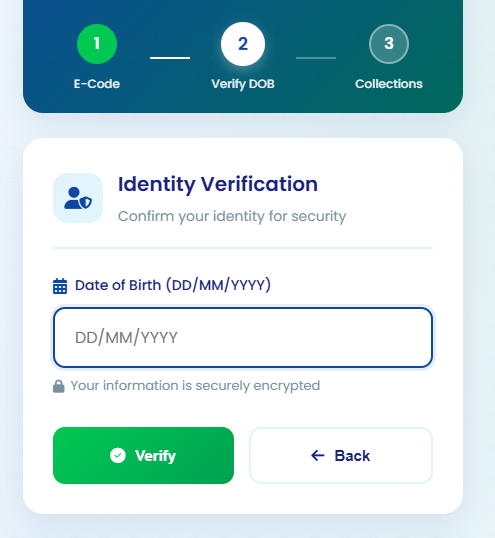
Step 3: Identity Verification
Enter your Date of Birth for secondary verification. This ensures that the correct employee is authenticated.
Step 4: Details Confirmation
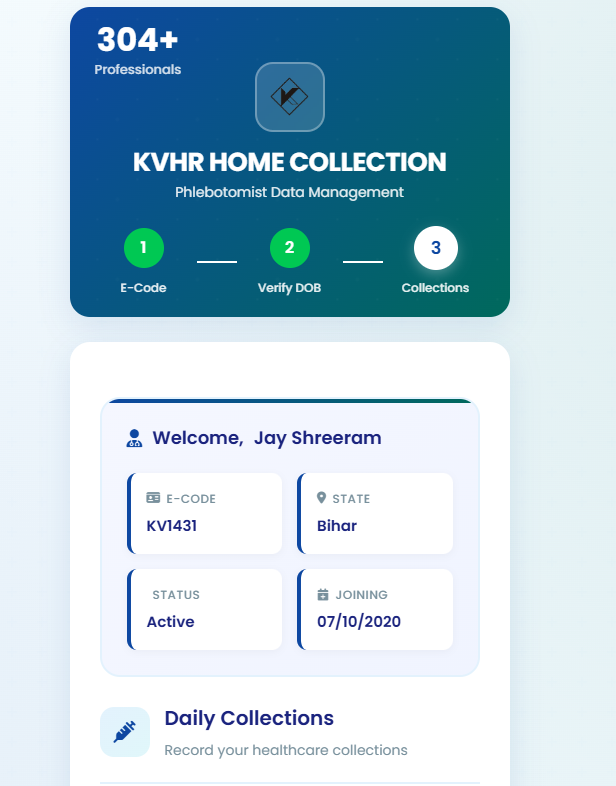
The system displays your details (Name, Code, Status). Verify carefully and proceed only if accurate.
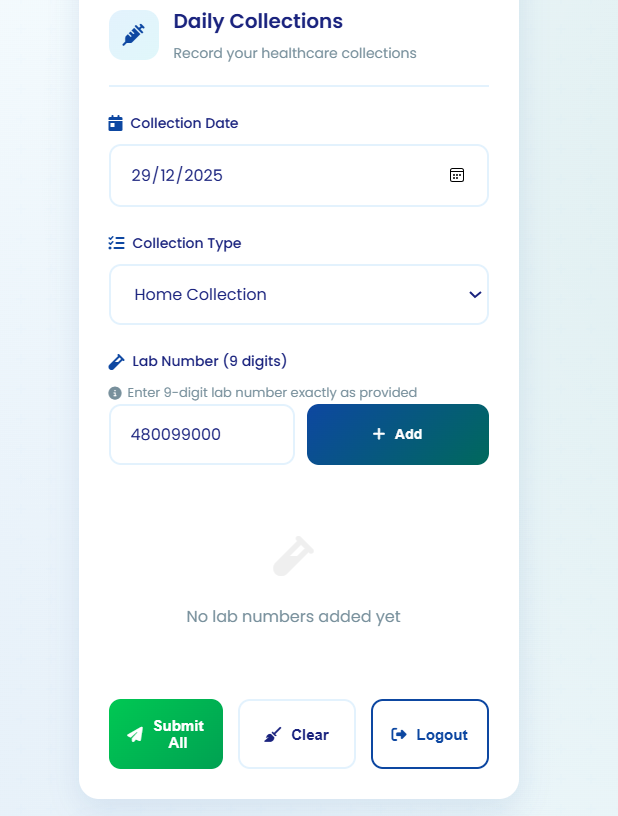
Step 5: Sample & Barcode Entry
Select the correct Date of Sample Collection and enter the 9-digit Lab Barcode Number manually.
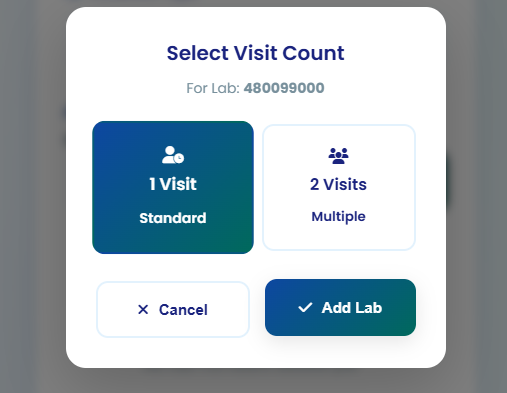
Step 6: Visit Type Selection
Accurate visit count is mandatory. Select '1 Visit' for Standard Single Collection or '2 Visits' for PP/Fasting.
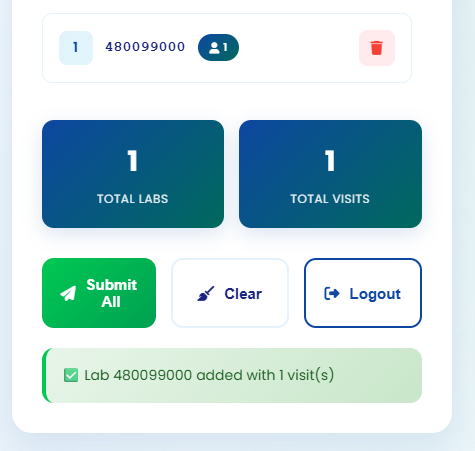
Step 7: Add & Verify Lab Number
Once added, the number appears in the list. The system checks duplication automatically. Review before final submission.
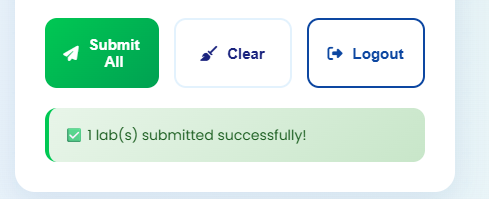
Step 8: Final Submission
Click 'Submit All' to save. A green success message will confirm '1 lab(s) submitted successfully!'. Operations team receives data instantly.
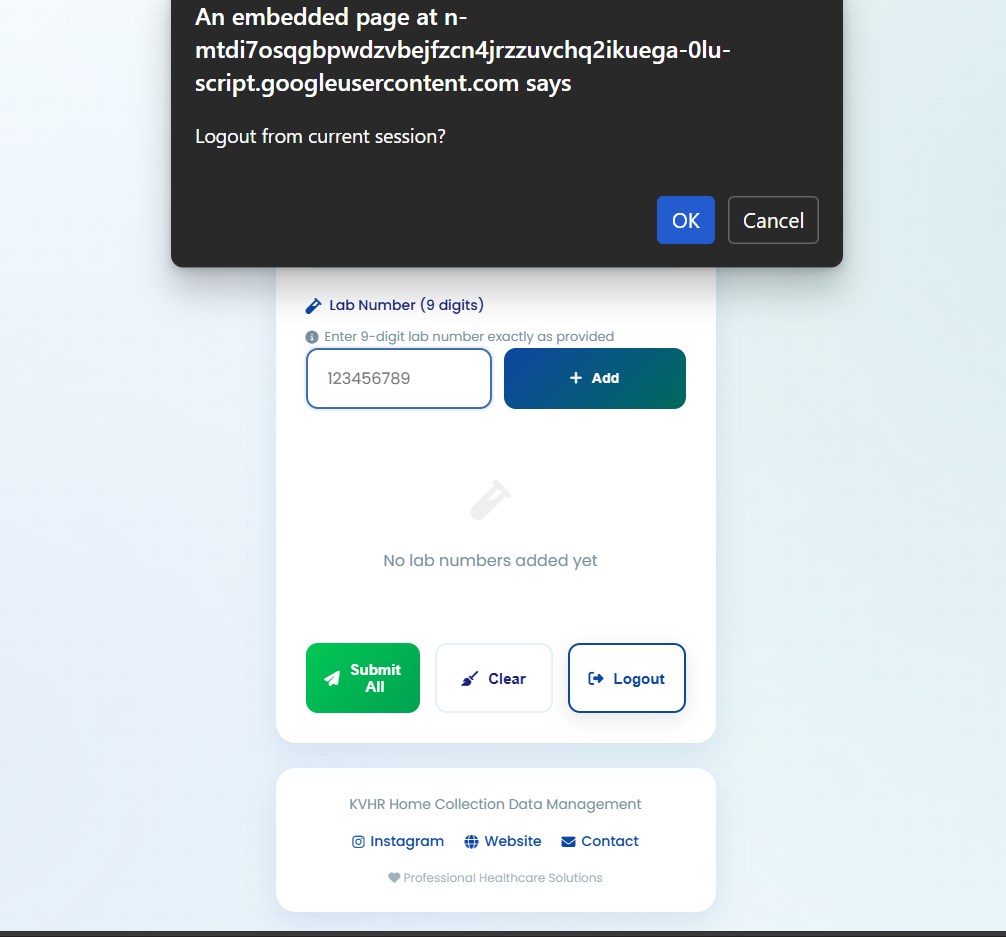
Step 9: Logout & Screenshot
Always logout after your session to maintain security. You may take a screenshot for personal reference.
Key Process Benefits
Eliminates month-end Excel sharing workload.
Prevents duplicate lab numbers and visit count mismatches.
Ensures faster and 100% accurate reporting.
"Please use this form daily. If any issues arise, the system will notify the team automatically. For further support, contact the concerned operations team."
Daily Lab Number Entry & Verification System
Step-by-Step Process & Benefits